주요 콘텐츠로 건너뛰기
수리 커뮤니티 가입 - 계정 만들기

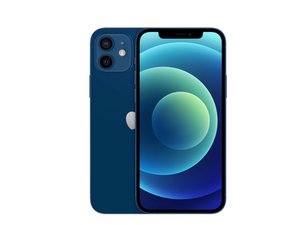
Apple의 2020년 주력 iPhone은 10월 23일에 6.1" OLED 디스플레이, 듀얼 12MP 카메라 시스템, 그리고 다석 가지 색상으로 출시되었습니다. iPhone 11의 후속 제품입니다.

LCD replacement will not work

Hello ,

Well i opened my Iphone 12 and tried to fix the Cameras (because it has a black dot while trying to get a picture) and unfortunatly i closed the LCD and forgot to screw the Metal thing over the camera flex . So i tried to reopen the LCD again and when i pulled the screen all cables were cut :(

On iPhone 12 LCD there are 3 cables . 2 for the LCD and 1 for the Proximity Sensor and the Ear Speaker.

When i tried to put a spare LCD and power up the Phone , the Apple logo appears for 2 seconds and then dissapears and i have a black screen , but the phone is still open , because the sounds and vibration works fine . The thing here is that i havent a proximity sensor to connect because its also cut .

So the question here is :

Does the phone works without proximity sensor ? Or i have to put a new spare proximity sensor flex to check if the new LCD works fine ?

Thanks in advance ,

이 질문에 답하기 저도 같은 문제가 있습니다

좋은 질문입니까?

점수 0
댓글 달기

답변 1개

가장 유용한 답변

Hello John,

Your 12 is operating normally. Unfortunately, due to the lack of a signal from the light sensor, the screen remains as dark as possible. To brighten the screen you need to connect any light sensor (of course, compatible with the model 12).

The easiest way is to buy a used one on an auction site, it should cost around $20. However, beware of Chinese substitutes - these tapes usually have a plastic atrapa in place of the light sensor - it cost about $13.

For about $3 you can buy the tape itself, with no speaker and light sensor but with a standard proximity sensor and flood illuminator - I recommend this way. To enable the Face.ID feature, you still need to resolder the original Flood-iluminator (this is unique to your CPU serial number and cannot be replaced, at least officially). By the way, you will solder too the light sensor and the speaker from your broken tape.

If you can't solder such delicate components (it's not as easy as it looks) or you can't do it for other reasons, find a good repair shop and take the old and new tape to move components there. The costs will be ridiculously low and the time of such work will not exceed 30 minutes in skilled hands. Note - avoid scammers and unconfirmed mechanics, they most often break and then try to prove in various ways that you broke it yourself or that was already broken :)

-regards,

이 답변이 도움이 되었나요?

점수 2

댓글 3개:

Hello Bert

Thanks for the quick response . You gave me hope about my phone !!!

I'll try the way with the tape itself and i'm gonna contact a tech to resolder the original flood-iluminator

@John Buddha Buy a genuine part, stay well away from cheap copies as you’ll end up with more issues. Replacing the parts at a shop might be but probably not be ‘ridiculously low’ as you’re paying for someone’s time and skill to perform the transfer of parts. Sellers on places like eBay sell what they call ‘pulled parts’ which are genuine parts removed from Apple devices. These are usually cheaper than new. Good luck.

@strongbow i bought sensor's flex and used a soldering iron and the LCD and EarSpeaker works both fine ... For now i'm going to use my phone without FaceID and i'm going to try to fix it in the future .

Thanks for your replies and your advices guys !

댓글 달기

답변을 추가하세요

John Buddha 영원히 감사할 것입니다.
조회 통계:

지난 24시간: 0

지난 7일: 4

지난 30일: 9

전체 시간: 210