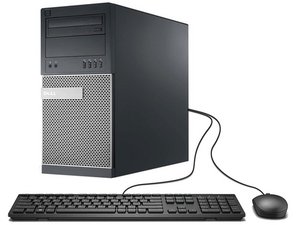
when setup windows the partitions is not apear
when setup windows the partitions is not apear
좋은 질문입니까?
점수
0

when setup windows the partitions is not apear
좋은 질문입니까?

평판: 8.5k
 66
66
 8
8
 23
23
Hi Mohamed, if you're installing a new and/or known to work hard disk, make sure the hdd is properly plugged to the motherboard and power supply first; for the latter, you could also plug a different device like an optical disk drive if you're not sure the hdd is receiving power. Look at the (sata/pata) data cable, if you notice it's damaged / not in good working condition and you happen to have a spare one, try using it instead.
If this doesn't work or you're not updating the system with a different hdd, then check if is listed in the BIOS System Info tab: to access System Setup press <F2> key when the Dell logo appears after turning on the PC.
If the "Windows cannot be installed to this disk. The selected disk has an [MBR/GPT] partition table." error appears during setup, it means your hdd partition style doesn't match the motherboard current firmware, and you might have to switch to UEFI/legacy mode
Let us know if any of these solutions worked
이 답변이 도움이 되었나요?
지난 24시간: 0
지난 7일: 0
지난 30일: 3
전체 시간: 151
