주요 콘텐츠로 건너뛰기

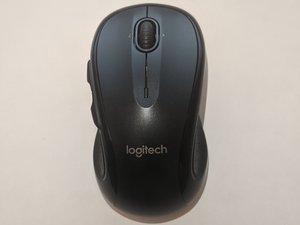
Logitech M510, released in 2010. Laser sensor, AA wireless mouse.

How to connect Logitech M510 Mouse to a non unifying receiver?

I have lost the unifying receiver.

I have a spare logitech non-unifying receiver with me.

Can someone help on how to connect/pair the M510 mouse with non-unifying receiver?

Many videos suggest to press the connect button in the mouse, which I'm not able to locate it in the mouse.

답변되었습니다! 답변 보기 저도 같은 문제가 있습니다

좋은 질문입니까?

점수 1
댓글 달기

답변 1개

선택된 해법

Hi @jayaramv

1. you can try downloading and install Logitech Connection Utility

https://support.logi.com/hc/en-my/articl...

Run the app and follow the instructions to pair the mouse with the usb receiver.

2. Another alternative is to get another replacement logitech unifying receiver. https://support.logi.com/hc/en-us/articl...

download and install. Follow the instructions to pair the new receiver with your mouse.

이 답변이 도움이 되었나요?

점수 2

댓글 1개:

I do not have the unifying receiver with me. Is there a way to get one? (It is very expensive in India)

댓글 달기

답변을 추가하세요

JAYARAM V 영원히 감사할 것입니다.
조회 통계:

지난 24시간: 2

지난 7일: 22

지난 30일: 162

전체 시간: 1,213