
주요 콘텐츠로 건너뛰기
수리 커뮤니티 가입 - 계정 만들기

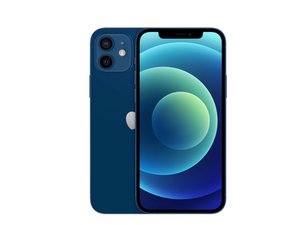
Apple의 2020년 주력 iPhone은 10월 23일에 6.1" OLED 디스플레이, 듀얼 12MP 카메라 시스템, 그리고 다석 가지 색상으로 출시되었습니다. iPhone 11의 후속 제품입니다.

Codes missing for Face ID

When reading a iPhone12 with the JCID Repair Assistant software the Lattice, Radar and IR Camera codes are missing ..How do I get the codes and how would you update them to the phone

이 질문에 답하기 저도 같은 문제가 있습니다

좋은 질문입니까?

점수 0
댓글 달기

답변 1개


Unfortunately, the JCID Repair Assistant software has some limitations when reading iPhone 12 components like the Lattice, Radar, and IR Camera. Here are a few options to try to get the missing codes:

  • Update to the latest version of JCID Repair Assistant in case support has been added for these components in a newer release. The developers may have addressed this issue.
  • Use an alternative diagnostics/repair software that has full support for iPhone 12 components. For example, iCopy, iExplorer, iActivate, or IP Box software may be able to fully read and populate the codes.
  • Manually look up the Lattice, Radar, and IR Camera codes for iPhone 12 using resources like https://appletech752.com/icloudbypass.ht.... You can then manually enter them into JCID.
  • For the Radar and IR Camera codes, you may be able to retrieve them from a donor device by reading a working iPhone 12 on JCID.
  • As a last resort, contact JCID Support to see if they have a solution for retrieving the missing codes from iPhone 12 devices.

To update the codes on the phone, you would enter them into the appropriate fields in JCID after retrieving the codes through one of these methods. Make sure to save and write the changes back to the device's storage. This should populate the correct codes so the components function properly.

이 답변이 도움이 되었나요?

점수 0
댓글 달기

답변을 추가하세요

Bob 영원히 감사할 것입니다.
조회 통계:

지난 24시간: 0

지난 7일: 2

지난 30일: 7

전체 시간: 206