주요 콘텐츠로 건너뛰기

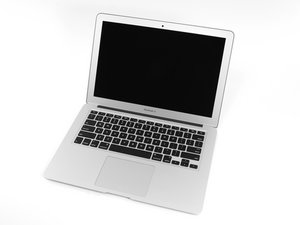
Apple의 MacBook Air 13" 2014년 4월 업데이트에는 참신한 듀얼-코어 i5 및 i7 프로세서와 더불어 배터리 성능을 약간 향상시켰습니다.

Internal SSD storage not appearing in disk utility

I have replaced my SSD that came with my Mac a bit ago, because it wasn’t appearing on my disk utility on recovery mode, however, even after replacing it, it refuses to appear, I’m using Big Sur, and the SSD has already been formatted, and disk utility is on “show all”.

UPDATE: for some reason it appeared once i switched over to high sierra (dispite me already doing that), the SSD appeared on my Mac, but did not appear in Big Sur, so ill be on high sierra for a bit, thank you Dan for your answer :D

답변되었습니다! 답변 보기 저도 같은 문제가 있습니다

좋은 질문입니까?

점수 0
댓글 달기

답변 1개

선택된 해법

Yep! A very common issue! Your hitting the HFS+ Vs APFS problem! The macOS you are using is newer than what Apple offers you via Internet Recovery! To compound this you maybe using the wrong SSD.

Using a second Mac (or reinstall the original drive if you can get it working) prep up a bootable OS installer USB thumb drive with Big Sur.

Start off by formatting the thumb drive with a GUID Mac format. Then download the installer from here How to download and install macOS then follow this to guide Create a bootable installer for macOS.

Now use it to boot up your system you should now be able to see the internal drive using Disk Utility from the thumb drive.

If not you’ll need to dig into why. Are use using the correct SSD? Are you trying to install a M.2 SSD via an adapter? Is the system damaged in some way?

If you do see it again format it and install the OS that should do it!

이 답변이 도움이 되었나요?

점수 2

댓글 4개:

I have been using a bootable drive the entire time, I’ve tried multiple versions of macOS, and still the internal drive never shows up, it should work because the SSD is from another mac, and from what I can tell there’s no visible damage.

@jaidenquince What Mac was the SSD pulled out of?

@thequacker it’s been pulled out of a MacBook Air 2014 11’, model number was: A1465.

Can you give us the maker and model info so we can check it out.

댓글 달기

답변을 추가하세요

JaidenLE 영원히 감사할 것입니다.
조회 통계:

지난 24시간: 0

지난 7일: 0

지난 30일: 6

전체 시간: 201
