주요 콘텐츠로 건너뛰기

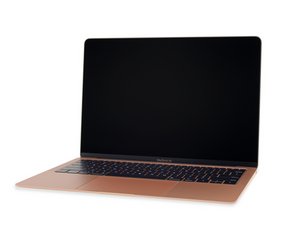
동일한 모델 번호(A1932)와 EMC 번호(3184)를 사용하는 2018년 후반 MacBook Air의 소규모 개선에 대한 수리 정보 및 안내서입니다. 이 모델은 트루 톤 디스플레이와 약간 수정된 배터리가 특징입니다.

Computer randomly died, tried logic board and battery replacements

my MacBook air 13" randomly died after a summer without any use. logic board is fine, battery is fine, charging port is good. running out of solutions, ideas??

이 질문에 답하기 저도 같은 문제가 있습니다

좋은 질문입니까?

점수 0

댓글 2개:

How do you know the battery and logic board are fine? Are you using a second system to validate the parts. If you are then you’ve jumped over the issue as there are other parts which are suspect like the keyboard and the uppercase

I've replaced both with new parts just for troubleshooting. I'll look into how to test those parts:)

댓글 달기

답변 2개

If the system is able to boot up at all let’s get a better idea on what’s happening, install this gem of an App CoconutBattery, take a snapshot of the Apps main window with the battery info showing as well while the charger is plugged in. Post it here in a new answer so we can see things.

이 답변이 도움이 되었나요?

점수 0

댓글 2개:

unfortunately it's completely unresponsive, display doesn't light up and the fan doesn't turn on.

@noahmote - Sadly at this point you’ll need to refer to the schematics and board view drawings to trace out the power rails so see where they are severed.

댓글 달기

Have you tried plugging into a external display to check to see if the LCD is damaged?

이 답변이 도움이 되었나요?

점수 0

댓글 1개:

I can't get the laptop to power up at all, so that's probably not it?

댓글 달기

답변을 추가하세요

Noah Mote 영원히 감사할 것입니다.
조회 통계:

지난 24시간: 0

지난 7일: 2

지난 30일: 8

전체 시간: 103

