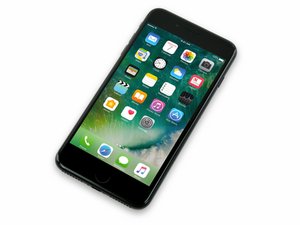
홈버튼구입 터치id 지문인식 안됨
지문인식및 터치아이디가 되지않습니다
업데이트 (09/29/24)
거짓 제품입니다
환불해주세요
좋은 질문입니까?
점수
0


평판: 125.6k
 655
655
 4
4
 374
374
朴永鎬 님, 저는 iFixit 번역팀에 있는 Christian Kim입니다.
부품을 iFixit에서 구입하셨습니까? 안타깝게도 거의 모든 교체용 iPhone 7 Plus 홈 버튼은 버튼으로만 작동합니다. 터치 기능은 지원되지 않기 때문에 저희 교체 안내서 소개 글에 항상 이를 명시하고 있습니다.
환불 관련 질문은 고객 지원팀으로 연락해보셨나요?
Primary Email: Click here or email support@ifixit.com to contact us. We're here to help!
iFixit Translator - Christian Kim
The iPhone 7 Plus home “button” is actually a solid-state sensor, which also includes Touch ID (fingerprint recognition) capability.
Most replacement home buttons won’t work, so check carefully before starting your repair. Your iPhone’s original home button is uniquely paired to the logic board at the factory—and without Apple’s proprietary calibration process, even a genuine replacement home button from another iPhone won’t work. To fix a broken home button, you should install a specially-made, universal-style home button. Note that these replacements only work as a button; Touch ID will not function.
If you are only replacing a broken screen, you can use this guide to carefully remove and transfer your working original home button to a new screen, preserving all functions, including Touch ID.
iPhone 7 Plus 홈 "버튼"은 실제로 솔리드-스테이트 센서이며 Touch ID (지문 인식) 기능도 포함하고 있습니다.
대부분의 교체용 홈 버튼은 작동하지 않습니다, 그러므로 수리를 시작하기전에 잘 확인하세요. iPhone의 원래 홈 버튼은 공장에서 로직 보드와 독특하게 페어되어 있으며—Apple 고유 보정 과정을 통하지 않으면 다른 iPhone의 정품 홈 버튼도 작동하지 않습니다. 고장난 홈 버튼을 수리하려면 특수-제작된 범용 홈 버튼을 설치해야 합니다. 이런 교체 부품은 버튼으로만 작동한다는 것을 참고하세요; Touch ID는 작동하지 않습니다.
깨진 스크린만 교체하는 경우 이 안내서를 사용하여 조심히 분리하고 Touch ID 및 모든 기능이 작동하는 원래 홈 버튼을 새 스크린으로 옮기세요.
이 절차 도중 실수로 디스플레이 케이블에 압력을 주거나 찢어지지 않도록 하려면 홈/Touch ID 센서 수리를 시작하기 전에 디스플레이 어셈블리를 완전히 분리하는 것이 가장 좋습니다. 그러나 자신이 있다면 경우이 안내서의 디스플레이 어셈블리 섹션을 건너 뛰고 홈/Touch ID 센서 섹션으로 바로 이동할 수 있습니다.
이 답변이 도움이 되었나요?
지난 24시간: 0
지난 7일: 1
지난 30일: 2
전체 시간: 66

