주요 콘텐츠로 건너뛰기

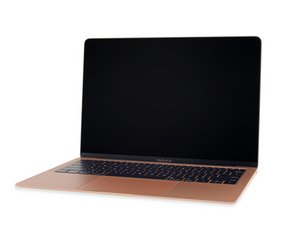
오랫동안 기다려온 인기 MacBook Air의 참신한 업데이트는 Intel Core i5 프로세서, Retina 화면 업데이트, 그리고 기타 수 많은 변경 및 업데이트를 포함합니다. 2018년 11월 7일에 출시되었습니다.

Charging Pin only connects when restart

Hi everyone! I got this MBA A1932 and about a week ago my battery didn't charge at all, did a little inspection on the inside and found no damage like corrosion or broken connectors.

However, when I boot it up it started charging again until I disconnect it and then it won't charge until I restart the MacBook, also, for data both pins works fine (a little slow sometimes) even when disconnecting and connecting again.

Did some SMC and NVRAM restart but had no effect on it, also noticed that the battery cycles are very high (~1500) and got the maintenance warning.

Will replacing the battery solve the problem? or maybe is related to the pins themselves?

Already ordered a new battery and run some test but would like to know if this is gonna solve it or should I repair something else. Is there a program to run to diagnose this kind of issues?

EDIT:

Some captures from coconut battery after battery replacement

-With charger connected from start

Block Image

-With charger disconnected and immediately connected again

Block Image
이 질문에 답하기 저도 같은 문제가 있습니다

좋은 질문입니까?

점수 1
댓글 달기

답변 1개

If you restart your system and then press the D key you will enter into diagnostics. Mac startup key combinations

With such a high cycle count it’s safe to say the battery needs replacement for sure. I would recommend installing this useful tool CoconutBattery it’s my goto to understand what’s happening between the battery and its charging.

이 답변이 도움이 되었나요?

점수 0

댓글 12개:

Thanks, definitely will try this app. About the Apple Diagnosis, I forgot to mention that also did that but only warn me about the battery, nothing about the pins themselves.

@alejandrop15221 - Then the battery is your focus, don’t get distracted.

I finally replaced the battery, however, the problem remains. I did a complete SMC and NVRAM after the new battery was installed. I did run test with coconut battery and also show 100% battery capacity on new battery but appears as not connected to charger. Also, did an Apple Diagnosis again (with the charger connected) and this time has "ADP000 No problems found" and did some test using a macOS Big Sur on an external drive and the problem remain. May this be a faulty Logic Board? Any other advice you can give me?

@alejandrop15221 - Can you post a screen snapshot of the Apps main window here so I can review it.

Ok, I updated the post with captures from coconut battery

댓글 7개 더보기

댓글 달기

답변을 추가하세요

Alejandro Peñafiel 영원히 감사할 것입니다.
조회 통계:

지난 24시간: 1

지난 7일: 4

지난 30일: 14

전체 시간: 101
