
주요 콘텐츠로 건너뛰기

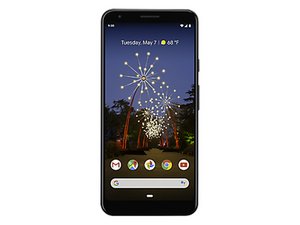
Pixel 3a XL은 Google의 3세대 저가형 휴대전화의 상위 버전으로, Google의 플래그십과 동일한 카메라를 탑재하고 있습니다. 클리어 화이트, 저스트 블랙 또는 퍼플 색상으로 제공됩니다. 2019년 5월에 출시되었습니다.

Device no longer powers on - Minimal signs of life

My phone unexpectedly died overnight and will not charge.

I've tried a few different troubleshooting steps I found online with no luck.

  • Held the power + volume buttons
  • Tried different cables and different power strips (with USB ports)
  • Left it to charge for longer, repeating the previous steps, etc.

One of the power strips has an indicator light for when a device is plugged in. When I plug in my 3a XL, the light flashes for a split second and then goes out. This happens every time I plug in.

The previous night my phone's battery was at a low percentage. I assume the battery is still healthy, but my phone somehow lost it's ability to charge. I don't recall if my phone began charging when I plugged it in the last time.

If anyone has any insight I'd greatly appreciate it!

답변되었습니다! 답변 보기 저도 같은 문제가 있습니다

좋은 질문입니까?

점수 0
댓글 달기

답변 1개

선택된 해법

Hi Tommy,

By my count there are five possible sources of your problem inside the phone, since you've already eliminated possible external causes (charger and cord). Here's the list.

  1. Charging port
  2. Battery
  3. Auxiliary (daughter) card
  4. Interconnect cable
  5. Motherboard

If it was my phone, I would probably go ahead and order the first three parts and change them all out. If those don't do the job then the source of the problem could theoretically be the interconnect cable that runs from the daughter card to the motherboard and would be worth trying, but frankly I'm skeptical that would be the problem.

After that, you're left with it most likely being a motherboard or power controller issue which would require board level repairs that wouldn't be worth the cost on a phone that old.

iFixit has guides available for replacing the charging port and battery, but unfortunately doesn't cover the other three parts. However there is a Spanish site called Nadie Me Llama Gallina that has guides for those as well as the auxiliary board and motherboard. If you use them with a web browser like Chrome that has translation built in, the guides are quite usable. (Note that "battery" comes across the translation as "drums" for some reason.)

If you need to save money then once again I'd suggest replacing those parts in that order one at a time

Google Pixel 3a XL USB-C Port 이미지

안내서

Google Pixel 3a XL USB-C Port Replacement

난이도:

조정

30 minutes - 1 hour

Google Pixel 3a XL Battery 이미지

안내서

Google Pixel 3a XL Battery Replacement

난이도:

조정

30 minutes - 1 hour

이 답변이 도움이 되었나요?

점수 1

댓글 5개:

Thanks for your response! I'll be sure to check these out.

How likely is it that the auxiliary card is the issue? I'm having some difficulty finding it for sale.

@tommy7639 Frankly, that's third on the list, with both the battery and the charging port being the most likely suspects. It is far more likely to be one of those than the auxiliary board so if it's not readily available I would definitely try the first two before worrying about it.

I did run across one on eBay if you're interested. I kind of hate posting eBay listings as they generally go away after a while, but hopefully this will help.

https://www.ebay.com/itm/284598811003

Replaced the battery and USB port.... no luck. The charging indicator on my power strip still flashes for a second when I plug it in though. Thinking about replacing the daughterboard but I'm not sure if it's worth it. It seems like I might have accidentally crushed some of the capacitors under where the display cable connects when trying to remove the battery.

I don't really care if the phone is usable at this point, I'd like to just get some stuff of it, but it's not that important. Thanks for your help!

댓글 달기

답변을 추가하세요

Tommy 영원히 감사할 것입니다.
조회 통계:

지난 24시간: 0

지난 7일: 5

지난 30일: 32

전체 시간: 205