주요 콘텐츠로 건너뛰기

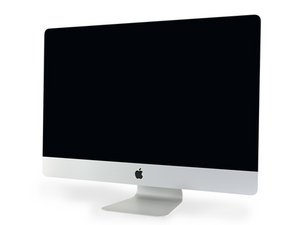
A2115/2020 / 프로세서 3.1GHz 6코어 i5부터 최대 3.8GHz 8코어 i7까지. 2020년 8월 4일 출시.

upgrade to any release except mojave impossible after disc change

Hi, how can I upgrade to Sequoia or previous releases an A2115 / 2020 iMac?

I have made this upgrade several times on iMacs easily, but this time I'm getting crazy about this operation.

The new drive is an 870 QVO by Samsung and I have previously split the Fusion drive. (prev. configuration 1TB seagate Hd + 28Gb apple ssd)

I've tried with any OS installers, even with Open Core, but I get the same result: Impossible to verfy the installer, or sometimes installer corrupted...

What can I do? Thanks...

Block Image
답변되었습니다! 답변 보기 저도 같은 문제가 있습니다

좋은 질문입니까?

점수 1
댓글 1개

Apple has really cracked down on their os so it could be related to that

댓글 달기

답변 1개

선택된 해법

Sadly the hidden Blade SSD is being seen by the OS installer trying to setup a Fusion Drive config. The best way is just to pull it out, I know a big pain! The other option is to create a bootable OS installer which you use to wipe the Blade SSD so it’s not recognized by the OS installer.

So… setup a bootable USB thumb drive by first formatting it to GUID and a Journaled file system (HFS+) copy the OS installer to it and then modify it following this guide Create a bootable installer for macOS

After booting up under it open Disk Utility and delete the partition on the Blade drive and I would format the drive MS DOS and now run the OS installer setting up the new SATA SSD drive

이 답변이 도움이 되었나요?

점수 2

댓글 3개:

Pulling down the hidden blade... so much work! :-) I'll try the soft way first thanks...

Hi, Dan... The main problem was this terrible fusion drive, I've split it and put to sleep the "hidden" SSD... but there was the second problem causing the "general error message" with any kind of installer...

One o the two ddr4 ram module was misfunctioning, I've run several times the Apple hardware check but with no errors, so I do it in the old way: I have removed the first module and the Imac did not start, instead with the second one everything was running fine.

The problem is now completely solved and the customer is happy...

Thanks a lot...

@ugopagotto - Happy you found that second problem!

댓글 달기

답변을 추가하세요

Ugo Pagotto 영원히 감사할 것입니다.
조회 통계:

지난 24시간: 0

지난 7일: 6

지난 30일: 11

전체 시간: 103
