주요 콘텐츠로 건너뛰기

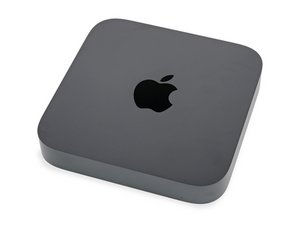
Mac mini가 오랜 기다림 끝에 새로워졌습니다. 프로세서 옵션에는 3.6 GHz quad-core Intel Core i3, 3.0 GHz 6-core Intel Core i5 및 3.2GHz 6-core Intel Core i7 프로세서가 있습니다.

Mac mini stuck in boot loop after Sequoia upgrade

I’m working on a 2018 Mac mini (i7, 16GB RAM, 2TB SSD) that’s stuck in a boot loop following an upgrade to macOS Sequoia.

  • Sometimes it reaches the desktop before crashing, other times it crashes during login.
  • I’ve reset PRAM/NVRAM, booted in Safe Mode, and run Apple Diagnostics (no hardware issues).
  • Disk Utility shows no errors, and I’m currently attempting a macOS reinstall without success.
  • The issue started after the upgrade, but I don’t have full details since this is a client’s machine.

Any insights on next steps? Would a clean install or T2 DFU restore be necessary?

Thanks in advance!

 Chris Leeds

Independent Apple Specialist

Well Connected Life

이 질문에 답하기 저도 같은 문제가 있습니다

좋은 질문입니까?

점수 1
댓글 달기

답변 1개

I think of boot loops as a OS or Firmware failure which always fails consistently at the same place. Have you tried booting the system up using an external bootable drive yet? That is what I would do next to eliminate the internal Flash storage having issues.

If you can get that far you should be able to Grep the Crash file from the internal drive. The Kernel Panic logs can be found in "/Library/Logs/DiagnosticReports" folder and in the "Retired" sub folder of the internal drive.

See what it tells you. It will likely be large as it appends each event so just focus on the first few. Post a PDF file (landscape) here so we can look it over as well.

Reference:

Maybe you are facing a RAM issue. This system uses a denser SO-DIMM for its memory and the needed spec was hard for some companies to produce. I encountered lots of issues when the system was intro’d. Try removing one to see if that is stable and then swap them within the same slot. Next try the other slot (I don’t remember if there is a biased slot in this series). If you have access to a known good set of RAM give that a try too.

이 답변이 도움이 되었나요?

점수 0

댓글 4개:

OK, I think I’ve done a sufficient job of swapping the ram to see if that’s doing it. No change. It is consistently crashing at the same place. So while that’s not good, that’s good.

I believe it will start up and stay running and safe mode. I’m checking that now. Would not be able to get the crash report if I’m up and running in safe mode?

@wellconnected - If you can get to Safe Mode you should be able to get to it as well. Only rub is you’ll want a good editor to read the TXT file. I’m not sure if that will work in Safe Mode.

Did you ever solve this issue? I'm having the same problem

@rogerprideaux - Sorry Chris never responded. If you are facing the exact same thing create as I had recommended a USB thumb drive OS installer to then reformat the drive (first backing your stuff up) as it's likely the hidden partitions are damaged.

댓글 달기

답변을 추가하세요

Chris Leeds 영원히 감사할 것입니다.
조회 통계:

지난 24시간: 2

지난 7일: 14

지난 30일: 48

전체 시간: 438
