주요 콘텐츠로 건너뛰기

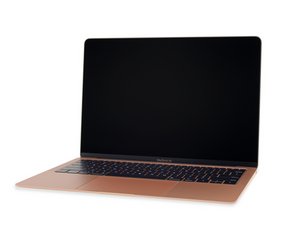
동일한 모델 번호(A1932)와 EMC 번호(3184)를 사용하는 2018년 후반 MacBook Air의 소규모 개선에 대한 수리 정보 및 안내서입니다. 이 모델은 트루 톤 디스플레이와 약간 수정된 배터리가 특징입니다.

Battery or Logic Board issue? (weird advice from apple)

My 2019 Macbook Air 13" doesn't turn on unless plugged into a power adapter. When plugged into the Power adapter, it only stays on 1% and will immediately die after unplugging it. It says Service Recommended for my battery. It also runs extremely slow, like I can do things but it takes a while to respond (some apps longer than others). The only screen glitch i have is at startup and when it gets to the end of the apple logo, it goes green for a second and then goes normally to the next screen.

I took it to the apple store and the first guy said that it was just a battery issue. Then he went on his break and the second guy came and said it was a logic board issue, likely not a battery issue. I told him this has only happened once the battery said it needed service. I asked him if the battery powers the logic board then how am I supposed to know if it's just a battery issue vs. a logic board issue if the battery definitely isn't working? He said there's no way to test for sure if it's logic board vs. battery. He said if I sent it in, it would be for a logic board not a battery and at that point I should just get another model.

I haven't had any of these issues until the battery started acting up. Is there a way to test if it's a logic board vs. the battery? I had a feeling I was being hosed. Do you think it's a battery or logic board issue?

Update (04/04/25)

this is what it says, but idk why its saying design capacity is 84.6% because the battery says service recommended and it wouldn't say that if the battery was acting with over 80% capacity.

Block Image

Update (04/04/25)

I did run diagnostic and got the PT006 and PFM006 codes. Here's the information i was able to pull from Apple's Battery System Report

Block Image
Block Image
이 질문에 답하기 저도 같은 문제가 있습니다

좋은 질문입니까?

점수 0

댓글 4개:

Let’s see if we can get a bit more data from the system, install this gem of an App to visualize what’s happening with your battery and charger logic coconutBattery post a snapshot of the Apps main window here so we can see it.

I will try to download it but it may take a whileeeee lol. I did run diagnostic and got the PT006 and PFM006 codes. Here's the information i was able to pull from Apple's Battery System Report

@danj just posted as answer because it wouldn't let me do it as a comment

@danj added coconut battery!

댓글 달기

답변 1개

OK, well what I can tell you the battery is still within it max cycle count of 1000, just nudging upto 500 now. The design capacity is still quite high as well better than 80% so at this point in time you don’t need a battery!

Now looking at the batteries temp it’s on the high side (86 F) which maybe why the charger is not charging at this point (0 Watts).

The diagnostic errors PT006 and PFM006 indicates a problem with the SMC.

Can you tell us if the system has a liquid spill or do you spray the system with a cleaner and then wipe it with a towel? As often these errors happen when the logic board has gotten wet, another possibility is ants making a home inside and discharge tends to be acidic causing corrosion damage.

At this point you’ll need to open the system up to inspect things. The rub here is the top side that gets wet so you will need to remove the logic board fully out. But first let’s just pop the bottom cover off following the first part of this guide MacBook Air 13" Retina Display 2019 로직 보드 교체 stopping at Step 4. Compare your logic board with the image here MacBook Air 13" (Late 2018-Mid 2019) 1.6 GHz Logic Board with Paired Touch ID Sensor any stained or damaged components?

Replace a 1.6 GHz Core i5 logic board (motherboard) compatible with the late 2018 to mid 2019 MacBook Air 13" model laptop. Includes paired Touch ID sensor, 8 GB or 16 GB RAM, and SSD. Fix processing issues like unexpected shutdowns, reboots or water damage. 이미지

제품

MacBook Air 13" (Late 2018-Mid 2019) 1.6 GHz Logic Board with Paired Touch ID Sensor

$160.99

이 답변이 도움이 되었나요?

점수 0

댓글 9개:

Thanks! Does this mean that the battery issue that I'm seeing (service recommended and it not charging) is due to the logic board? I haven't spilled or cleaned anything. I can work on opening it and getting back to you on what it looks like though. Not sure if I feel comfortable enough to do it on my own. I guess I am confused as to why i'm seeing battery issues but it's saying the capacity is still 84.6% yet the status of the battery is poor according to both coconut battery and apple

@tiffanybrooks - SMC is like your brain, getting a good hit can having you do or say odd things. Here SMC’s inputs are being mishandled. Sending confusing information within the OS. Here in CoconutBattery we have the clean data which is telling us the logic board has an issue within the charging logic and SMC. This might be an easy fix once we can identify the bad component. I’m thinking a capacitor failed here (Tan/Brown devices). It might be visible just pulling the bottom cover.

If this is a bit much for you, where do you live? country and nearest city. Maybe we can I’m you to someone with the deeper skills to help you without spending too much.

@tiffanybrooks - Just by chance someone else has a similar problem, still different from yours. Anyways… look at the second image see the burnt mark on the SMC chip and there appears the large Capacitor near the bottom edge is discolored. See if yours looks like this one Device not working after being very hot whilst lid was closed

Gotcha! That’s good to know. So the battery is ok, it’s just there’s something with the SMC that is causing it to look like the battery isn’t ok? I live in the Boston Area!

@tiffanybrooks - Boston lost its best Mac micro circuitry repair shop last year. The best shop for your system is just outside Buffalo NY! iPad Rehab don’t let the name fool you Jesse’s team does Mac’s too!

댓글 4개 더보기

댓글 달기

답변을 추가하세요

Tiffany Brooks 영원히 감사할 것입니다.
조회 통계:

지난 24시간: 1

지난 7일: 7

지난 30일: 15

전체 시간: 143
