주요 콘텐츠로 건너뛰기

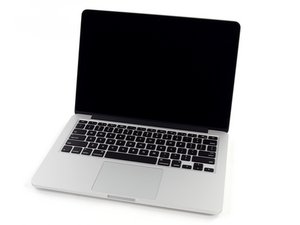
모델 A1502 / 4MB 공유 L3 캐시 2.6 GHz (Turbo Boost 최대 3.1 GHz) 또는 2.8 GHz (Turbo Boost 최대 3.3 GHz) 듀얼-코어 Intel Core i7 프로세서.

What is causing this mac to freeze up after booting? (UNSOLVED)

2014 A1502 here, Clean Installed Big Sur 11.7.10 without issue.

Fresh Thermal Paste & General Internal Inspection under a microscope (No Sign of Liquid Damage) internally it is very clean.

All connections have been re-seated / cleaned / checked and appear OK.

Tested with 2 SSD's both with a clean install of.11.7.10 / SMC / PRAM Reset.

The track pad & Keyboard are working fine during SSD Erase / Format & Clean Install, but at the initial choose country set-up or login window everything just freezes up... The Power button can turn on and shut down without any issue and the keyboard is typing all the keys in terminal (& when using an external display) so the KB & Track Pad appear to be 100% fine. Fan spin is normal and it is not getting hot.. The battery status is unknown (Not swollen) and chargers OK, but the issue happens with or without the battery connected. It has a new track pad cable although the previous owner told me they had already replaced that to no avail. No luck booting into safe mode and apple diagnostics reports no issues found ADP000. I have swapped out the I/O board with another same models part but it made no difference. The LCD Connector on the board is looking clean on the inside & outside. After all of these steps I have found that using an external monitor everything is operating perfectly, KB, TP, WiFi, BT, Camera and so on..... I firmly think the LCD itself is OK as I have also tested using another complete display assembly from a same year and spec model, but it still freezes. Has anyone encountered similar behavior before? Ask Ai ? lol

I have tried with HDMI & a thunderbolt cable connected, with and without an external display connected and switched to mirror display but it is still freezing when I am only using the internal display. The ports are all very clean with no sign of anything unusual inside. I really gave this a thorough look over. Very Weird.

I have tried to install just Windows on it and it installed fine, BUT when I tried to install the 1st set of drivers it restarted as normal and froze again.... Other than that I have tried just about everything I can think of, except running the system without the I/O board connected, but I think that will just make the system run in slow mode and not really prove anything...... Any suggestions?

이 질문에 답하기 저도 같은 문제가 있습니다

좋은 질문입니까?

점수 0
댓글 2개

What does the crash report show you?

@danj I will add it when it is on the desk again.

댓글 달기

답변 2개

가장 유용한 답변

I think I remember running into issues like this in the past. The internal clock for the integrated graphics may be going out and when in lower power states may start to cause issues... Sometimes it presents as terrible artifact on the internal monitor as well.

If you havn't gotten any further in this solution but have noticed that when an external monitor is plugged in - everything is fine, I would recommend picking up a 4k or such HDMI dummy dongle (those things that video card crypto miners used to get the most out of their cards) to force a higher power of the graphics to be used.

Also, if you havnt yet, give memtest a try and verify that your ram is working well.

이 답변이 도움이 되었나요?

점수 1

댓글 1개:

Thanks I will look into your suggestions :)

댓글 달기

The system is confused! It can't figure out which services to run.

This can happen when the drive had an older version of macOS jumping to far. I would try removing all partitions and try repartitioning again and I would use Catalina (10.15) first then upgrade to Big Sur (11.xx).

이 답변이 도움이 되었나요?

점수 0

댓글 13개:

I did wipe the drive from the top level in disk utility before with a single partition before installing BS.... even tried with a different SSD.... funnily enough I was just about to ask Ai when I thought.... what if this system had HS installed before and I wiped it jumping to BS.... worth a shot to wipe again to HS or Catalina and then to BS....BTW Big Sur is 11.x.x not 10.16 :;

@danj When I went to wipe the drive to install a clean Mojave there indeed was a hidden container called "Update". Not sure how that got there as I never updated anything! Odd... lets see if that cleared it :)

@danj It installed Mojave but at the set up screen it froze :( It is creating 2 containers for some odd reason... never seen that before..... tried direct internet recovery mode (Yosemite) froze at setup..... I eventually swapped out the SSD & got it to clean install Catalina after wiping the drive from the top layer of the SSD (The correct way) as you suggested, but at the chose country screen it still freezes :( So I checked disk utility via recovery mode and we have (From top later to bottom) Apple SSD SM0128F / Container Disk1 / Apple SSD SM0128F / Apple SSD SM0128F - Data . Which appears to be as it should be. I am baffled why this is freezing...... Installed Tiny Windows 11 without any problem and it is running as it should be until I installed the drivers.... then it went blank. Next to check the display mux chip (U8300)...... but if the U8300 is faulty then there would be no display at all?

@livfe - Was this working before you started?

@danj It always freezes when running only on the internal display. I tried and tested just about everything. It is the same outcome with Mac or Windows installations. I just tried booting externally into El Capt, HS, Mojave & Catalina and it still freezes at the log in.....

댓글 8개 더보기

댓글 달기

답변을 추가하세요

livfe 영원히 감사할 것입니다.
조회 통계:

지난 24시간: 2

지난 7일: 8

지난 30일: 40

전체 시간: 271
