
주요 콘텐츠로 건너뛰기

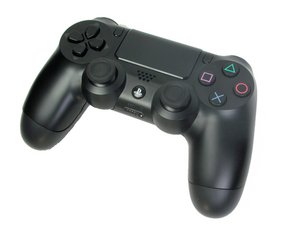
PS4 컨트롤러 모델 CUH-ZCT1. 소니 컴퓨터 엔터테인먼트에서 2013년 11월에 출시한 이 6축 3.7V 리튬 이온 배터리 컨트롤러 수리는 복잡하지 않습니다. (참고: 해체 안내서는 이 모델용이 아닙니다.)

Home-Button not working

Hey,

I recently replaced the battery in my controller as well as the conductive silicone pads for the button inputs.
When I connect the controller to my PC via cable, it powers on normally, connects successfully, and all buttons work in the Gamepad Tester—except for the Home button.

I’ve already tried resetting the controller multiple times using the button on the back, but it didn’t help.

Is there anything else I can try or check?

이 질문에 답하기 저도 같은 문제가 있습니다

좋은 질문입니까?

점수 0
댓글 달기

답변 2개

가장 유용한 답변

Hi MaeMae!

Yes, I recognize this issue. You got the wrong model installed unfortunately...

There are many models out there, so you need to get the exact one as the original one. Also noticed that some AliExpress button circuit membrane films are just not working. So please make sure to read the reviews!

Almost completely certain that you have the wrong model installed... Hopefully you still have the original one.

Please let us know how it goes and if you have any more questions, please let us know as well!

이 답변이 도움이 되었나요?

점수 2

댓글 2개:

Ok thanks for the info. I still had them. They dont seem to have some kind of serial number but are from the JDM-030 Version. They are blue colored also.

Should i just try my luck and buy another set?

Hmm, when you follow the tracks, are they exactly the same (especially near the PS home button)? Usually that is where the model differs. You can try your luck and try another set (but make sure the reviews are good and that it's the right model 100%). Please let us know how it goes!

댓글 달기

The condutive film/membraine may have some dirt or something else blocking the conection, it may also be damaged and need to be replaced but you should try cleaning it first and also the motherboard.The conductive film or membrane may have some dirt or debris blocking the connection. It could also be damaged and require replacement, but you should try cleaning it first—along with the motherboard—before considering a replacement.

이 답변이 도움이 되었나요?

점수 0

댓글 1개:

Hi, as i mentioned, i just cleaned and replaced the conductive film. Its as new as it gets. I got it from Aliexpress, but they didnt seem broken or faulty.

The film was cleaned with 99% Isoalcohol and there is no dirt or anything stuck there.

Any other ideas?

댓글 달기

답변을 추가하세요

MaeMae 영원히 감사할 것입니다.
조회 통계:

지난 24시간: 0

지난 7일: 1

지난 30일: 19

전체 시간: 80

