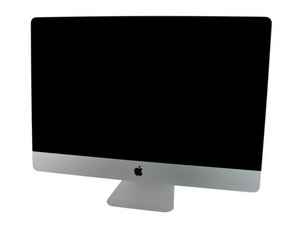
LED 1 blinks then turns off when turned on
When the power cable is plugged in LED 1 is on, But when I press the Power Button it blinks twice then turns off completely.
Any Ideas on what may be the issue?
좋은 질문입니까?
점수
0

평판: 1
 1
1
When the power cable is plugged in LED 1 is on, But when I press the Power Button it blinks twice then turns off completely.
Any Ideas on what may be the issue?
좋은 질문입니까?

평판: 495.6k
35
 338
338
 974
974
Here's a general run down on the diagnostic LED's. The following is true for iMac logic boards from early 2009 and up with only four LED locations. Some models have positions for 5 LEDs, but only 4 LEDs populated.
Is the LED blinking at a set rate or erratically?
A blinking #1 LED is power related but likely within the logic board within the main power rail circuit. You'll need to do a good visual inspection on both sides looks for damage corrosion. Burnt discolored components as well as possible cold solder joints. If you have a DVM I would measure the voltages of both the power supply header and trace it throughout the logic board.
이 답변이 도움이 되었나요?
Now it's not blinking. But when I use the power button the LED just switches off and no other LEDs turn on.
@stevenmurp34336 - Then you likely have a short in one of the power rails. Have you opened the system before? Cleaning it or upgrading it in some manor?

평판: 1
2
This usually indicates a power or motherboard fault—most commonly a bad RAM module, faulty power rail, or failing motherboard, causing the laptop to shut off immediately after the initial power check.
이 답변이 도움이 되었나요?
This is not a laptop and with the first LED lit tells us the iMac's logic board is getting power.
The logic board is getting power but when I press the power button, the LEDs turn off
지난 24시간: 0
지난 7일: 0
지난 30일: 19
전체 시간: 19
