
주요 콘텐츠로 건너뛰기
수리 커뮤니티 가입 - 계정 만들기

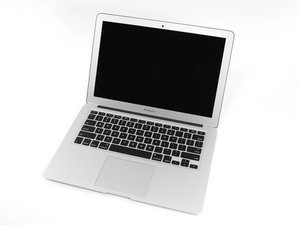
Apple은 MacBook Air 13"를 2017년 6월에 새로운 Broadwell Intel Core i5 프로세서로 업데이트하여 성능과 배터리 수명을 약간 향상시켰습니다.

SSD doesn't appear on utilities list

I have MacBook Air (13-inch, 2017, High Sierra), but it suddenly shut down and restarted with a question mark icon. From there, I tried to do the recovery process, but then the Wi-Fi wouldn't connect, so I had to use Hotspot to continue. Next, I had to go through the reinstallation process, but I got the error "the recovery server could not be contacted." I was able to resolve this error by watching a video on YouTube: https://youtu.be/ouNQS36dIBw?si=BiqIMAZ6...

When I try to continue the installation, no disk appears, even though this laptop has an SSD, but it doesn't appear in the list of utilities. This SSD was installed in 2022 and did not come standard on this laptop. I have already selected the option to show all devices.

So I'm stuck at the same point as this guy: https://discussions.apple.com/thread/251...

Can someone help me, please?

답변되었습니다! 답변 보기 저도 같은 문제가 있습니다

좋은 질문입니까?

점수 1
댓글 달기

답변 1개

선택된 해법

Was it an Apple Pin layout or a regular M2 drive with an adapter? You could try to remove the SSD and then clean up the pins and connector, if that failed to find the drive after connecting it all back up and the SSD still does not appear on the left pane of Disk Utility, then the drive has moist likely failed. It maybe worth to try testing the SSD on another computer or with an external enclosure to see if it is detected' & if so, format it to EX-FAT so the Macs disc utility can discover it and then reformat to OS Extended Journaled or APFS if you still intended to clean install from internet recovery (This 2017 model can support OS 12.7.6 Monterey).

Here are some links about Apples Proprietary SSDs & Apple SSD connectors and adapters list.

These next links maybe of little help until the MacBook is up and running again but just for later reference:

Downloading a macOS Installer Application from Apple & Create a bootable installer for macOS.

If you still have the original SSD that the MacBook was supplied with it is well worth a try to see if the issue is resolved when that is installed, but, If nothing changed then SSDs can and do eventually fail so that is the more likely scenario in what has happened here.

이 답변이 도움이 되었나요?

점수 1

댓글 2개:

The installed SSD is "SSD OWC Aura Pro X2 PCIe"

I'll try reinstalling the original SSD.

@anabeatriz IF ever you needed to buy another SSD other than a compatible apple pino-out i highly suggest to get a Samsung 970 EVO Plus & a Sintech adapter, I have been running this since 3 years and never had an issue.

댓글 달기

답변을 추가하세요

Ana Beatriz 영원히 감사할 것입니다.
조회 통계:

지난 24시간: 2

지난 7일: 6

지난 30일: 24

전체 시간: 61