소개
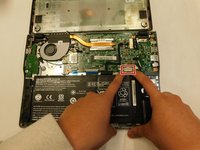
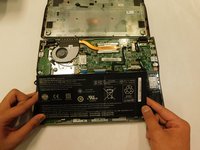
Use this guide to replace the battery for the Acer Chromebook C720 - 2844.
The battery powers the device so that it can operate without an external power source.
Faulty battery signs include: Faster power loss than usual, does not power on at all, fails to power on without external power source.
Before referring to this guide be sure to look at the troubleshooting page to ensure the battery is the problem. If the battery looks swollen, refer to safety measures to prevent a fire caused by a potentially punctured battery. Be sure to completely power off and unplug the device before beginning replacement.
필요한 것
-
-
Flip to the back cover of the laptop.
-
Remove the 1 cm Phillips #00 screws on the back cover.
-
Use pry tools to remove the back cover.
-
-


To reassemble your device, follow these instructions in reverse order.



팀

Gateway, Team 1-2, Pee Spring 2022 Gateway, Team 1-2, Pee Spring 2022 회원
GCC-PEE-S22S1G2
4 회원들
안내서 4개를 작성함
