주요 콘텐츠로 건너뛰기

Audio-Technica AT-LP120-USB Preamp Replacement

필요한 것

  1. Audio-Technica AT-LP120-USB Preamp Replacement, Outer Shell: 1 단계, 이미지 3개 중 1개 Audio-Technica AT-LP120-USB Preamp Replacement, Outer Shell: 1 단계, 이미지 3개 중 2개 Audio-Technica AT-LP120-USB Preamp Replacement, Outer Shell: 1 단계, 이미지 3개 중 3개
    • Remove the inner steel plate that spins on the turntable.

    • Carefully lift up the plate.

    • Place it near your device out of the way.

  2. Audio-Technica AT-LP120-USB Preamp Replacement: 2 단계, 이미지 1개 중 1개
    • Remove the power cord in the back of the device.

  3. Audio-Technica AT-LP120-USB Preamp Replacement: 3 단계, 이미지 1개 중 1개
    • Ensure that the Tone Arm clamp is in place.

  4. Audio-Technica AT-LP120-USB Preamp Replacement: 4 단계, 이미지 2개 중 1개 Audio-Technica AT-LP120-USB Preamp Replacement: 4 단계, 이미지 2개 중 2개
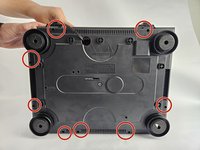
    • Use a Phillips #2 screwdriver to remove the eight 2 mm screws holding the back casing into place.

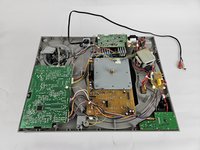
    • Carefully remove the back casing from the device to expose the interior.

  5. Audio-Technica AT-LP120-USB Preamp Replacement, Preamp: 5 단계, 이미지 3개 중 1개 Audio-Technica AT-LP120-USB Preamp Replacement, Preamp: 5 단계, 이미지 3개 중 2개 Audio-Technica AT-LP120-USB Preamp Replacement, Preamp: 5 단계, 이미지 3개 중 3개
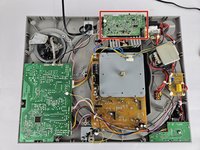
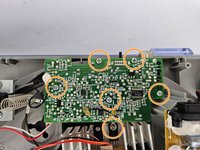
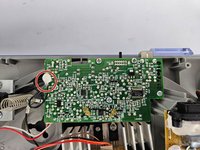
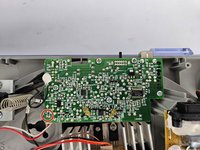
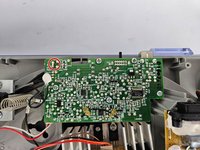
    • Identify the preamp.

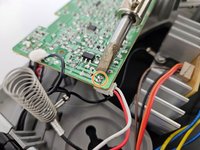
    • Use a Phillips #2 screwdriver to remove the six 5 mm screws that secure the preamp.

  6. Audio-Technica AT-LP120-USB Preamp Replacement: 6 단계, 이미지 2개 중 1개 Audio-Technica AT-LP120-USB Preamp Replacement: 6 단계, 이미지 2개 중 2개
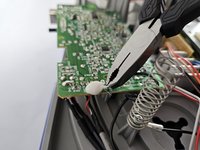
    • Use the pliers to clip off the black wire connected to the RTV Adhesive Sealant, and burn off/remove the sealant.

  7. Audio-Technica AT-LP120-USB Preamp Replacement: 7 단계, 이미지 3개 중 1개 Audio-Technica AT-LP120-USB Preamp Replacement: 7 단계, 이미지 3개 중 2개 Audio-Technica AT-LP120-USB Preamp Replacement: 7 단계, 이미지 3개 중 3개
    • Heat up the soldering iron, and wait until it is at its desired heat level. It will be used in the next three steps, so ensure it doesn't overheat.

    • The soldering iron can cause severe burns if used incorrectly.

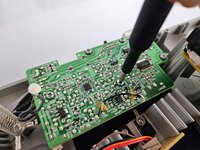
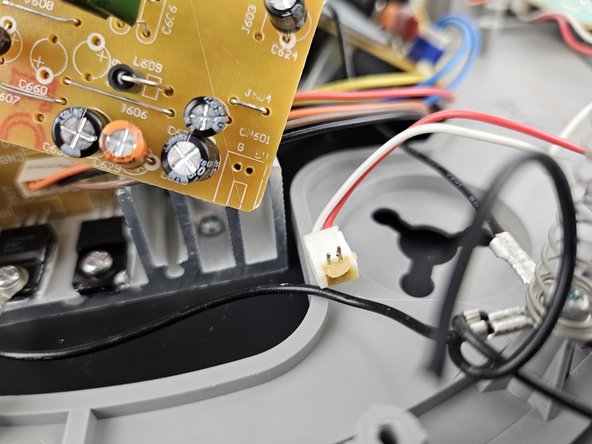
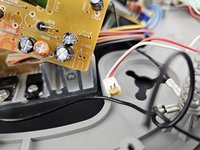
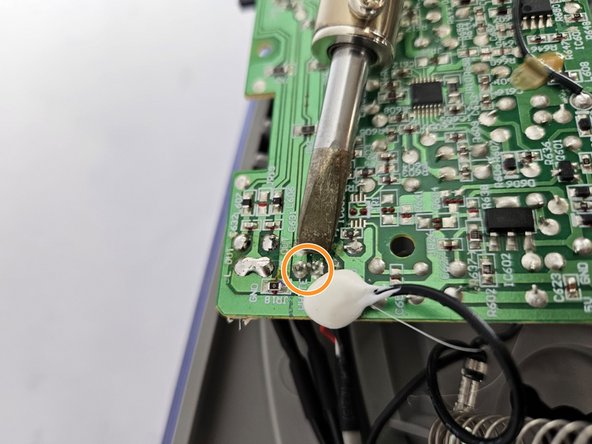
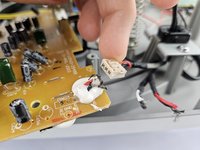
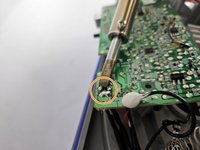
    • To solder off the white box with the red and white wire in the corner of the preamp, heat up the two metal studs on the opposite side of the preamp as shown, and gently pull the white box until it disconnects.

  8. Audio-Technica AT-LP120-USB Preamp Replacement: 8 단계, 이미지 3개 중 1개 Audio-Technica AT-LP120-USB Preamp Replacement: 8 단계, 이미지 3개 중 2개 Audio-Technica AT-LP120-USB Preamp Replacement: 8 단계, 이미지 3개 중 3개
    • Locate the next soldering location.

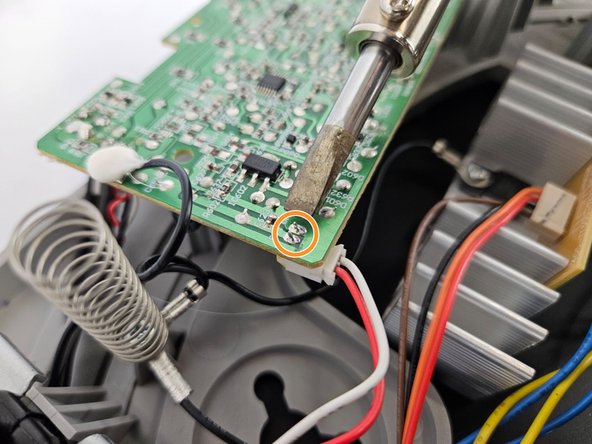
    • Use the soldering iron to heat up the two metal joints as shown in the photo, and gently pull the white box containing the wires until it disconnects.

  9. Audio-Technica AT-LP120-USB Preamp Replacement: 9 단계, 이미지 3개 중 1개 Audio-Technica AT-LP120-USB Preamp Replacement: 9 단계, 이미지 3개 중 2개 Audio-Technica AT-LP120-USB Preamp Replacement: 9 단계, 이미지 3개 중 3개
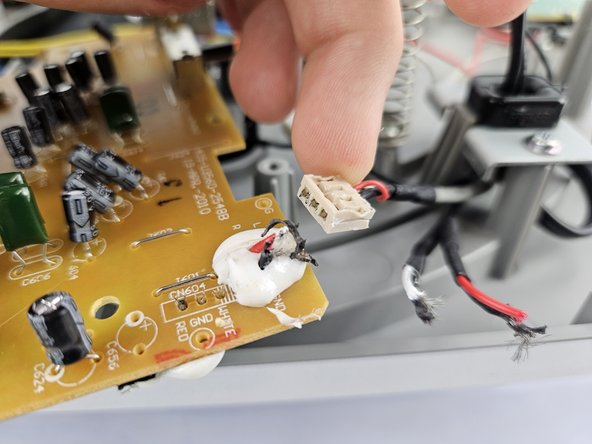
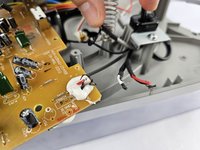
    • The final location that will be soldered are 4 individual wires, and be sure to take note of their exact order to ensure a proper re-connection later.

    • To solder off/on the wires, the RVC adhesive glue will need to be removed. If that is not an option, then remove the wires with the Pliers, as shown in step 2.

    • To solder off the individual wires, hold the heated soldering iron to the metal stud connection points and gently pull each wire until they disconnect.

  10. Audio-Technica AT-LP120-USB Preamp Replacement: 10 단계, 이미지 1개 중 1개
    • Once the wires have been cut, soldered and the screws removed, the board will be able to be removed.

결론

To reassemble your device, follow these instructions in reverse order, and ensure to solder the wires back on in the correct order according to the preamp model you purchased.

다른 한 분이 해당 안내서를 완성하였습니다.

작성자

2다른 기여자 명과 함께

Amarre

회원 가입일: 10/24/24

375 평판

안내서 1개를 작성함

Cuesta, Team 20-3, Krynen Fall 2024 Cuesta, Team 20-3, Krynen Fall 2024 회원

CUESTA-KRYNEN-F24S20G3

5 회원들

안내서 6개를 작성함

0가이드 댓글

댓글 쓰기

조회 통계:

지난 24시간: 4

지난 7일: 25

지난 30일: 71

전체 시간: 527