주요 콘텐츠로 건너뛰기

Blink Video Doorbell LED Light Replacement

필요한 것

  1. Blink Video Doorbell LED Light Replacement, Battery: 1 단계, 이미지 3개 중 1개 Blink Video Doorbell LED Light Replacement, Battery: 1 단계, 이미지 3개 중 2개 Blink Video Doorbell LED Light Replacement, Battery: 1 단계, 이미지 3개 중 3개
    • Push the opening key into the small opening with the two gray buttons on the bottom of the device.

    • The device will click off the mount.

    • Push the device up from the mount and slide it off.

  2. Blink Video Doorbell LED Light Replacement: 2 단계, 이미지 3개 중 1개 Blink Video Doorbell LED Light Replacement: 2 단계, 이미지 3개 중 2개 Blink Video Doorbell LED Light Replacement: 2 단계, 이미지 3개 중 3개
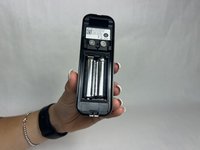
    • Use your finger to slide the gray tab, located near the bottom of the device, upwards.

    • Remove the battery cover.

  3. Blink Video Doorbell LED Light Replacement: 3 단계, 이미지 3개 중 1개 Blink Video Doorbell LED Light Replacement: 3 단계, 이미지 3개 중 2개 Blink Video Doorbell LED Light Replacement: 3 단계, 이미지 3개 중 3개
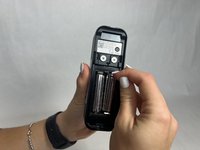
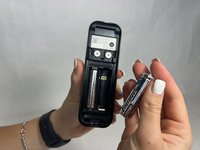
    • Remove the right battery by pushing the positive end down and pulling the battery out toward yourself.

    • Repeat the procedure for the left battery.

    • Do not mix used and new batteries or batteries of different types (for example, lithium and alkaline batteries).

  4. Blink Video Doorbell LED Light Replacement, Back Panel: 4 단계, 이미지 3개 중 1개 Blink Video Doorbell LED Light Replacement, Back Panel: 4 단계, 이미지 3개 중 2개 Blink Video Doorbell LED Light Replacement, Back Panel: 4 단계, 이미지 3개 중 3개
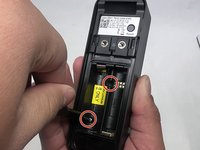
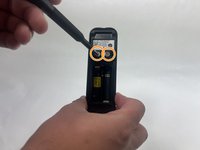
    • Remove the two 6 mm screws in the battery compartment using a JIS #1 screwdriver.

    • Remove the two 7 mm screws above the battery compartment using a JIS #1 screwdriver.

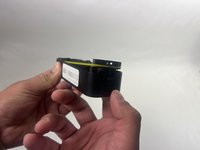
    • Starting from the bottom of the device, pry the back plate away from the rest of the doorbell.

  5. Blink Video Doorbell LED Light Replacement, LED Light: 5 단계, 이미지 3개 중 1개 Blink Video Doorbell LED Light Replacement, LED Light: 5 단계, 이미지 3개 중 2개 Blink Video Doorbell LED Light Replacement, LED Light: 5 단계, 이미지 3개 중 3개
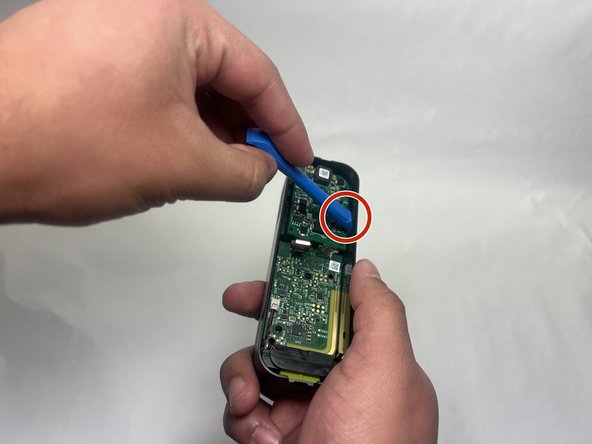
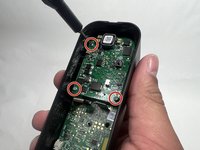
    • Remove the three 6 mm screws from the upper part of the motherboard using a JIS #1 screwdriver.

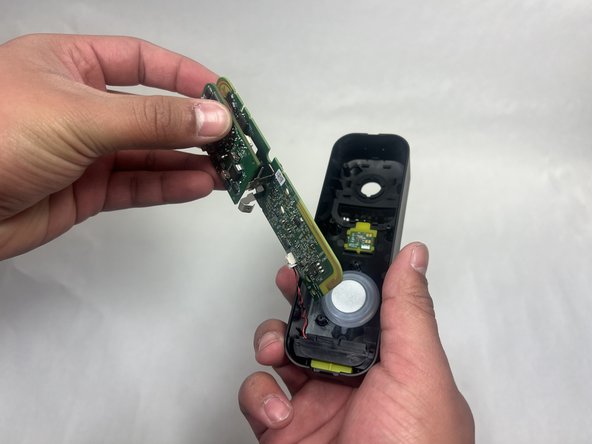
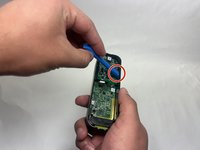
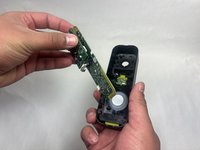
    • Use an opening tool to release the motherboard from the device.

  6. Blink Video Doorbell LED Light Replacement: 6 단계, 이미지 3개 중 1개 Blink Video Doorbell LED Light Replacement: 6 단계, 이미지 3개 중 2개 Blink Video Doorbell LED Light Replacement: 6 단계, 이미지 3개 중 3개
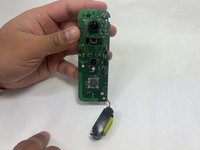
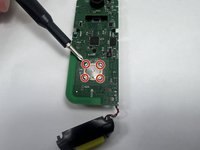
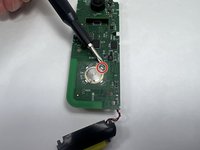
    • Use a soldering iron to desolder the LED connections from the motherboard.

결론

To reassemble your device, follow these instructions in reverse order.

작성자

4다른 기여자 명과 함께

Kayla Crai

회원 가입일: 10/18/24

510 평판

안내서 4개를 작성함

UMass Dartmouth, Team 1-1, Konn Fall 2024 UMass Dartmouth, Team 1-1, Konn Fall 2024 회원

UMASSD-KONN-F24S1G1

4 회원들

안내서 5개를 작성함

0가이드 댓글

댓글 쓰기

조회 통계:

지난 24시간: 0

지난 7일: 3

지난 30일: 16

전체 시간: 214