주요 콘텐츠로 건너뛰기

DigiLand DL700D Battery Replacement

필요한 것

  1. DigiLand DL700D Battery Replacement, Battery: 1 단계, 이미지 3개 중 1개 DigiLand DL700D Battery Replacement, Battery: 1 단계, 이미지 3개 중 2개 DigiLand DL700D Battery Replacement, Battery: 1 단계, 이미지 3개 중 3개
    • Remove the device's back cover using the plastic opening tool.

  2. DigiLand DL700D Battery Replacement: 2 단계, 이미지 3개 중 1개 DigiLand DL700D Battery Replacement: 2 단계, 이미지 3개 중 2개 DigiLand DL700D Battery Replacement: 2 단계, 이미지 3개 중 3개
    • Remove the three pieces of adhesive placed over the edges of the battery.

  3. DigiLand DL700D Battery Replacement: 3 단계, 이미지 1개 중 1개
    • Remove the wifi antenna from the bottom of the battery.

  4. DigiLand DL700D Battery Replacement: 4 단계, 이미지 3개 중 1개 DigiLand DL700D Battery Replacement: 4 단계, 이미지 3개 중 2개 DigiLand DL700D Battery Replacement: 4 단계, 이미지 3개 중 3개
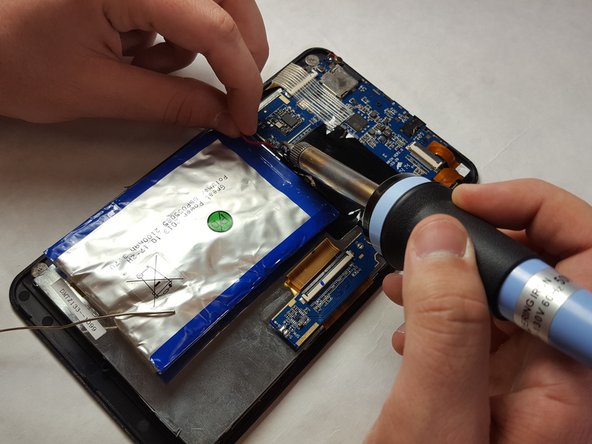
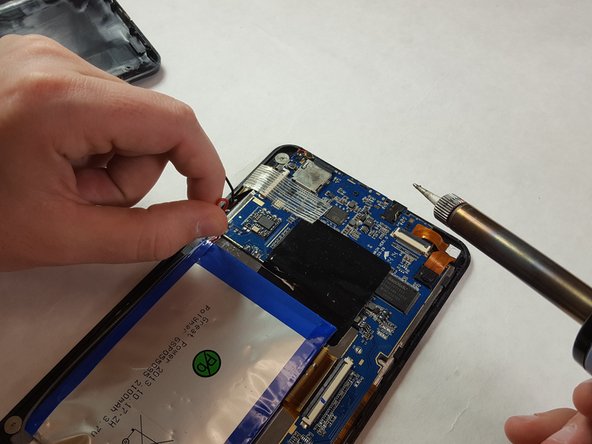
    • Heat up the soldering iron, proceed to desolder and remove the battery connections.

  5. DigiLand DL700D Battery Replacement: 5 단계, 이미지 3개 중 1개 DigiLand DL700D Battery Replacement: 5 단계, 이미지 3개 중 2개 DigiLand DL700D Battery Replacement: 5 단계, 이미지 3개 중 3개
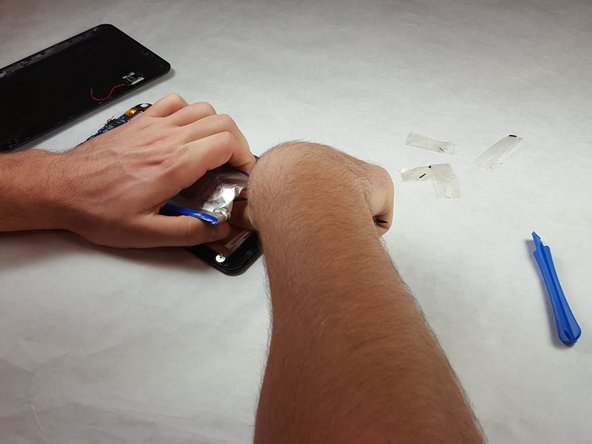
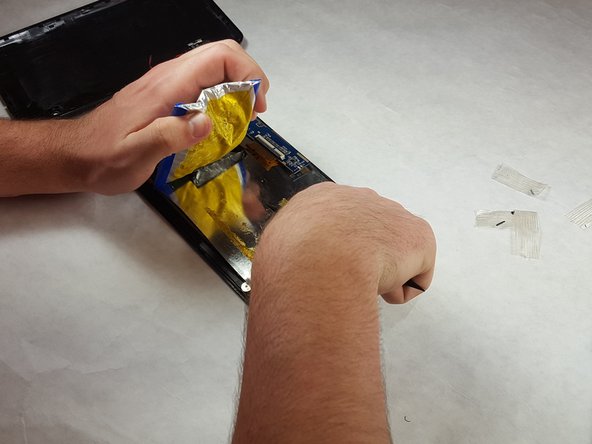
    • Remove the battery from the casing using a nylon spudger.

    • Be careful not to puncture the battery casing.

    • Carefully peel the battery free from the casing.

결론

To reassemble your device, follow instructions in the reverse order. Apply new Kapton Tape and apply extra solder as needed.

작성자

2다른 기여자 명과 함께

Justin Edwards

회원 가입일: 03/29/18

241 평판

안내서 2개를 작성함

IUPUI, Team S3-G4, Harley Spring 2018 IUPUI, Team S3-G4, Harley Spring 2018 회원

IUPUI-HARLEY-S18S3G4

3 회원들

안내서 4개를 작성함

0가이드 댓글

댓글 쓰기

조회 통계:

지난 24시간: 0

지난 7일: 0

지난 30일: 5

전체 시간: 427