주요 콘텐츠로 건너뛰기

Epson Powerlite 410W Fan Replacement

필요한 것

  1. Epson Powerlite 410W Fan Replacement, Top Cover: 1 단계, 이미지 1개 중 1개
    • Press the power button located on top of the projector.

    • Remember to let the projector cool off completely after turning off the power before beginning the repair.

  2. Epson Powerlite 410W Fan Replacement: 2 단계, 이미지 1개 중 1개
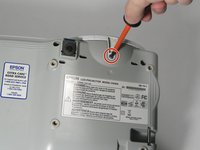
    • Remove eight screws from the bottom of the device using a Phillips #00 screwdriver.

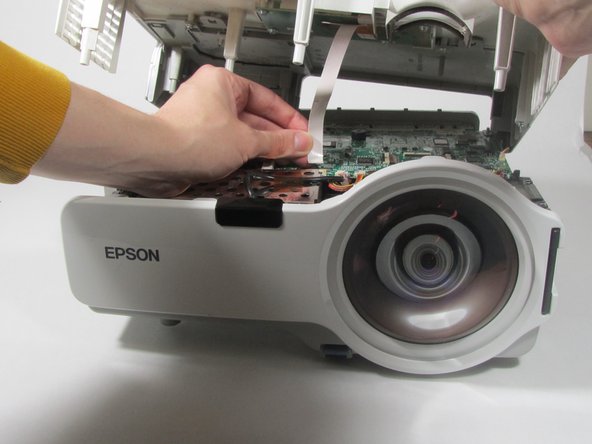
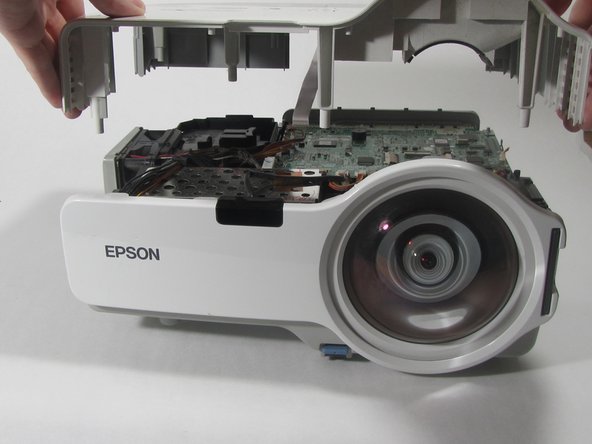
  3. Epson Powerlite 410W Fan Replacement: 3 단계, 이미지 3개 중 1개 Epson Powerlite 410W Fan Replacement: 3 단계, 이미지 3개 중 2개 Epson Powerlite 410W Fan Replacement: 3 단계, 이미지 3개 중 3개
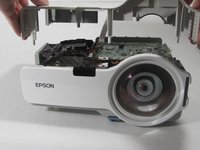
    • Turn the projector so the power button is on top.

    • Gently pull up the cover until it pops off.

    • Do not pull too far; a ribbon cable still connects the top cover to the motherboard.

    • Disconnect the ribbon cable that attaches the cover to the motherboard.

    • Remove the cover and place to the side.

  4. Epson Powerlite 410W Fan Replacement, Motherboard: 4 단계, 이미지 2개 중 1개 Epson Powerlite 410W Fan Replacement, Motherboard: 4 단계, 이미지 2개 중 2개
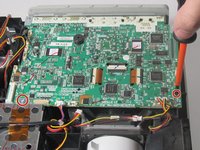
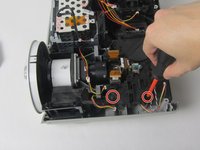
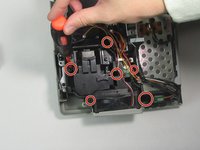
    • Remove the two screws holding down the motherboard using a Phillips #00 screwdriver.

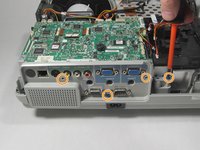
    • Remove the four screws holding down the I/O board using a Phillips #00 screwdriver.

  5. Epson Powerlite 410W Fan Replacement: 5 단계, 이미지 1개 중 1개
    • Remove the seven cables that are running to the motherboard by pulling them out of their sockets.

  6. Epson Powerlite 410W Fan Replacement: 6 단계, 이미지 3개 중 1개 Epson Powerlite 410W Fan Replacement: 6 단계, 이미지 3개 중 2개 Epson Powerlite 410W Fan Replacement: 6 단계, 이미지 3개 중 3개
    이 단계에 사용된 도구:
    Tweezers
    $4.99
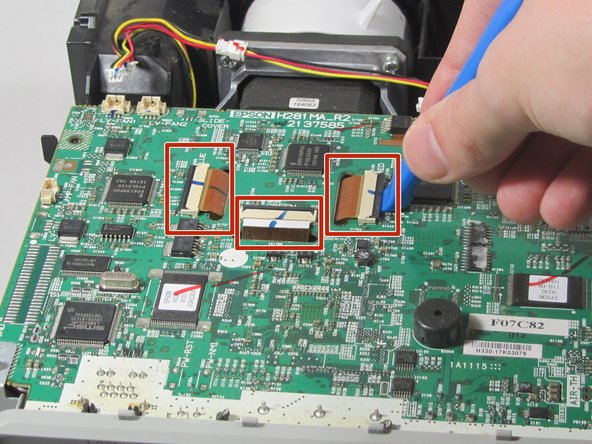
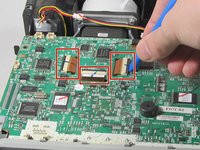
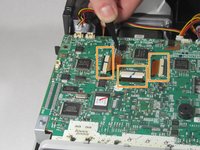
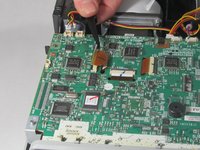
    • Using a plastic opening tool, gently pry up the black tabs holding in the ribbon cables on the motherboard.

    • Using tweezers, gently pull the ribbon cables out of the sockets.

  7. Epson Powerlite 410W Fan Replacement: 7 단계, 이미지 1개 중 1개
    • Gently pull the motherboard up and tilt it back, revealing the last cable attached to the motherboard. Disconnect this cable.

    • Remove the motherboard from the projector.

  8. Epson Powerlite 410W Fan Replacement, Fan: 8 단계, 이미지 2개 중 1개 Epson Powerlite 410W Fan Replacement, Fan: 8 단계, 이미지 2개 중 2개
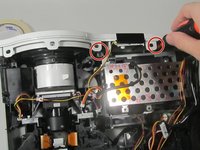
    • Remove the screws that are holding the front cover in place.

    • Remove the white front cover by pulling it away from the lens.

  9. Epson Powerlite 410W Fan Replacement: 9 단계, 이미지 2개 중 1개 Epson Powerlite 410W Fan Replacement: 9 단계, 이미지 2개 중 2개
    • Remove the screws from the L-shaped lens assembly that you see under the motherboard.

    • Remove the lens assembly to gain access to the lamp.

  10. Epson Powerlite 410W Fan Replacement: 10 단계, 이미지 1개 중 1개
    • Remove the screws holding the lamp in place.

    • Remove the lamp by gently pulling it out of the device.

  11. Epson Powerlite 410W Fan Replacement: 11 단계, 이미지 2개 중 1개 Epson Powerlite 410W Fan Replacement: 11 단계, 이미지 2개 중 2개
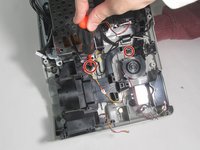
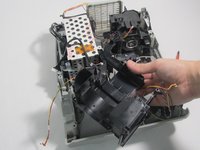
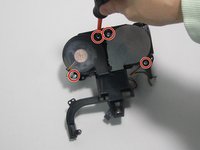
    • Remove the two screws that hold each fan in its place.

  12. Epson Powerlite 410W Fan Replacement: 12 단계, 이미지 2개 중 1개 Epson Powerlite 410W Fan Replacement: 12 단계, 이미지 2개 중 2개
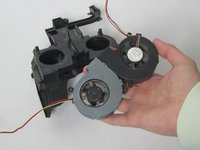
    • Pull the fans out of the device.

결론

To reassemble your device, follow these instructions in reverse order.

다른 한 분이 해당 안내서를 완성하였습니다.

작성자

3다른 기여자 명과 함께

Camryn Winterland

회원 가입일: 01/11/22

321 평판

안내서 1개를 작성함

0가이드 댓글

댓글 쓰기

조회 통계:

지난 24시간: 1

지난 7일: 10

지난 30일: 22

전체 시간: 469