주요 콘텐츠로 건너뛰기

FixHub Web Console 사용 방법

  1. FixHub Web Console 사용 방법, 파워 스테이션 연결하기: 1 단계, 이미지 2개 중 1개 FixHub Web Console 사용 방법, 파워 스테이션 연결하기: 1 단계, 이미지 2개 중 2개
    • FixHub Web Console을 사용하려면 Web Serial이 활성화된 브라우저가 필요합니다. 기본적으로 이 기능이 활성화된 Brave, Chrome, Edge 또는 Opera를 권장합니다.

    • Firefox(및 그 외 계열)와 Safari는 현재 Web Serial을 지원하지 않습니다.

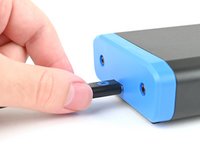
    • Portable Power Station을 컴퓨터에 연결하고 케이블이 파워 스테이션의 후면 포트( 스크린 반대쪽)에 연결되어 있는지 확인하세요.

    • 케이블이 데이터 전송이 가능한지 확인하세요. 그렇지 않으면 Web Console을 사용할 수 없습니다.

    • iFixit.com/FixHub/console로 이동하세요.

  2. FixHub Web Console 사용 방법: 2 단계, 이미지 3개 중 1개 FixHub Web Console 사용 방법: 2 단계, 이미지 3개 중 2개 FixHub Web Console 사용 방법: 2 단계, 이미지 3개 중 3개
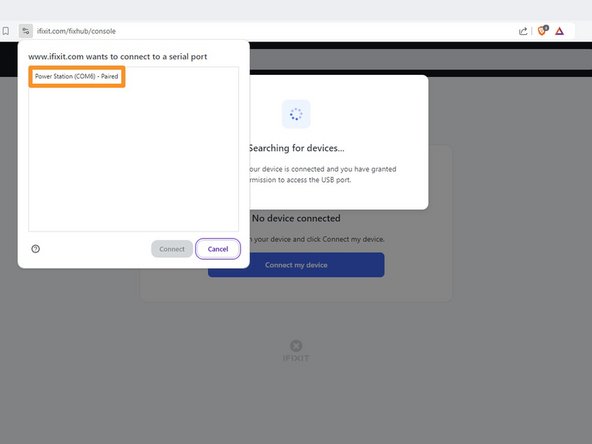
    • 내 기기 연결을 클릭하세요.

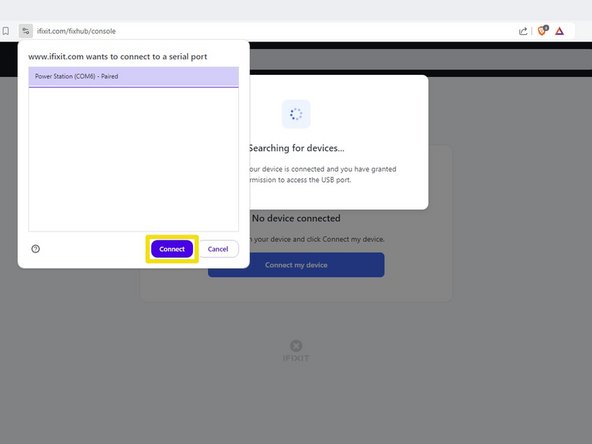
    • 시리얼 포트 연결을 요청하는 팝업 창에서 Portable Power Station을 선택하세요.

    • 연결을 클릭하세요.

  3. FixHub Web Console 사용 방법, FixHub Web Console 레이아웃: 3 단계, 이미지 2개 중 1개 FixHub Web Console 사용 방법, FixHub Web Console 레이아웃: 3 단계, 이미지 2개 중 2개
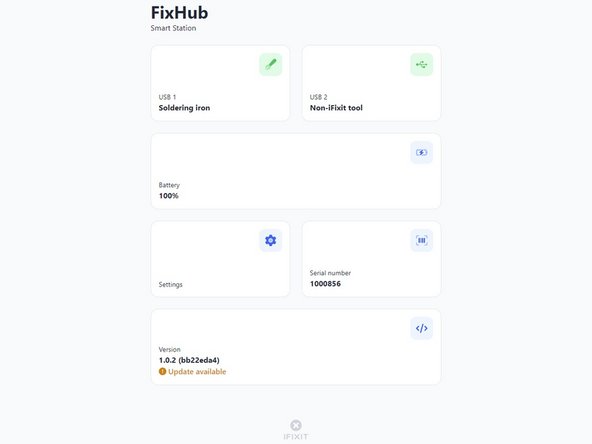
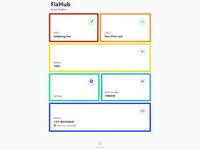
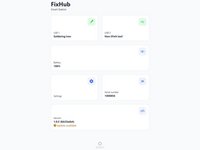
    • FixHub Web Console이 열리면 파워 스테이션에 대한 정보와 설정을 볼 수 있습니다:

    • USB 1에는 파워 스테이션의 전면 왼쪽 USB-C 포트에 연결된 장치에 대한 정보가 표시됩니다.

    • USB 2에는 파워 스테이션의 전면 오른쪽 USB-C 포트에 연결된 장치에 대한 정보가 표시됩니다.

    • 배터리에는 배터리 잔량이 실시간으로 표시됩니다.

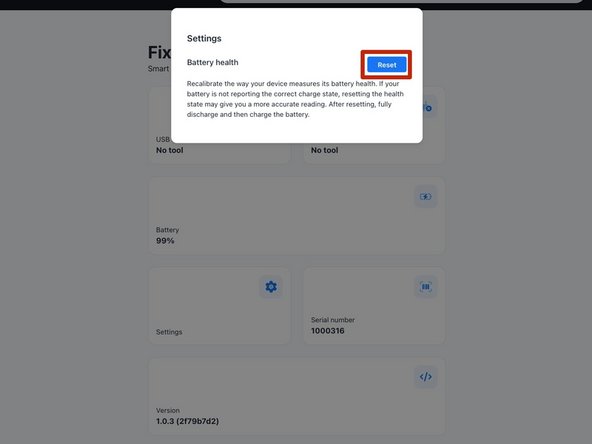
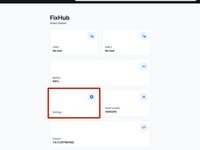
    • 설정에서는 배터리 보정 데이터를 재설정할 수 있습니다.

    • 일련 번호는 파워 스테이션의 일련 번호를 표시합니다.

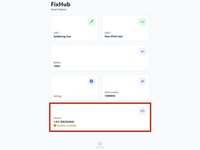
    • 버전에는 파워 스테이션의 펌웨어 버전과 업데이트가 표시됩니다.

  4. FixHub Web Console 사용 방법, 펌웨어 업데이트: 4 단계, 이미지 3개 중 1개 FixHub Web Console 사용 방법, 펌웨어 업데이트: 4 단계, 이미지 3개 중 2개 FixHub Web Console 사용 방법, 펌웨어 업데이트: 4 단계, 이미지 3개 중 3개
    • FixHub Web Console을 사용하기 전에 펌웨어가 최신 버전인지 확인하세요.

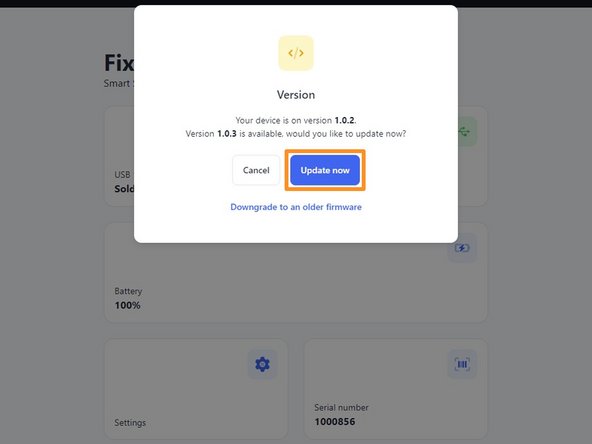
    • 버전 상자를 선택하세요.

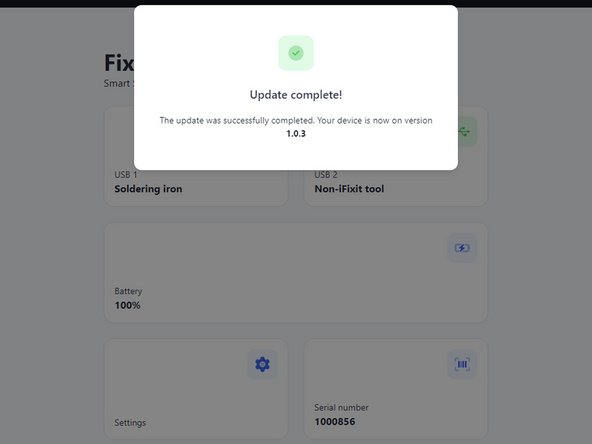
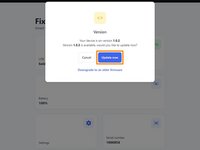
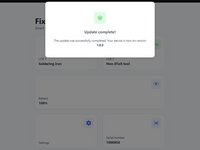
    • 지금 업데이트하기를 클릭하고 펌웨어 업데이트가 완료될 때까지 기다립니다. 펌웨어 업데이트 중에는 전원 연결을 끊거나 창을 닫지 마세요.

    • 만약 문제가 발생하면 이 단계를 반복하고 이전 펌웨어로 다운그레이드하기를 클릭하여 펌웨어를 다운그레이드할 수 있습니다.

  5. FixHub Web Console 사용 방법, 배터리 상태 초기화하기: 5 단계, 이미지 2개 중 1개 FixHub Web Console 사용 방법, 배터리 상태 초기화하기: 5 단계, 이미지 2개 중 2개
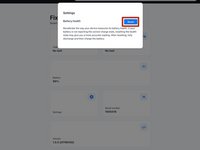
    • 파워 스테이션에 저장된 배터리 보정 데이터를 재설정하려면 설정 상자를 선택한 다음 재설정을 클릭하세요.

    • 재설정이 완료된 후에는 반드시 배터리를 보정해야 합니다.

결론

이게 끝입니다!

아직도 도움이 필요하세요? 자사의 답변 커뮤니티에 문의하거나 기본 문제 해결을 참조하세요.

다른 9명이 해당 안내서를 완성하였습니다.

다음 번역가들에게 특별히 감사 드립니다:

en ko

100%

Christian Kim님은 저희가 세상을 수리하는데 동참하신 분입니다! 기여하시겠습니까?
번역 시작하기 ›

작성자

2다른 기여자 명과 함께

Nick Schultz

회원 가입일: 03/24/24

36,887 평판

안내서 224개를 작성함

iFixit iFixit 회원

Staff

123 회원들

안내서 23,589개를 작성함

4가이드 댓글

Can you update the app or website to display the latest firmware release information for this device? When I plug in my hub, it only shows the current firmware version on the device but doesn't indicate if it's the latest. Unlike other options, I can't click on the box for more details. Additionally, I couldn't find any information on your website about the current firmware version or its release notes.

john - 답글

The web console page is: https://www.ifixit.com/fixhub/console

This is where you can browse through the current and prior firmware versions. However, I don't believe the packaged firmware (at least with CI/CD) is currently open-source at the time of writing. Yet you can see what is currently available here on GitHub: https://github.com/ifixit/fixhub (The commands here work if you're able to access the FixHub with either minicomp on Linux or PuTTY on Windows; you can determine which TTY device the FixHub is assigned to with the help of the FixHub web console, which reliably picks out the correct low-level serial device name for the FixHub.)

Tai Lam -

Settings tab is missing in the FixHub page for the Ifix-it portable power station. I am unable to reset battery health Calibration data for the PPS so i can perform initial battery calibration. is this a glitch? any suggestions?

Hector A - 답글

Same the settings tab is missing for me with no option to reset battery health calibration data after updating the firmware on the power station.

Slittcer - 답글

댓글 쓰기

조회 통계:

지난 24시간: 17

지난 7일: 98

지난 30일: 372

전체 시간: 3,178