주요 콘텐츠로 건너뛰기

Framework Laptop 12 Input Cover Replacement

필요한 것

  1. Framework Laptop 12 Input Cover Replacement, Power down your laptop: 1 단계, 이미지 3개 중 1개 Framework Laptop 12 Input Cover Replacement, Power down your laptop: 1 단계, 이미지 3개 중 2개 Framework Laptop 12 Input Cover Replacement, Power down your laptop: 1 단계, 이미지 3개 중 3개
    • Before you begin repairs, unplug your laptop and shut it down from the operating system. This ensures that the laptop isn't in standby/suspend mode.

    • The indicator LEDs along the edges should be unlit. The laptop should be silent.

    • If you accidentally turn on the laptop during repair, hold the power button down for 10 seconds to shut it down.

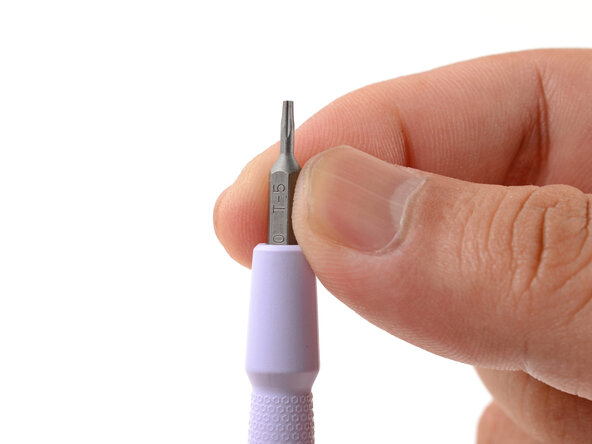
    • Make sure your Framework Screwdriver has the T5 Torx bit (labeled as T-5) facing outwards. If it's not, pull the bit out and flip it.

  2. Framework Laptop 12 Input Cover Replacement, Set your laptop down: 2 단계, 이미지 1개 중 1개
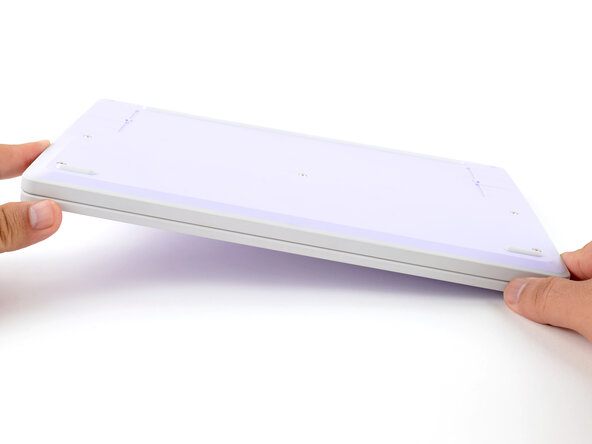
    • Set your Framework Laptop face-down on a clean work surface.

  3. Framework Laptop 12 Input Cover Replacement, Loosen the bottom screws: 3 단계, 이미지 2개 중 1개 Framework Laptop 12 Input Cover Replacement, Loosen the bottom screws: 3 단계, 이미지 2개 중 2개
    • Use your Framework Screwdriver to fully loosen the eight captive T5 Torx screws on the bottom of your laptop.

    • Most screws in your Framework Laptop (including these) are captive—they're designed to stay in place after you loosen them.

  4. Framework Laptop 12 Input Cover Replacement, Flip your laptop over: 4 단계, 이미지 1개 중 1개
    • Flip your laptop over so it's face-up on your work surface.

  5. Framework Laptop 12 Input Cover Replacement, Open your laptop: 5 단계, 이미지 2개 중 1개 Framework Laptop 12 Input Cover Replacement, Open your laptop: 5 단계, 이미지 2개 중 2개
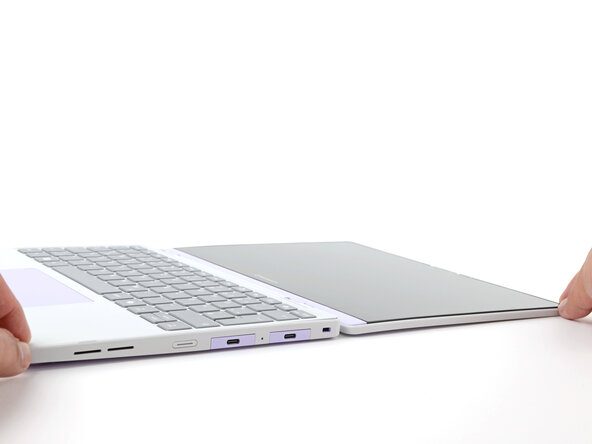
    • Open the laptop lid so that both the screen and the base lie flat on your work surface.

  6. Framework Laptop 12 Input Cover Replacement, Remove the Input Cover: 6 단계, 이미지 3개 중 1개 Framework Laptop 12 Input Cover Replacement, Remove the Input Cover: 6 단계, 이미지 3개 중 2개 Framework Laptop 12 Input Cover Replacement, Remove the Input Cover: 6 단계, 이미지 3개 중 3개
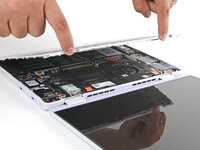
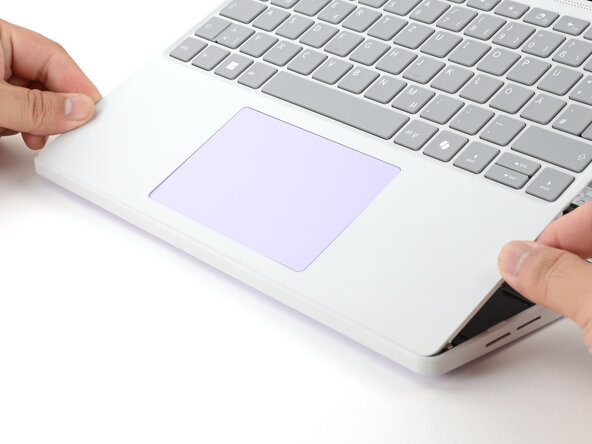
    • Use your fingers to grip the Input Cover in the hinge cutouts.

    • Lift upwards to swing the Input Cover up from the base of the laptop.

    • Magnets hold the Input Cover down, so you'll feel some resistance. If it feels stuck, check that you've fully loosened all the screws on the bottom of your laptop.

    • Remove the Input Cover.

  7. Framework Laptop 12 Input Cover Replacement, Disassembly complete: 7 단계, 이미지 1개 중 1개
    • Congratulations on completing disassembly! The remaining steps will show how to reassemble your Framework Laptop.

  8. Framework Laptop 12 Input Cover Replacement, Install the Input Cover: 8 단계, 이미지 3개 중 1개 Framework Laptop 12 Input Cover Replacement, Install the Input Cover: 8 단계, 이미지 3개 중 2개 Framework Laptop 12 Input Cover Replacement, Install the Input Cover: 8 단계, 이미지 3개 중 3개
    • Angle the bottom edge of the Input Cover towards the base of the laptop.

    • Align and insert the bottom edge of the Input Cover into the base of the laptop.

    • Make sure the slots along the bottom edge of the Input Cover slide into the tabs in the base.

    • Lower the Input Cover's top edge onto the laptop until the magnets snap it in place.

    • Make sure the Input Cover sits neatly within the laptop frame and no corners are popping up.

  9. Framework Laptop 12 Input Cover Replacement, Close and flip your laptop: 9 단계, 이미지 2개 중 1개 Framework Laptop 12 Input Cover Replacement, Close and flip your laptop: 9 단계, 이미지 2개 중 2개
    • Close the laptop lid.

    • Flip your laptop face-down on a clean work surface.

  10. Framework Laptop 12 Input Cover Replacement, Tighten the bottom screws: 10 단계, 이미지 2개 중 1개 Framework Laptop 12 Input Cover Replacement, Tighten the bottom screws: 10 단계, 이미지 2개 중 2개
    • Use your Framework Screwdriver to tighten the eight captive T5 Torx screws on the bottom of your laptop.

    • Tighten the screws until they're snug. Don't over-tighten them, or you may strip the screws.

결론

You finished fixing your Framework Laptop!

Take your e-waste to an R2 or e-Stewards certified recycler.

If you need help, contact Framework support.

작성자

1다른 기여자 명과 함께

Arthur Shi

회원 가입일: 01/03/18

309,598 평판

안내서 701개를 작성함

Guide Team Guide Team 회원

Staff

10 회원들

안내서 15,763개를 작성함

0가이드 댓글

댓글 쓰기

조회 통계:

지난 24시간: 1

지난 7일: 12

지난 30일: 43

전체 시간: 509