주요 콘텐츠로 건너뛰기

Google Pixel 9 Pro Rear Cover Replacement

필요한 것

  1. Google Pixel 9 Pro Rear Cover Replacement, Safety precautions: 1 단계, 이미지 2개 중 1개 Google Pixel 9 Pro Rear Cover Replacement, Safety precautions: 1 단계, 이미지 2개 중 2개
    • Let your Pixel's battery drain below 25% before starting this repair. A charged lithium‑ion battery may catch fire if damaged.

    • Unplug all cables and completely power down your phone.

  2. Google Pixel 9 Pro Rear Cover Replacement, Adhesive information: 2 단계, 이미지 3개 중 1개 Google Pixel 9 Pro Rear Cover Replacement, Adhesive information: 2 단계, 이미지 3개 중 2개 Google Pixel 9 Pro Rear Cover Replacement, Adhesive information: 2 단계, 이미지 3개 중 3개
    • Adhesive secures the perimeter of the rear cover to the frame.

    • When separating the adhesive, don't insert your tool more than 3 mm under the rear cover to avoid damaging the internal components.

    • Measure 3 mm from the tip and mark your opening pick with a permanent marker. Alternatively, you can tape a coin to a pick 3 mm from the tip.

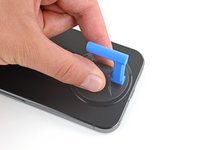
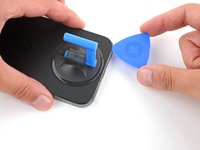
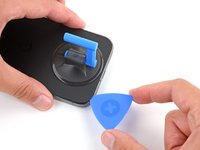
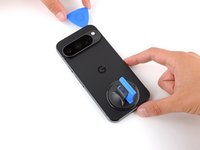
  3. Google Pixel 9 Pro Rear Cover Replacement, Apply a suction handle: 3 단계, 이미지 2개 중 1개 Google Pixel 9 Pro Rear Cover Replacement, Apply a suction handle: 3 단계, 이미지 2개 중 2개
    • Attach a suction handle to the bottom edge of the rear cover, as close to the edge as possible.

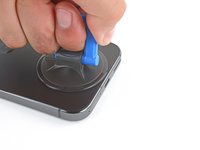
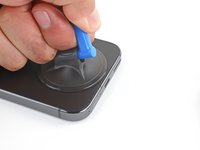
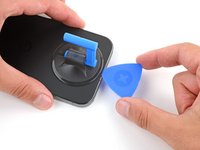
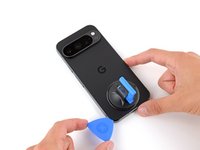
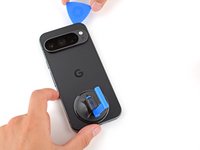
  4. Google Pixel 9 Pro Rear Cover Replacement, Insert an opening pick: 4 단계, 이미지 3개 중 1개 Google Pixel 9 Pro Rear Cover Replacement, Insert an opening pick: 4 단계, 이미지 3개 중 2개 Google Pixel 9 Pro Rear Cover Replacement, Insert an opening pick: 4 단계, 이미지 3개 중 3개
    • Pull up on the suction handle with strong, steady force to create a small gap under the rear cover.

    • Insert the tip of an opening pick in the gap.

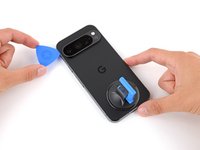
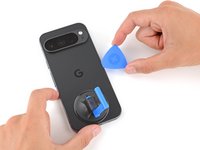
  5. Google Pixel 9 Pro Rear Cover Replacement, Separate the rear cover adhesive: 5 단계, 이미지 3개 중 1개 Google Pixel 9 Pro Rear Cover Replacement, Separate the rear cover adhesive: 5 단계, 이미지 3개 중 2개 Google Pixel 9 Pro Rear Cover Replacement, Separate the rear cover adhesive: 5 단계, 이미지 3개 중 3개
    • Slide your opening pick along the bottom edge to separate the adhesive securing it.

    • Remember: don't insert the opening pick deeper than 3 mm.

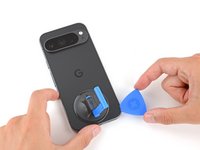
  6. Google Pixel 9 Pro Rear Cover Replacement: 6 단계, 이미지 3개 중 1개 Google Pixel 9 Pro Rear Cover Replacement: 6 단계, 이미지 3개 중 2개 Google Pixel 9 Pro Rear Cover Replacement: 6 단계, 이미지 3개 중 3개
    • Slide your opening pick up the left edge and along the top edge to separate the adhesive.

  7. Google Pixel 9 Pro Rear Cover Replacement: 7 단계, 이미지 3개 중 1개 Google Pixel 9 Pro Rear Cover Replacement: 7 단계, 이미지 3개 중 2개 Google Pixel 9 Pro Rear Cover Replacement: 7 단계, 이미지 3개 중 3개
    • Slide your pick down the right edge to separate the remaining adhesive.

  8. Google Pixel 9 Pro Rear Cover Replacement, Prop up the rear cover: 8 단계, 이미지 3개 중 1개 Google Pixel 9 Pro Rear Cover Replacement, Prop up the rear cover: 8 단계, 이미지 3개 중 2개 Google Pixel 9 Pro Rear Cover Replacement, Prop up the rear cover: 8 단계, 이미지 3개 중 3개
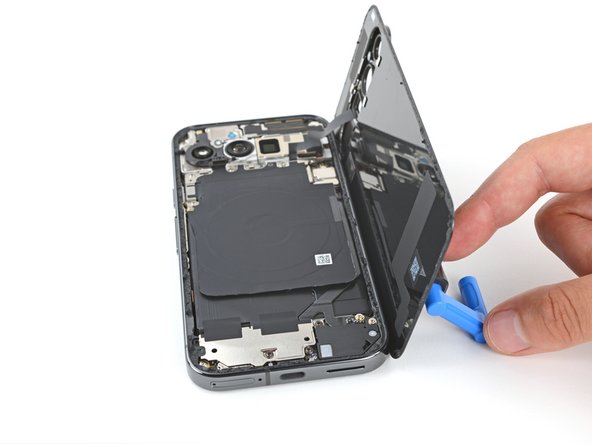
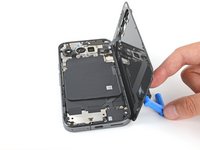
    • Don't try to fully remove the rear cover yet, as a ribbon cable on the right edge connects it to the phone.

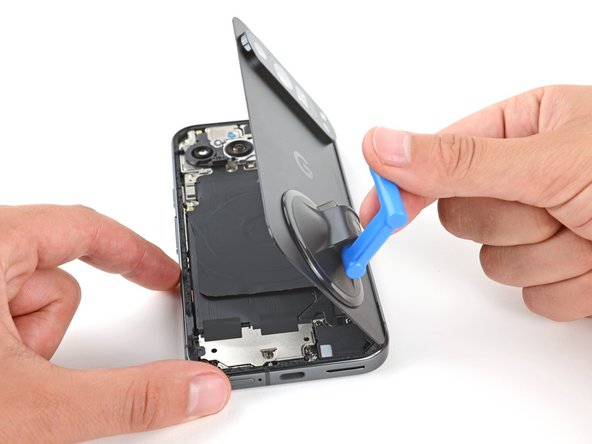
    • Use the suction handle to lift the left edge of the rear cover and swing it over the right edge, like opening the cover of a book.

    • If you're having trouble, check the perimeter for any remaining adhesive and use your opening pick to separate it.

    • Prop up the rear cover with the suction handle so you can access the ribbon cable near the top right corner.

  9. Google Pixel 9 Pro Rear Cover Replacement, Remove the wireless charging assembly: 9 단계, 이미지 2개 중 1개 Google Pixel 9 Pro Rear Cover Replacement, Remove the wireless charging assembly: 9 단계, 이미지 2개 중 2개
    이 단계에 사용된 도구:
    FixMat
    $31.41
    • Throughout this repair, keep track of each screw and make sure it goes back exactly where it came from.

    • While the Pixel 9 Pro uses Torx Plus screws, standard Torx bits will also work. Make sure to apply constant, downward force to prevent stripping.

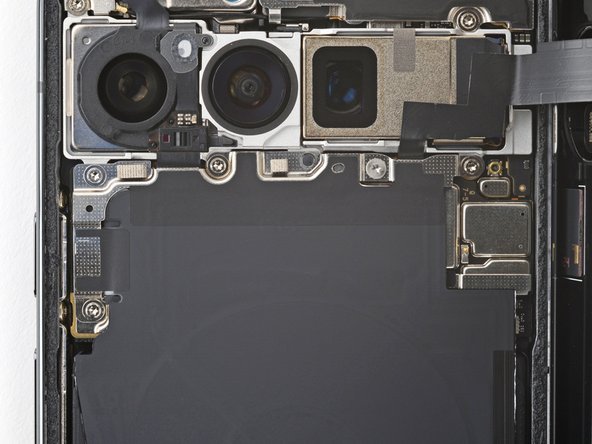
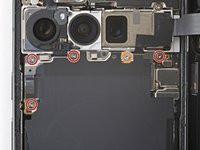
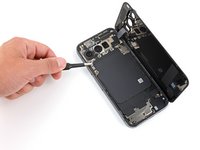
    • Use a Torx Plus 3IP screwdriver to remove the five screws securing the wireless charging assembly:

    • Four 5.4 mm‑long screws

    • One 1.5 mm‑long screw

    • This screw is non‑magnetic—you may need to use tweezers to remove it.

  10. Google Pixel 9 Pro Rear Cover Replacement: 10 단계, 이미지 3개 중 1개 Google Pixel 9 Pro Rear Cover Replacement: 10 단계, 이미지 3개 중 2개 Google Pixel 9 Pro Rear Cover Replacement: 10 단계, 이미지 3개 중 3개
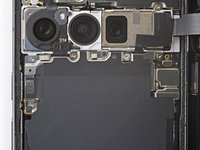
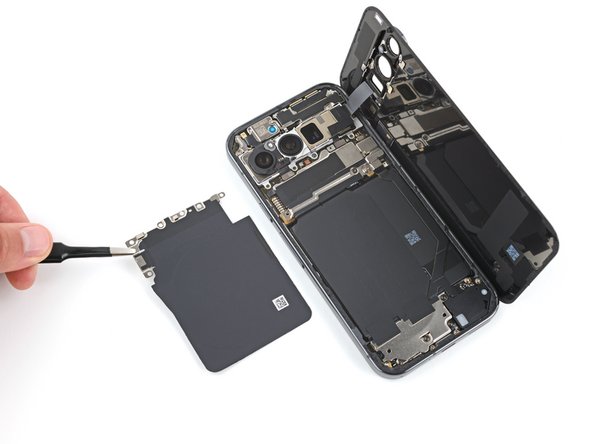
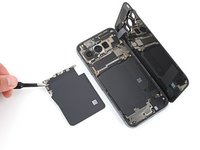
    • Be very careful not to damage the spring contacts under the top left edge of the wireless charging assembly.

    • Use tweezers or your fingers to remove the wireless charging assembly.

  11. Google Pixel 9 Pro Rear Cover Replacement, Disconnect the rear cover: 11 단계, 이미지 3개 중 1개 Google Pixel 9 Pro Rear Cover Replacement, Disconnect the rear cover: 11 단계, 이미지 3개 중 2개 Google Pixel 9 Pro Rear Cover Replacement, Disconnect the rear cover: 11 단계, 이미지 3개 중 3개
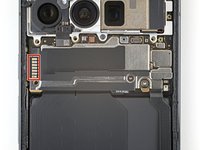
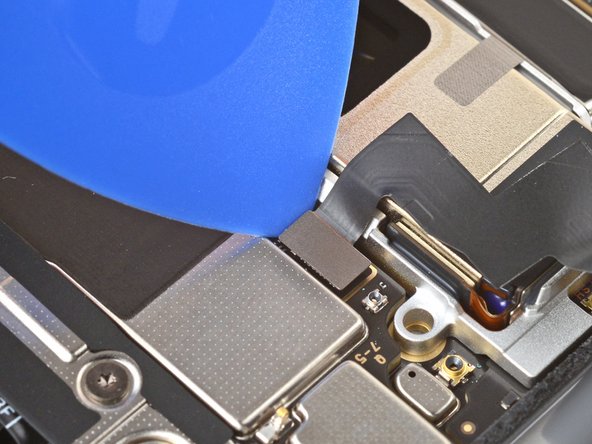
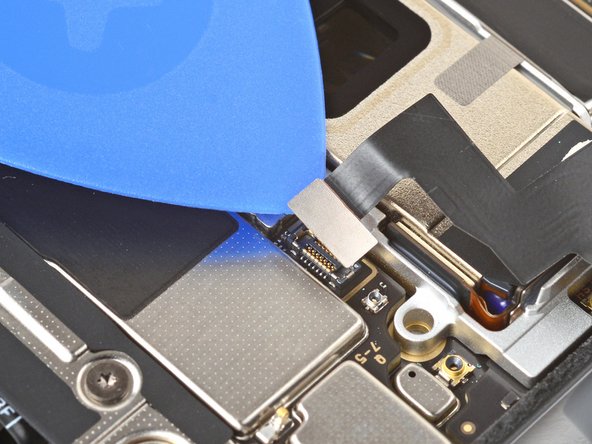
    • Insert the tip of an opening pick under the left edge of the rear cover press connector and pry straight up to disconnect it.

  12. Google Pixel 9 Pro Rear Cover Replacement, Remove the rear cover: 12 단계, 이미지 1개 중 1개
    • Remove the rear cover.

    • During reassembly, follow this guide to apply new adhesive and install your rear cover.

결론

To reassemble your device, follow this guide.

To run a diagnostics test with the built-in Pixel Diagnostic tool, click here.

Take your e-waste to an R2 or e-Stewards certified recycler.

Repair didn’t go as planned? Try some basic troubleshooting, or ask our Answers community for help.

다른 2명이 해당 안내서를 완성하였습니다.

작성자

2다른 기여자 명과 함께

Spencer Day

회원 가입일: 09/14/22

149,052 평판

안내서 995개를 작성함

iFixit iFixit 회원

Staff

123 회원들

안내서 23,603개를 작성함

0가이드 댓글

댓글 쓰기

조회 통계:

지난 24시간: 14

지난 7일: 74

지난 30일: 329

전체 시간: 5,288