주요 콘텐츠로 건너뛰기

How to Fix a Stuck Button in Sharp Calculator

필요한 것

  1. How to Fix a Stuck Button in Sharp Calculator, Button Keys: 1 단계, 이미지 1개 중 1개
    • Turn the power off by pressing a button named 2NDF located in the top-left corner.

    • Press the button named ON/C in the top-right corner.

  2. How to Fix a Stuck Button in Sharp Calculator: 2 단계, 이미지 2개 중 1개 How to Fix a Stuck Button in Sharp Calculator: 2 단계, 이미지 2개 중 2개
    • Flip the calculator over so that the back panel is facing upwards.

    • Remove two 5mm Phillips #0 screws from the battery cover by turning the screwdriver in a counter-clockwise direction.

    • Remove the remaining four 5mm Phillips #0 screws from the back panel cover.

  3. How to Fix a Stuck Button in Sharp Calculator: 3 단계, 이미지 1개 중 1개
    • Remove the battery cover.

    • Insert a spudger into the slot located in the top-right corner and pry the battery out.

  4. How to Fix a Stuck Button in Sharp Calculator: 4 단계, 이미지 1개 중 1개
    • Remove the front panel by sticking an opening tool into a small gap between front and back panel.

    • Push the tool down with force and pry open the right side carefully.

    • Detach the front panel from the back panel by lifting the front board.

    • Separate the front and back panel slowly to avoid damaging the LCD ribbon.

  5. How to Fix a Stuck Button in Sharp Calculator: 5 단계, 이미지 1개 중 1개
    • Use a Phillips #0 screwdriver to remove the eight 5mm screws from the motherboard.

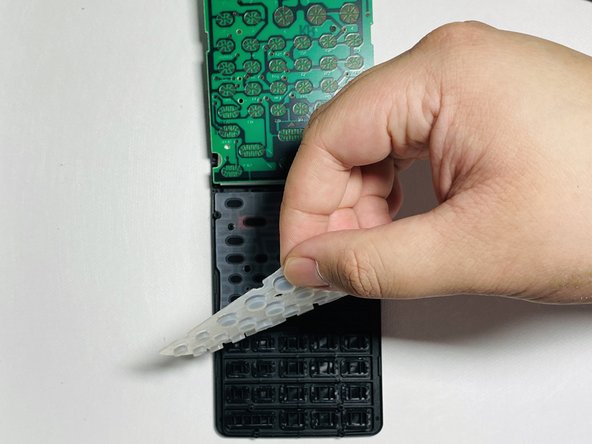
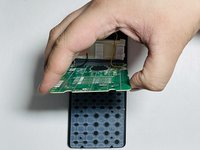
  6. How to Fix a Stuck Button in Sharp Calculator: 6 단계, 이미지 2개 중 1개 How to Fix a Stuck Button in Sharp Calculator: 6 단계, 이미지 2개 중 2개
    • Lift the motherboard by holding both sides and placing it on the top panel.

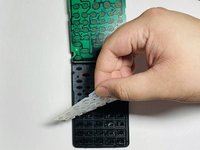
    • Lift the grey padding upwards by holding any corner and place it on top of the motherboard.

    • Press the grey padding and put pressure downward to avoid sticking from physical buttons.

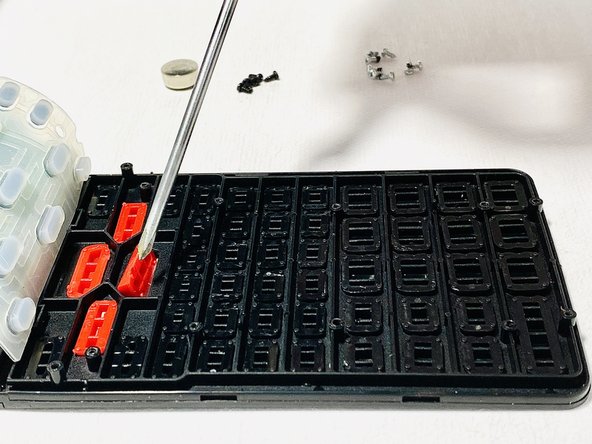
  7. How to Fix a Stuck Button in Sharp Calculator: 7 단계, 이미지 2개 중 1개 How to Fix a Stuck Button in Sharp Calculator: 7 단계, 이미지 2개 중 2개
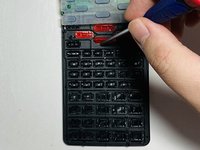
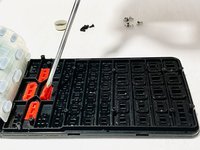
    • Use a spudger to flip, remove, and adjust the position of buttons.

    • Ensure the placement of buttons is correct. Use STEP 1 Image as a reference to the location of buttons.

결론

To reassemble your device, follow these instructions in reverse order.

다른 2명이 해당 안내서를 완성하였습니다.

작성자

2다른 기여자 명과 함께

Micah Bustamante

회원 가입일: 05/08/20

169 평판

안내서 1개를 작성함

0가이드 댓글

댓글 쓰기

조회 통계:

지난 24시간: 0

지난 7일: 9

지난 30일: 31

전체 시간: 5,424