주요 콘텐츠로 건너뛰기

How to Install the Self Repair Assistant App

단지 전제 조건
이 가이드는 전제 조건 전용 가이드입니다! 이 가이드는 다른 절차의 일부이며 단독으로 사용할 수 없습니다.
  1. How to Install the Self Repair Assistant App, Download the app: 1 단계, 이미지 3개 중 1개 How to Install the Self Repair Assistant App, Download the app: 1 단계, 이미지 3개 중 2개 How to Install the Self Repair Assistant App, Download the app: 1 단계, 이미지 3개 중 3개
    • Download the Self Repair Assistant app (2.0.12)here.

    • You may be prompted with a "File might be harmful" warning. If so, select "Download anyway."

    • Open the "My Files" app.

    • Navigate to the "Installation files" tab on the left side of the screen.

  2. How to Install the Self Repair Assistant App, Install the app: 2 단계, 이미지 2개 중 1개 How to Install the Self Repair Assistant App, Install the app: 2 단계, 이미지 2개 중 2개
    • Select the app on the right side of the screen.

    • If the app doesn't show up on this panel, skip to the next step.

    • Select "Install" to confirm the app's installation.

    • Skip the next two steps.

  3. How to Install the Self Repair Assistant App, Rename the app: 3 단계, 이미지 3개 중 1개 How to Install the Self Repair Assistant App, Rename the app: 3 단계, 이미지 3개 중 2개 How to Install the Self Repair Assistant App, Rename the app: 3 단계, 이미지 3개 중 3개
    • If your app didn't show up on the "Installation files" tab, follow the next two steps to rename the file.

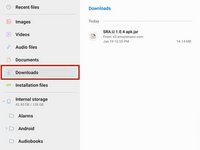
    • Navigate to the "Downloads" tab on the left side of the screen.

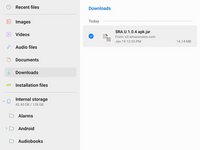
    • Long press the download file until an orange checkmark appears to the left of it.

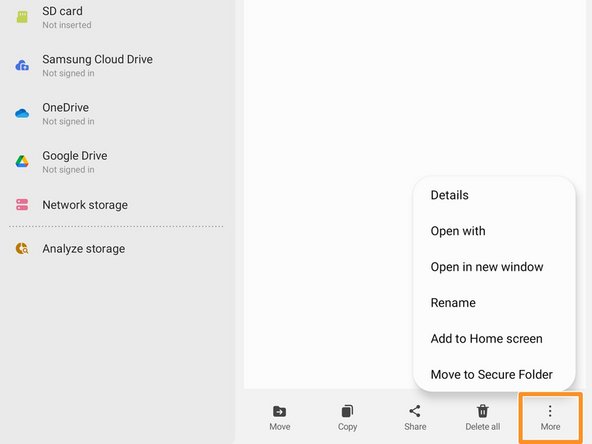
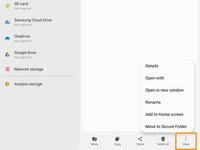
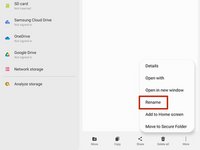
    • Navigate to the bottom of the screen and select the "More" option.

  4. How to Install the Self Repair Assistant App: 4 단계, 이미지 3개 중 1개 How to Install the Self Repair Assistant App: 4 단계, 이미지 3개 중 2개 How to Install the Self Repair Assistant App: 4 단계, 이미지 3개 중 3개
    • Select the "Rename" option.

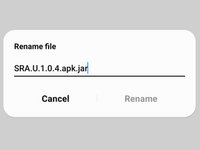
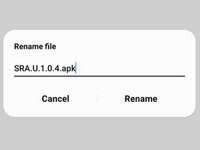
    • Delete the .jar at the end of the app's name.

    • Your file should now appear in the "Installation files" tab.

결론

The Self Repair Assistant app is installed and ready for use.

If you need to calibrate the optical fingerprint sensor, follow this guide.

If you need to reset your battery cycle count, follow this guide.

다른 2명이 해당 안내서를 완성하였습니다.

작성자

2다른 기여자 명과 함께

Alex Diaz-Kokaisl

회원 가입일: 01/16/22

215,039 평판

안내서 1,046개를 작성함

iFixit iFixit 회원

Staff

123 회원들

안내서 23,781개를 작성함

0가이드 댓글

댓글 쓰기

조회 통계:

지난 24시간: 4

지난 7일: 14

지난 30일: 98

전체 시간: 2,135