주요 콘텐츠로 건너뛰기

How to Use the VoltClip to Debond iPhone Battery Adhesive

필요한 것

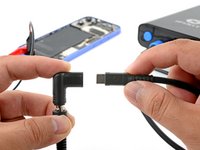
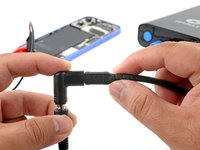
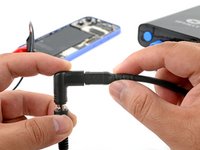
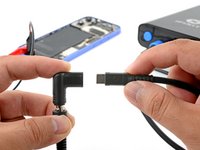
  1. How to Use the VoltClip to Debond iPhone Battery Adhesive, Assemble the VoltClip: 1 단계, 이미지 2개 중 1개 How to Use the VoltClip to Debond iPhone Battery Adhesive, Assemble the VoltClip: 1 단계, 이미지 2개 중 2개
    • Plug the VoltClip's barrel connector into the USB-C elbow.

    • Don't connect the VoltClip to a power source just yet. The loose alligator clips may accidentally touch each other and cause an electrical short.

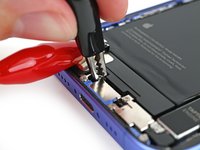
  2. How to Use the VoltClip to Debond iPhone Battery Adhesive, Peel up the silver tab: 2 단계, 이미지 2개 중 1개 How to Use the VoltClip to Debond iPhone Battery Adhesive, Peel up the silver tab: 2 단계, 이미지 2개 중 2개
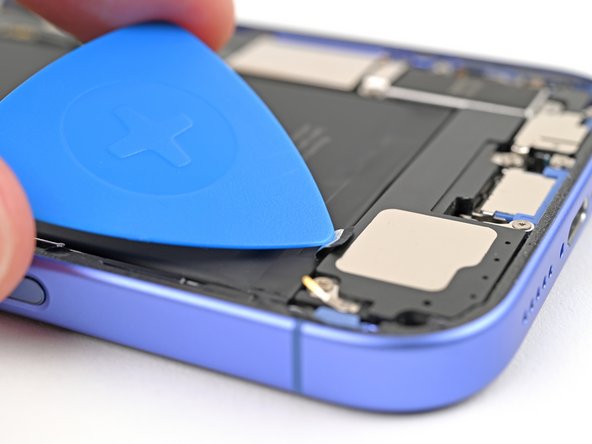
    • Use a clean fingernail or an opening pick to peel up the silver tab at the bottom edge of the battery.

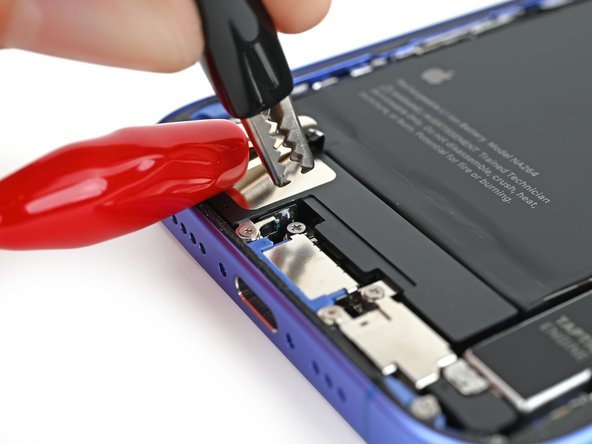
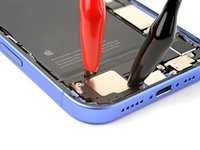
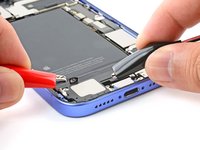
  3. How to Use the VoltClip to Debond iPhone Battery Adhesive, Attach the alligator clips: 3 단계, 이미지 2개 중 1개 How to Use the VoltClip to Debond iPhone Battery Adhesive, Attach the alligator clips: 3 단계, 이미지 2개 중 2개
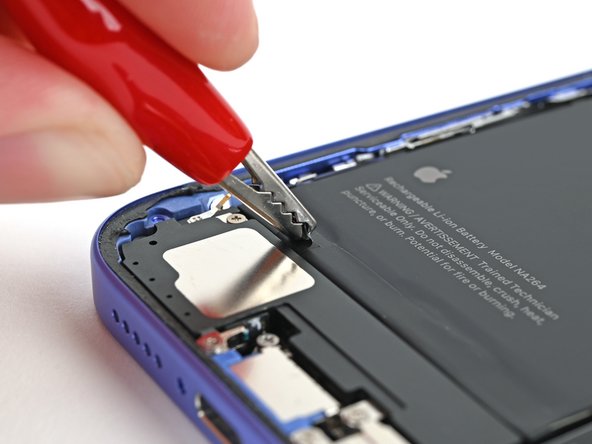
    • Attach the red alligator clip to the silver tab on the battery.

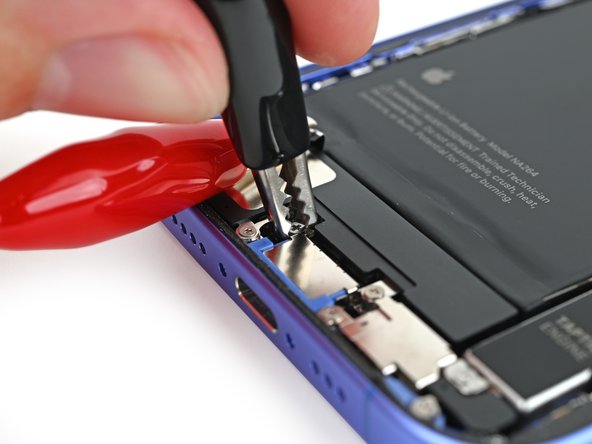
  4. How to Use the VoltClip to Debond iPhone Battery Adhesive: 4 단계, 이미지 3개 중 1개 How to Use the VoltClip to Debond iPhone Battery Adhesive: 4 단계, 이미지 3개 중 2개 How to Use the VoltClip to Debond iPhone Battery Adhesive: 4 단계, 이미지 3개 중 3개
    • Attach the black alligator clip to the grounding screw.

  5. How to Use the VoltClip to Debond iPhone Battery Adhesive, Connect power to the VoltClip: 5 단계, 이미지 3개 중 1개 How to Use the VoltClip to Debond iPhone Battery Adhesive, Connect power to the VoltClip: 5 단계, 이미지 3개 중 2개 How to Use the VoltClip to Debond iPhone Battery Adhesive, Connect power to the VoltClip: 5 단계, 이미지 3개 중 3개
    • Make sure the red alligator clip isn't touching any stray metallic surfaces.

    • Connect a powered USB-C cable to the USB-C elbow and wait 90 seconds for the adhesive to loosen.

  6. How to Use the VoltClip to Debond iPhone Battery Adhesive, Disconnect the VoltClip: 6 단계, 이미지 3개 중 1개 How to Use the VoltClip to Debond iPhone Battery Adhesive, Disconnect the VoltClip: 6 단계, 이미지 3개 중 2개 How to Use the VoltClip to Debond iPhone Battery Adhesive, Disconnect the VoltClip: 6 단계, 이미지 3개 중 3개
    • Disconnect the USB-C cable from the elbow, then disconnect the alligator clips.

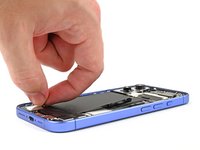
  7. How to Use the VoltClip to Debond iPhone Battery Adhesive, Remove the battery: 7 단계, 이미지 3개 중 1개 How to Use the VoltClip to Debond iPhone Battery Adhesive, Remove the battery: 7 단계, 이미지 3개 중 2개 How to Use the VoltClip to Debond iPhone Battery Adhesive, Remove the battery: 7 단계, 이미지 3개 중 3개
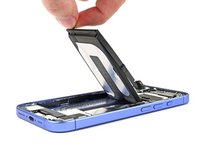
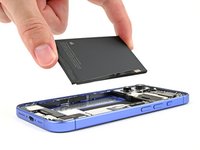
    • Your adhesive should be fully loosened at this point. If your battery doesn't budge during the step, reconnect the VoltClip for an additional minute and try again.

    • Grip the silver tab and lift the battery out of the frame.

    • Alternatively, you can use a suction handle to pull the battery out. If the battery doesn't come out easily, don't force it—reconnect the VoltClip for one minute.

결론

For more iPhone guides, click here.

다른 4명이 해당 안내서를 완성하였습니다.

작성자

2다른 기여자 명과 함께

Arthur Shi

회원 가입일: 01/03/18

309,324 평판

안내서 699개를 작성함

iFixit iFixit 회원

Staff

123 회원들

안내서 23,589개를 작성함

0가이드 댓글

댓글 쓰기

조회 통계:

지난 24시간: 5

지난 7일: 64

지난 30일: 306

전체 시간: 9,640