주요 콘텐츠로 건너뛰기
수리 커뮤니티 가입 - 계정 만들기

Levoit Core 300-RAC Power Cord Replacement

필요한 것

  1. Levoit Core 300-RAC Power Cord Replacement, Air Filter: 1 단계, 이미지 2개 중 1개 Levoit Core 300-RAC Power Cord Replacement, Air Filter: 1 단계, 이미지 2개 중 2개
    • Make sure your device is turned off and unplugged for safety.

    • Turn the Levoit Core 300-RAC over so the bottom is facing up.

    댓글 쓰기

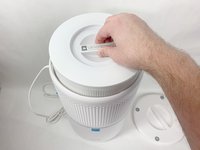
  2. Levoit Core 300-RAC Power Cord Replacement: 2 단계, 이미지 3개 중 1개 Levoit Core 300-RAC Power Cord Replacement: 2 단계, 이미지 3개 중 2개 Levoit Core 300-RAC Power Cord Replacement: 2 단계, 이미지 3개 중 3개
    • Turn the bottom cover counterclockwise and lift it off to remove it.

    • The cover does not "snap" on or off when turned.

    댓글 쓰기

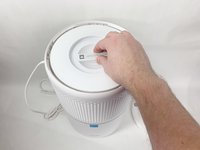
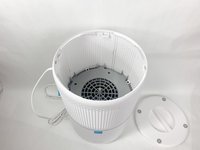
  3. Levoit Core 300-RAC Power Cord Replacement: 3 단계, 이미지 3개 중 1개 Levoit Core 300-RAC Power Cord Replacement: 3 단계, 이미지 3개 중 2개 Levoit Core 300-RAC Power Cord Replacement: 3 단계, 이미지 3개 중 3개
    • Lift the filter straight up and out of the device.

    댓글 쓰기

  4. Levoit Core 300-RAC Power Cord Replacement, Power Cord: 4 단계, 이미지 3개 중 1개 Levoit Core 300-RAC Power Cord Replacement, Power Cord: 4 단계, 이미지 3개 중 2개 Levoit Core 300-RAC Power Cord Replacement, Power Cord: 4 단계, 이미지 3개 중 3개
    • Use a Phillips #2 screwdriver to remove the four screws that go through the four white tabs inside the device

    • Set the screws aside in a safe place.

    댓글 쓰기

  5. Levoit Core 300-RAC Power Cord Replacement: 5 단계, 이미지 3개 중 1개 Levoit Core 300-RAC Power Cord Replacement: 5 단계, 이미지 3개 중 2개 Levoit Core 300-RAC Power Cord Replacement: 5 단계, 이미지 3개 중 3개
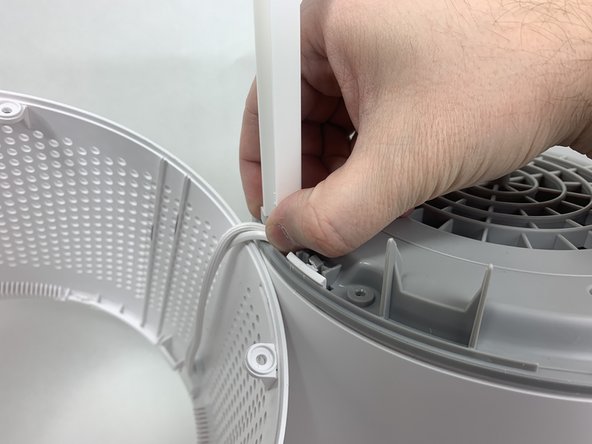
    • Use a metal spudger to gently pry between the four white tabs and the white housing and release the outer housing.

    • Gently pull up on the outer housing to prevent the clips from resetting.

    댓글 쓰기

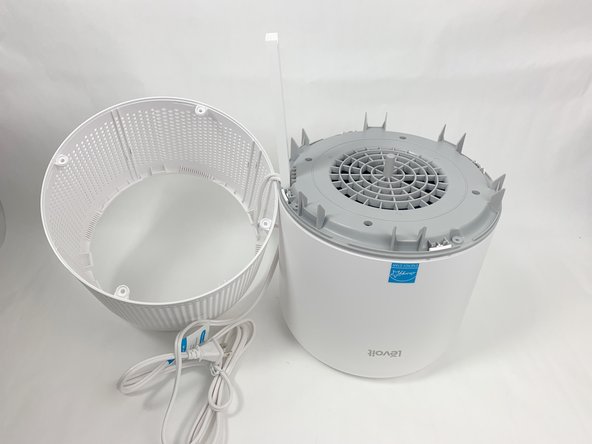
  6. Levoit Core 300-RAC Power Cord Replacement: 6 단계, 이미지 2개 중 1개 Levoit Core 300-RAC Power Cord Replacement: 6 단계, 이미지 2개 중 2개
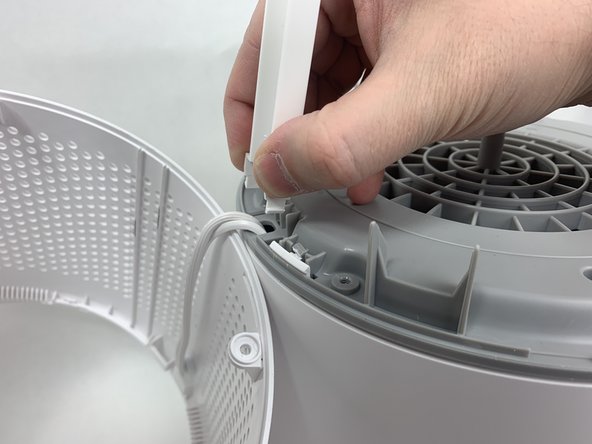
    • Remove the white outer housing and set it to the side.

    • The power cord is fed through a hole in the side of this housing, so it will need to be right next to the rest of the device.

    댓글 쓰기

  7. Levoit Core 300-RAC Power Cord Replacement: 7 단계, 이미지 3개 중 1개 Levoit Core 300-RAC Power Cord Replacement: 7 단계, 이미지 3개 중 2개 Levoit Core 300-RAC Power Cord Replacement: 7 단계, 이미지 3개 중 3개
    • Grab the cable channel by its base, squeeze, and pull up at the same time to remove it.

    댓글 쓰기

  8. Levoit Core 300-RAC Power Cord Replacement: 8 단계, 이미지 2개 중 1개 Levoit Core 300-RAC Power Cord Replacement: 8 단계, 이미지 2개 중 2개
    • Remove the four Phillips #2 screws securing the gray face plate.

    • Set the screws aside in a safe place.

    댓글 쓰기

  9. Levoit Core 300-RAC Power Cord Replacement: 9 단계, 이미지 3개 중 1개 Levoit Core 300-RAC Power Cord Replacement: 9 단계, 이미지 3개 중 2개 Levoit Core 300-RAC Power Cord Replacement: 9 단계, 이미지 3개 중 3개
    • Insert a Jimmy or spudger between the white tab and the gray faceplate body to release the faceplate.

    • Lift it out.

    댓글 쓰기

  10. Levoit Core 300-RAC Power Cord Replacement: 10 단계, 이미지 1개 중 1개
    • Use wire cutters to carefully cut off the crimped power cord connections and remove the white power cord.

    • Cut as close to the connection as possible to leave as much of the internal wires as possible.

    • Cut your new power cable to length and replace the old one. You can splice the new cable on using a soldering iron, heat shrink tubing, and a heat gun. Alternatively, you can use twist-on wire nuts to make a secure connection. For more information on soldering, take a look at How to Solder and Desolder Connectors, and How to Use Heat Shrink Tubing.

    댓글 쓰기

결론

To reassemble your device, follow these instructions in reverse order.

취소: 해당 안내서를 완성하지 않았습니다.

다른 2명이 해당 안내서를 완성하였습니다.

작성자

1다른 기여자 명과 함께

David Kamp

회원 가입일: 11/02/23

589 평판

안내서 3개를 작성함

UMass Dartmouth, Team 1-6, Petersen Fall 2023 UMass Dartmouth, Team 1-6, Petersen Fall 2023 회원

UMASSD-PETERSEN-F23S1G6

5 회원들

안내서 8개를 작성함

2가이드 댓글

You're a lifesaver, thank you! My rabbit managed to reach the cable for mine and chewed it up, my allergies have been going crazy

Grace - 답글 공유

What type of cable did you use to replace the older one?

Mauricio Diaz - 답글 공유

댓글 쓰기

조회 통계:

지난 24시간: 3

지난 7일: 30

지난 30일: 124

전체 시간: 3,105