주요 콘텐츠로 건너뛰기

Logitech G602 Motherboard Replacement

필요한 것

  1. Logitech G602 Motherboard Replacement, Motherboard: 1 단계, 이미지 3개 중 1개 Logitech G602 Motherboard Replacement, Motherboard: 1 단계, 이미지 3개 중 2개 Logitech G602 Motherboard Replacement, Motherboard: 1 단계, 이미지 3개 중 3개
    • Use a spudger to pry off all 4 mouse feet from under the mouse.

  2. Logitech G602 Motherboard Replacement: 2 단계, 이미지 3개 중 1개 Logitech G602 Motherboard Replacement: 2 단계, 이미지 3개 중 2개 Logitech G602 Motherboard Replacement: 2 단계, 이미지 3개 중 3개
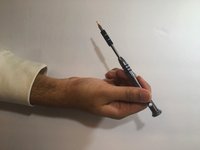
    • Use a Phillips #00 screwdriver to unscrew all 6 screws (3x5mm) from under the mouse feet.

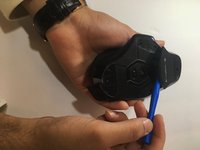
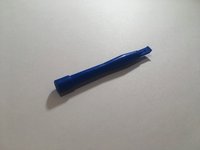
  3. Logitech G602 Motherboard Replacement: 3 단계, 이미지 2개 중 1개 Logitech G602 Motherboard Replacement: 3 단계, 이미지 2개 중 2개
    • Use the blue spudger to prop open the battery port.

  4. Logitech G602 Motherboard Replacement: 4 단계, 이미지 1개 중 1개
    • Remove the two AA batteries from the device.

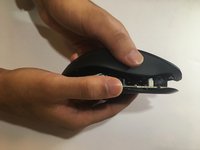
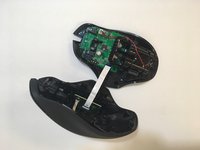
  5. Logitech G602 Motherboard Replacement: 5 단계, 이미지 2개 중 1개 Logitech G602 Motherboard Replacement: 5 단계, 이미지 2개 중 2개
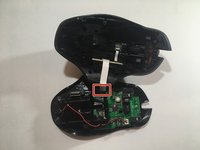
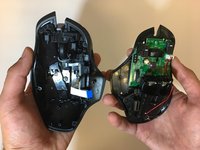
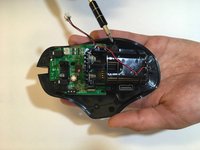
    • Lift the top of the mouse from the base of the mouse (separate mouse in half) to expose the mouse’s internal hardware.

  6. Logitech G602 Motherboard Replacement: 6 단계, 이미지 2개 중 1개 Logitech G602 Motherboard Replacement: 6 단계, 이미지 2개 중 2개
    이 단계에 사용된 도구:
    Tweezers
    $4.99
    • Use tweezers to grip and detach the white ribbon cable from the motherboard.

  7. Logitech G602 Motherboard Replacement: 7 단계, 이미지 1개 중 1개
    • Use pliers to detach the white plug from the motherboard.

  8. Logitech G602 Motherboard Replacement: 8 단계, 이미지 3개 중 1개 Logitech G602 Motherboard Replacement: 8 단계, 이미지 3개 중 2개 Logitech G602 Motherboard Replacement: 8 단계, 이미지 3개 중 3개
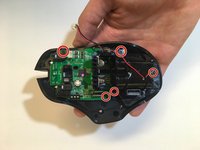
    • Use a Phillips #00 screwdriver to unscrew all 5 screws (3x5mm ) from the battery pack and motherboard.

  9. Logitech G602 Motherboard Replacement: 9 단계, 이미지 1개 중 1개
    • Remove the motherboard from the mouse.

결론

To reassemble your device, follow these instructions in reverse order.

다른 10명이 해당 안내서를 완성하였습니다.

작성자

4다른 기여자 명과 함께

Jerico Morales

회원 가입일: 01/17/18

1,303 평판

안내서 4개를 작성함

5가이드 댓글

So can I buy a new motherboard? Where? I don’t see one available on this site.

Kat - 답글

Hi there Kat. Did you eventually find out where to get a new motherboard for your G602 mouse?

Luke Haasbroek -

Jerico, I’ve got a problem with my g602, as the mouse is depleting new batteries energy. I put new batteries on, and they are immediately recognized as “low batteries” by the mouse system, flashing the led indicator as low battery as well. Any thoughts?

Cristian Pereverzieff - 답글

I'm having the same problem. Where you able to fix the problem?

Christopher Flynn -

Completed successfully.

The hardest part was to find a spare mainboard.

Brendan - 답글

댓글 쓰기

조회 통계:

지난 24시간: 0

지난 7일: 10

지난 30일: 68

전체 시간: 11,893