주요 콘텐츠로 건너뛰기

Logitech Harmony Smart Control Charging Port Replacement

필요한 것

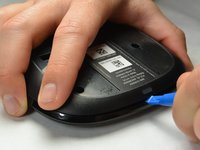
  1. Logitech Harmony Smart Control Charging Port Replacement, Charging Port: 1 단계, 이미지 2개 중 1개 Logitech Harmony Smart Control Charging Port Replacement, Charging Port: 1 단계, 이미지 2개 중 2개
    • Use the plastic opening tool to lift up the rubber pad.

    • With your fingers, pull back the rubber pad. This will expose the screw holes on the bottom of the device.

    • Repeat the step above for the second rubber pad on the bottom of the hub.

  2. Logitech Harmony Smart Control Charging Port Replacement: 2 단계, 이미지 2개 중 1개 Logitech Harmony Smart Control Charging Port Replacement: 2 단계, 이미지 2개 중 2개
    • Using the PH00 bit, remove the four 6mm Phillips screws

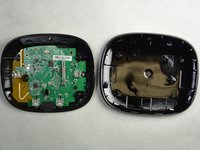
  3. Logitech Harmony Smart Control Charging Port Replacement: 3 단계, 이미지 2개 중 1개 Logitech Harmony Smart Control Charging Port Replacement: 3 단계, 이미지 2개 중 2개
    • Use the plastic opening tool to pry open and separate the pieces of plastic from each other.

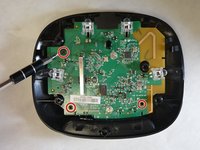
  4. Logitech Harmony Smart Control Charging Port Replacement: 4 단계, 이미지 2개 중 1개 Logitech Harmony Smart Control Charging Port Replacement: 4 단계, 이미지 2개 중 2개
    • Using the PH00 bit, remove the three 4mm Phillips screws.

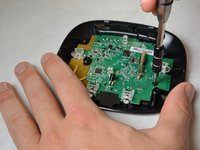
  5. Logitech Harmony Smart Control Charging Port Replacement: 5 단계, 이미지 3개 중 1개 Logitech Harmony Smart Control Charging Port Replacement: 5 단계, 이미지 3개 중 2개 Logitech Harmony Smart Control Charging Port Replacement: 5 단계, 이미지 3개 중 3개
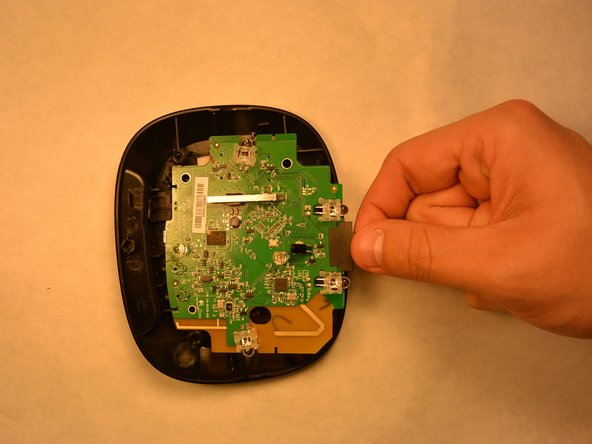
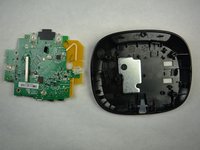
    • Starting at the yellow corner, use a plastic opening tool to pry the circuit board from the housing.

  6. Logitech Harmony Smart Control Charging Port Replacement: 6 단계, 이미지 3개 중 1개 Logitech Harmony Smart Control Charging Port Replacement: 6 단계, 이미지 3개 중 2개 Logitech Harmony Smart Control Charging Port Replacement: 6 단계, 이미지 3개 중 3개
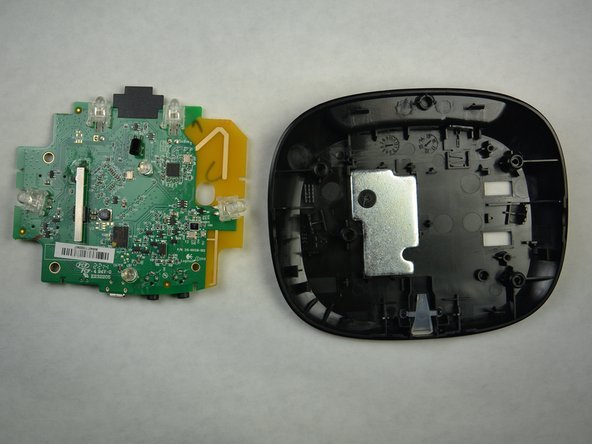
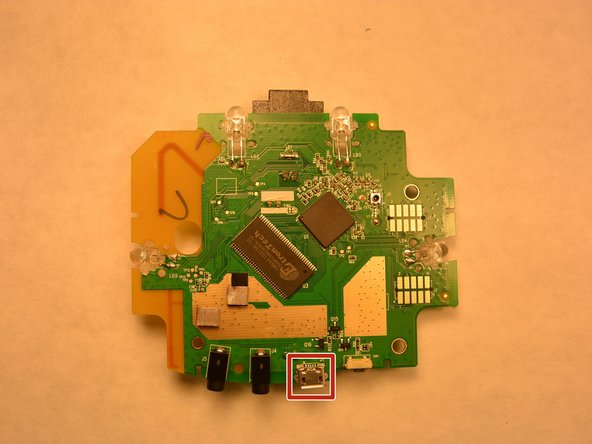
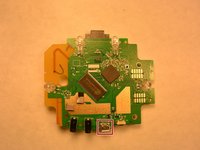
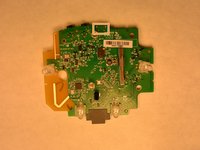
    • Locate the defective charging port.

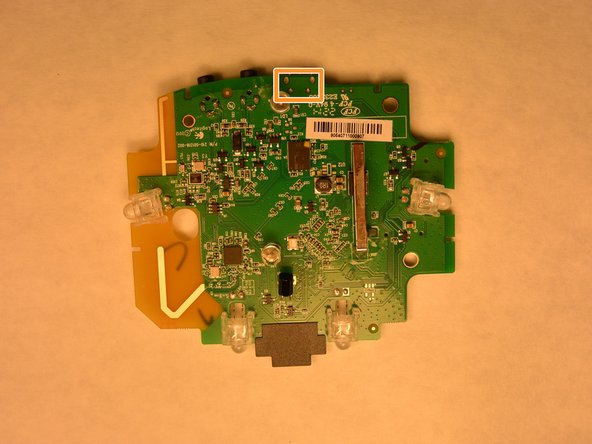
    • Turn the circuit board over to expose the charging solder.

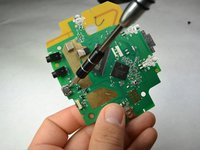
    • Using a soldering iron, remove the solder and the charging port. Install a new charging port and solder.

결론

To reassemble your device, follow these instructions in reverse order.

다른 한 분이 해당 안내서를 완성하였습니다.

작성자

4다른 기여자 명과 함께

Josh Hendricks

회원 가입일: 09/17/15

464 평판

안내서 4개를 작성함

IUPUI, Team 3-2, Harley Fall 2015 IUPUI, Team 3-2, Harley Fall 2015 회원

IUPUI-HARLEY-F15S3G2

4 회원들

안내서 5개를 작성함

0가이드 댓글

댓글 쓰기

조회 통계:

지난 24시간: 1

지난 7일: 3

지난 30일: 10

전체 시간: 860