소개
Is your Logitech K345 keyboard not working, or is the connection to your computer spotty? Try replacing your batteries, and follow this repair guide to do just that. The batteries can be the cause of your spotty connection since they power the whole keyboard. In order to be certain about the cause of your spotty connection try referencing the Troubleshooting Page to find the exact source of the issue.


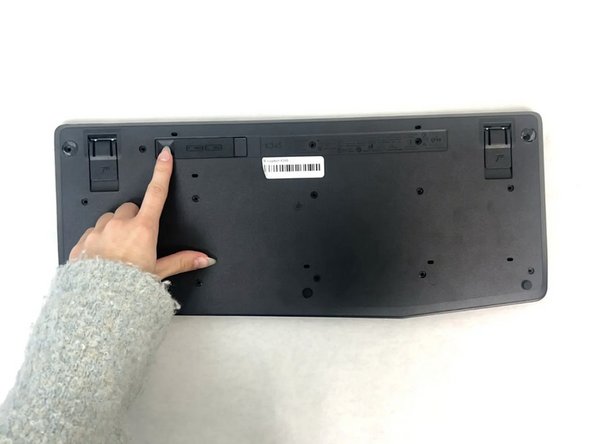
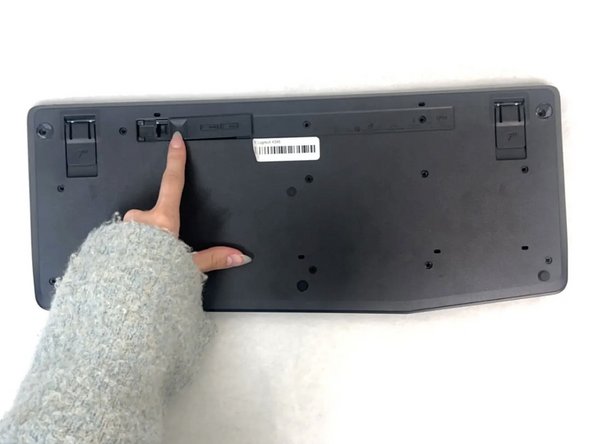
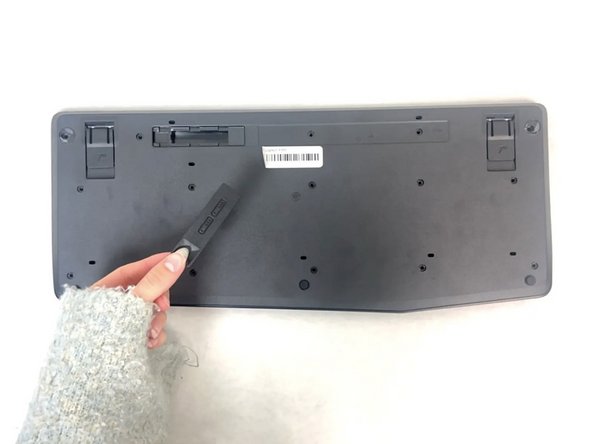


To reassemble your device, follow these instructions in reverse order.
다른 한 분이 해당 안내서를 완성하였습니다.


팀

University of North Texas, Team 4-1, Harold Fall 2024 University of North Texas, Team 4-1, Harold Fall 2024 회원
UNT-HAROLD-F24S4G1
3 회원들
안내서 5개를 작성함
