주요 콘텐츠로 건너뛰기

Meta Quest 2 Eyepiece Trim Replacement

필요한 것

  1. Meta Quest 2 Eyepiece Trim Replacement, Power off your Meta Quest 2: 1 단계, 이미지 1개 중 1개
    • Hold the power button for three seconds to fully turn off your headset.

    • You'll hear a power down chime, and the LED next to the power button will turn off.

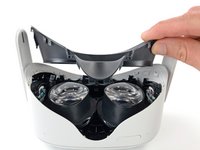
  2. Meta Quest 2 Eyepiece Trim Replacement, Remove the facial interface: 2 단계, 이미지 2개 중 1개 Meta Quest 2 Eyepiece Trim Replacement, Remove the facial interface: 2 단계, 이미지 2개 중 2개
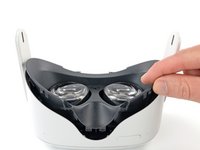
    • Grasp and pull on the nose section of the facial interface to unclip it from the headset.

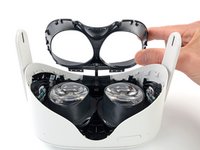
  3. Meta Quest 2 Eyepiece Trim Replacement: 3 단계, 이미지 2개 중 1개 Meta Quest 2 Eyepiece Trim Replacement: 3 단계, 이미지 2개 중 2개
    • Grasp and pull on the top section of the facial interface to unclip it from the headset.

  4. Meta Quest 2 Eyepiece Trim Replacement: 4 단계, 이미지 1개 중 1개
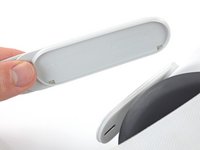
    • Remove the facial interface.

    • During reassembly, align the facial interface to the headset and use your fingers to press along the perimeter to clip it back in.

  5. Meta Quest 2 Eyepiece Trim Replacement, Unclip the side straps: 5 단계, 이미지 3개 중 1개 Meta Quest 2 Eyepiece Trim Replacement, Unclip the side straps: 5 단계, 이미지 3개 중 2개 Meta Quest 2 Eyepiece Trim Replacement, Unclip the side straps: 5 단계, 이미지 3개 중 3개
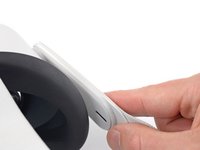
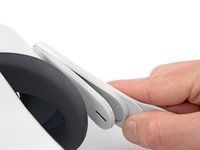
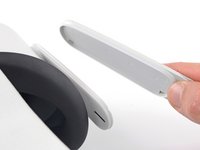
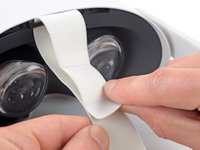
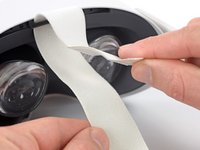
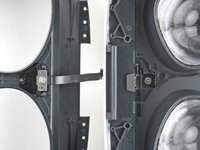
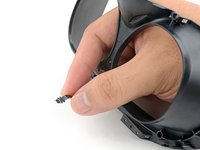
    • Use your fingers to grasp the right strap near the headset.

    • Peel the right strap away from the headset arm to unclip it.

  6. Meta Quest 2 Eyepiece Trim Replacement: 6 단계, 이미지 2개 중 1개 Meta Quest 2 Eyepiece Trim Replacement: 6 단계, 이미지 2개 중 2개
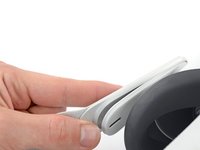
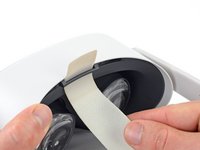
    • Repeat the procedure to peel the left strap away from the arm to unclip it.

  7. Meta Quest 2 Eyepiece Trim Replacement, Remove the top strap: 7 단계, 이미지 2개 중 1개 Meta Quest 2 Eyepiece Trim Replacement, Remove the top strap: 7 단계, 이미지 2개 중 2개
    • Separate the hook and loop strip on the top strap.

  8. Meta Quest 2 Eyepiece Trim Replacement, Remove the head strap: 8 단계, 이미지 2개 중 1개 Meta Quest 2 Eyepiece Trim Replacement, Remove the head strap: 8 단계, 이미지 2개 중 2개
    • Unthread the top strap from its bracket.

    • Remove the head strap.

  9. Meta Quest 2 Eyepiece Trim Replacement, Remove the eyepiece trim screws: 9 단계, 이미지 2개 중 1개 Meta Quest 2 Eyepiece Trim Replacement, Remove the eyepiece trim screws: 9 단계, 이미지 2개 중 2개
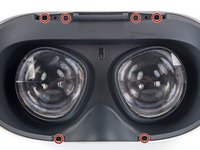
    • Use a Torx T2 driver to remove the six 3.5 mm‑long screws securing the eyepiece trim.

  10. Meta Quest 2 Eyepiece Trim Replacement, Release the eyepiece trim clips: 10 단계, 이미지 2개 중 1개 Meta Quest 2 Eyepiece Trim Replacement, Release the eyepiece trim clips: 10 단계, 이미지 2개 중 2개
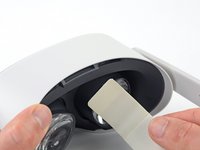
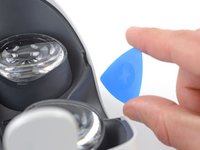
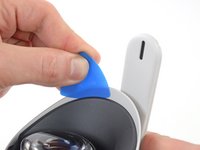
    • Insert an opening pick into the seam between the eyepiece trim and white outer shell, near the nose cutout.

  11. Meta Quest 2 Eyepiece Trim Replacement: 11 단계, 이미지 3개 중 1개 Meta Quest 2 Eyepiece Trim Replacement: 11 단계, 이미지 3개 중 2개 Meta Quest 2 Eyepiece Trim Replacement: 11 단계, 이미지 3개 중 3개
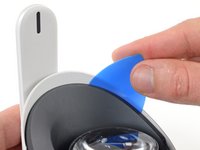
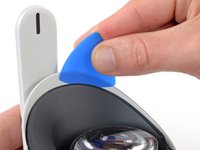
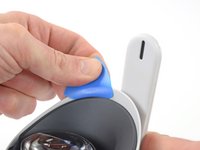
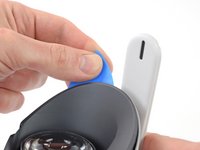
    • Slide the opening pick to the right along the seam to release the clips securing the eyepiece trim.

    • Pry with the opening pick to release the clips securing the right side of the eyepiece trim.

    • Leave the opening pick in the seam to prevent the clips from reengaging.

  12. Meta Quest 2 Eyepiece Trim Replacement: 12 단계, 이미지 3개 중 1개 Meta Quest 2 Eyepiece Trim Replacement: 12 단계, 이미지 3개 중 2개 Meta Quest 2 Eyepiece Trim Replacement: 12 단계, 이미지 3개 중 3개
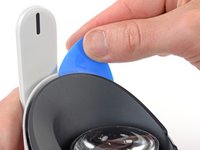
    • Repeat the prying procedure along the left edge to release the clips securing the eyepiece trim.

    • During reassembly, press your fingers along the perimeter of the eyepiece trim to clip it back in place.

  13. Meta Quest 2 Eyepiece Trim Replacement, Reposition the eyepiece trim: 13 단계, 이미지 3개 중 1개 Meta Quest 2 Eyepiece Trim Replacement, Reposition the eyepiece trim: 13 단계, 이미지 3개 중 2개 Meta Quest 2 Eyepiece Trim Replacement, Reposition the eyepiece trim: 13 단계, 이미지 3개 중 3개
    • Don’t try to fully remove the eyepiece trim in this step. It’s still connected to the headset by a short cable.

    • Lift the eyepiece trim slightly and tilt it towards the top edge of the headset.

    • Set the trim down on your work surface, making sure not to strain the cable.

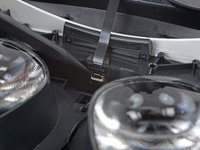
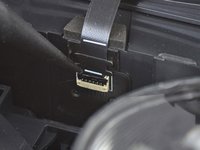
  14. Meta Quest 2 Eyepiece Trim Replacement, Disconnect the face sensor: 14 단계, 이미지 3개 중 1개 Meta Quest 2 Eyepiece Trim Replacement, Disconnect the face sensor: 14 단계, 이미지 3개 중 2개 Meta Quest 2 Eyepiece Trim Replacement, Disconnect the face sensor: 14 단계, 이미지 3개 중 3개
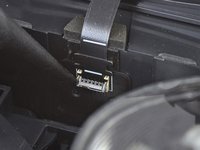
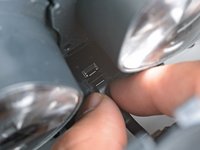
    • Use the point of a spudger to flip open the black lock tab on the ZIF connector securing the face sensor cable.

  15. Meta Quest 2 Eyepiece Trim Replacement: 15 단계, 이미지 2개 중 1개 Meta Quest 2 Eyepiece Trim Replacement: 15 단계, 이미지 2개 중 2개
    이 단계에 사용된 도구:
    Tweezers
    $4.99
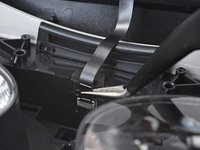
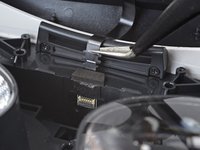
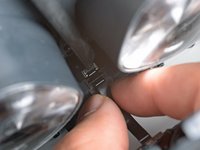
    • Use tweezers to pull the face sensor cable out of the ZIF connector.

  16. Meta Quest 2 Eyepiece Trim Replacement, Remove the eyepiece trim: 16 단계, 이미지 1개 중 1개
    • Remove the eyepiece trim.

  17. Meta Quest 2 Eyepiece Trim Replacement, Reassembly note: 17 단계, 이미지 2개 중 1개 Meta Quest 2 Eyepiece Trim Replacement, Reassembly note: 17 단계, 이미지 2개 중 2개
    • During reassembly:

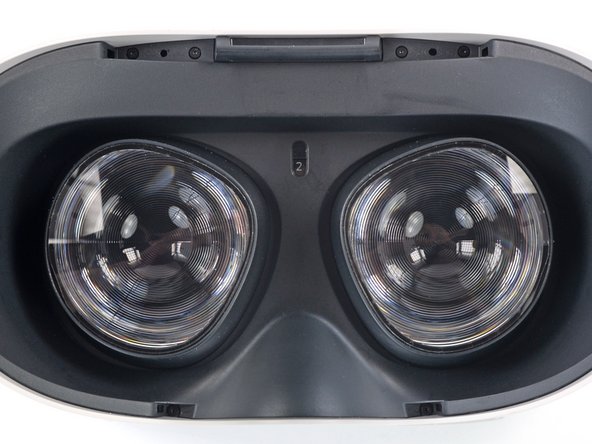
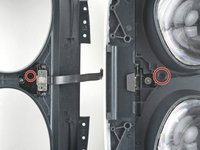
    • Make sure the lens spacing matches the spacing indicator. This allows the indicator peg to sit correctly in its notch.

    • If the lens spacing doesn't match the indicator, manually adjust the lens with your fingers.

  18. Meta Quest 2 Eyepiece Trim Replacement, Reassembly note: 18 단계, 이미지 3개 중 1개 Meta Quest 2 Eyepiece Trim Replacement, Reassembly note: 18 단계, 이미지 3개 중 2개 Meta Quest 2 Eyepiece Trim Replacement, Reassembly note: 18 단계, 이미지 3개 중 3개
    • During reassembly, the face sensor cable can be tricky to connect. Follow these tips to connect the cable:

    • Thread your fingers through the eyepiece trim’s eyeholes and grasp the edges of the sensor cable.

    • Slide the sensor cable into the socket until the first set of tabs rests in the socket. This should flip the lock tab down partially.

    • Use a spudger to press the lock tab down towards the cable to lock it in place.

결론

To reassemble your device, follow these instructions in reverse order.

Take your e-waste to an R2 or e-Stewards certified recycler.

Repair didn’t go as planned? Try some basic troubleshooting, or ask our Answers community for help.

다른 한 분이 해당 안내서를 완성하였습니다.

작성자

1다른 기여자 명과 함께

Arthur Shi

회원 가입일: 01/03/18

309,571 평판

안내서 701개를 작성함

iFixit iFixit 회원

Staff

123 회원들

안내서 23,608개를 작성함

0가이드 댓글

댓글 쓰기

조회 통계:

지난 24시간: 6

지난 7일: 30

지난 30일: 89

전체 시간: 1,699