주요 콘텐츠로 건너뛰기

Nikon Coolpix L330 Lens Barrel Assembly Replacement

필요한 것

  1. Nikon Coolpix L330 Lens Barrel Assembly Replacement, Back Housing: 1 단계, 이미지 3개 중 1개 Nikon Coolpix L330 Lens Barrel Assembly Replacement, Back Housing: 1 단계, 이미지 3개 중 2개 Nikon Coolpix L330 Lens Barrel Assembly Replacement, Back Housing: 1 단계, 이미지 3개 중 3개
    • There are six screws attaching the back housing to the camera. Remove the screws from the body with a PH000 screw head.

    • Two 1.5x2.5mm screws on the right side.

    • Two 1.5x2.5mm screws on the underside.

    • Two 1.5x2.5mm screw on the left side.

  2. Nikon Coolpix L330 Lens Barrel Assembly Replacement: 2 단계, 이미지 2개 중 1개 Nikon Coolpix L330 Lens Barrel Assembly Replacement: 2 단계, 이미지 2개 중 2개
    • After removing the screws, use a metal spudger or plastic opening tool to push the back cover out.

    • The metal spudger can damage the plastic housing, so use caution when applying any pressure to it. Use a plastic opening tool to reduce the risk of damage to the housing.

    • Remove the back housing of the camera by lifting it directly up.

    • The back cover may be slightly tight, therefore more force may be needed to lift it up.

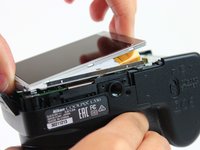
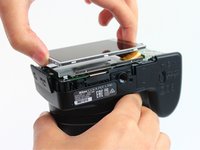
  3. Nikon Coolpix L330 Lens Barrel Assembly Replacement, LCD Screen: 3 단계, 이미지 2개 중 1개 Nikon Coolpix L330 Lens Barrel Assembly Replacement, LCD Screen: 3 단계, 이미지 2개 중 2개
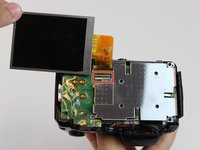
    • Insert the tips of your fingers into the space between the screen and back-plate.

    • Gently lift the screen up and out of the frame.

    • The screen is still held by a flexible display cable, therefore only lift the screen 0.5'' out of the back-plate.

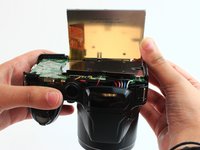
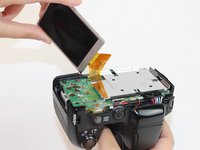
  4. Nikon Coolpix L330 Lens Barrel Assembly Replacement: 4 단계, 이미지 2개 중 1개 Nikon Coolpix L330 Lens Barrel Assembly Replacement: 4 단계, 이미지 2개 중 2개
    • Tilt the screen so that the display cable forms a hinge with the backplate.

    • Rotate the display 180 degrees so that it faces you.

  5. Nikon Coolpix L330 Lens Barrel Assembly Replacement: 5 단계, 이미지 3개 중 1개 Nikon Coolpix L330 Lens Barrel Assembly Replacement: 5 단계, 이미지 3개 중 2개 Nikon Coolpix L330 Lens Barrel Assembly Replacement: 5 단계, 이미지 3개 중 3개
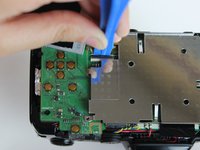
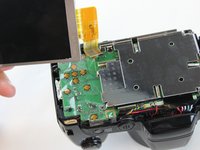
    • The display cable has a ZIF (zero insertion force) connector on the end. This has a tab that has to be pushed out before the cable can be safely removed.

    • Using a plastic opening tool or fingernail, pop up the black clip holding the display cable. This will release the cable.

    • Slide the display cable out of the connector.

    • The display cable can be damaged due to excessive bending, therefore avoid putting unnecessary strain on it.

  6. Nikon Coolpix L330 Lens Barrel Assembly Replacement, Motherboard: 6 단계, 이미지 1개 중 1개
    • Remove the screws from the silver back-plate with a PH000 screw head.

    • Two 1.5x2.5mm screws on the left side.

    • One 1.5x2.5mm screw on the right side.

  7. Nikon Coolpix L330 Lens Barrel Assembly Replacement: 7 단계, 이미지 1개 중 1개
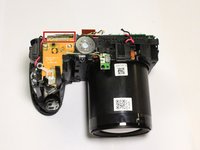
    • The marked red box contains a highly charged capacitor. Check the charge using a voltmeter and discharge it first before continuing. Discharge capacitor guide.

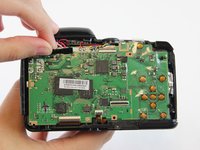
    • Remove the screws holding the motherboard with a PH000 screw head.

    • Two 1.5x2.5mm screws on the right side.

  8. Nikon Coolpix L330 Lens Barrel Assembly Replacement: 8 단계, 이미지 1개 중 1개
    • Using a plastic opening tool or fingernail, pop up the black clips holding the ribbon cables. This will release the cables.

    • Slide the ribbon cables out of the connectors.

  9. Nikon Coolpix L330 Lens Barrel Assembly Replacement: 9 단계, 이미지 3개 중 1개 Nikon Coolpix L330 Lens Barrel Assembly Replacement: 9 단계, 이미지 3개 중 2개 Nikon Coolpix L330 Lens Barrel Assembly Replacement: 9 단계, 이미지 3개 중 3개
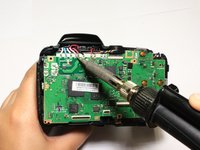
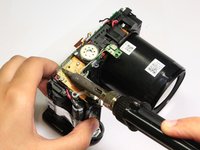
    • Remove the black sticker covering the electrical connections.

    • Desolder the eight wires from the motherboard.

  10. Nikon Coolpix L330 Lens Barrel Assembly Replacement: 10 단계, 이미지 3개 중 1개 Nikon Coolpix L330 Lens Barrel Assembly Replacement: 10 단계, 이미지 3개 중 2개 Nikon Coolpix L330 Lens Barrel Assembly Replacement: 10 단계, 이미지 3개 중 3개
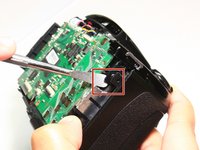
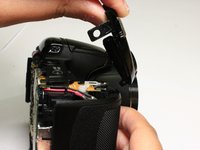
    • Insert a plastic opening tool into the marked position. Push the tool towards the right to release the clip.

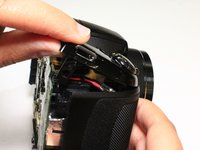
    • Using a thumb and forefinger, push the plastic cover up until it is at a 45 degree angle.

    • Pull the cover back and up to release it.

  11. Nikon Coolpix L330 Lens Barrel Assembly Replacement: 11 단계, 이미지 2개 중 1개 Nikon Coolpix L330 Lens Barrel Assembly Replacement: 11 단계, 이미지 2개 중 2개
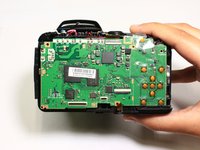
    • The motherboard is still held in place by soldered connections.

    • Carefully desolder the connections .

    • The front cover has been removed in this picture, however the procedure is still the same.

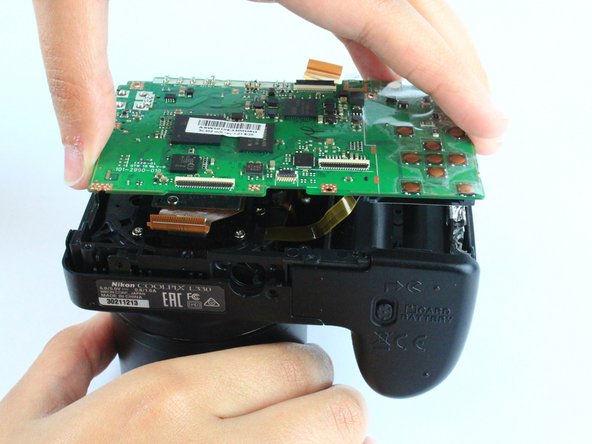
  12. Nikon Coolpix L330 Lens Barrel Assembly Replacement: 12 단계, 이미지 1개 중 1개
    • Remove the motherboard by lifting it directly up.

  13. Nikon Coolpix L330 Lens Barrel Assembly Replacement, Lens Barrel Assembly: 13 단계, 이미지 1개 중 1개
    • Remove the three 2.90x1.75mm screws using a PH000 screw head.

  14. Nikon Coolpix L330 Lens Barrel Assembly Replacement: 14 단계, 이미지 2개 중 1개 Nikon Coolpix L330 Lens Barrel Assembly Replacement: 14 단계, 이미지 2개 중 2개
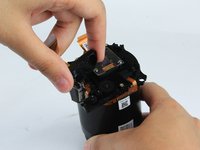
    • Gently push the lens barrel up and out of the case.

  15. Nikon Coolpix L330 Lens Barrel Assembly Replacement: 15 단계, 이미지 1개 중 1개
    • If the camera has grinding gears which lead to inefficient lens extension, this additional procedure will replace them.

    • Remove the three 1.25x4.75mm screws using a PH000 screw head.

  16. Nikon Coolpix L330 Lens Barrel Assembly Replacement: 16 단계, 이미지 3개 중 1개 Nikon Coolpix L330 Lens Barrel Assembly Replacement: 16 단계, 이미지 3개 중 2개 Nikon Coolpix L330 Lens Barrel Assembly Replacement: 16 단계, 이미지 3개 중 3개
    이 단계에 사용된 도구:
    Tweezers
    $4.99
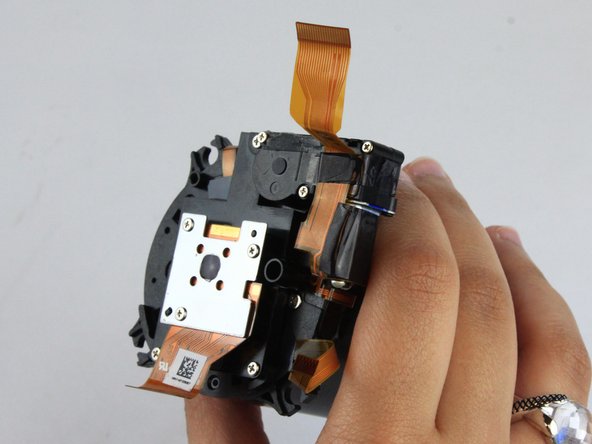
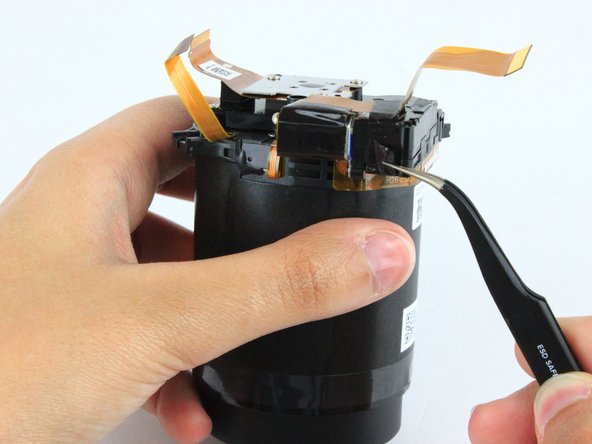
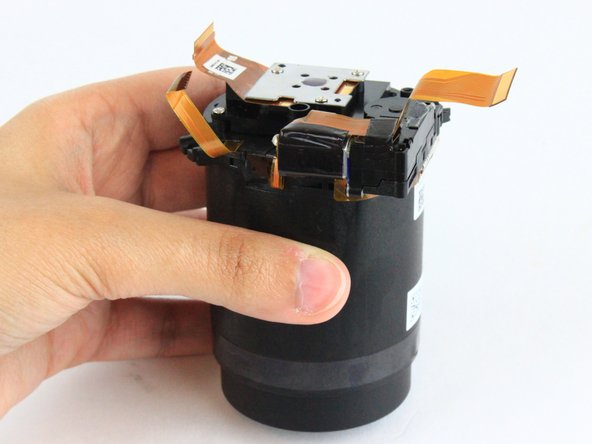
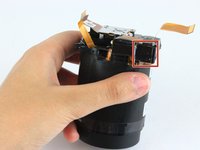
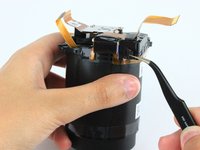
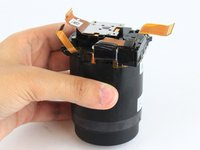
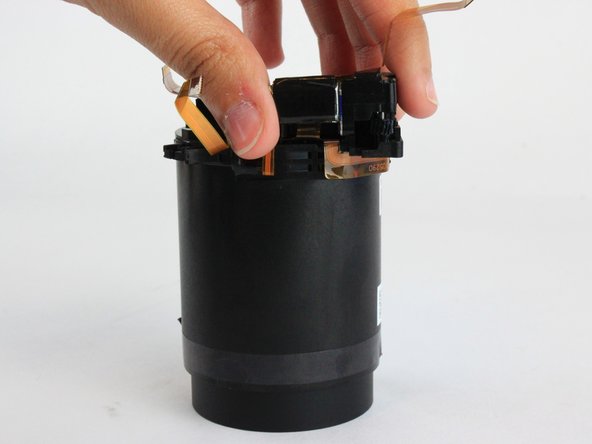
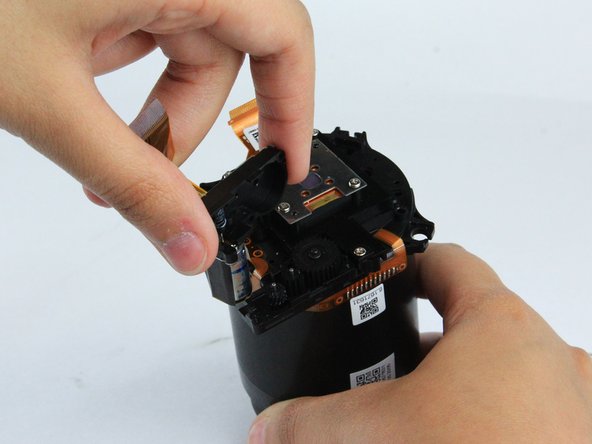
    • Black tape covers the motor assembly.

    • Remove the tape using a pair of tweezers.

  17. Nikon Coolpix L330 Lens Barrel Assembly Replacement: 17 단계, 이미지 3개 중 1개 Nikon Coolpix L330 Lens Barrel Assembly Replacement: 17 단계, 이미지 3개 중 2개 Nikon Coolpix L330 Lens Barrel Assembly Replacement: 17 단계, 이미지 3개 중 3개
    • Lift the top part of the gear housing up and away from the main housing.

    • Check the gears to see if they are damaged and need replacing.

결론

To reassemble your device, follow these instructions in reverse order.

다른 2명이 해당 안내서를 완성하였습니다.

작성자

3다른 기여자 명과 함께

Rajeev

회원 가입일: 02/09/16

623 평판

안내서 4개를 작성함

USF Tampa, Team 2-10, Cagle Spring 2016 USF Tampa, Team 2-10, Cagle Spring 2016 회원

USFT-CAGLE-S16S2G10

4 회원들

안내서 14개를 작성함

0가이드 댓글

댓글 쓰기

조회 통계:

지난 24시간: 0

지난 7일: 1

지난 30일: 13

전체 시간: 1,762