주요 콘텐츠로 건너뛰기

Nintendo 64 Controller D-Pad Replacement

필요한 것

  1. Nintendo 64 Controller D-Pad Replacement, Controller D-Pad Replacement: 1 단계, 이미지 3개 중 1개 Nintendo 64 Controller D-Pad Replacement, Controller D-Pad Replacement: 1 단계, 이미지 3개 중 2개 Nintendo 64 Controller D-Pad Replacement, Controller D-Pad Replacement: 1 단계, 이미지 3개 중 3개
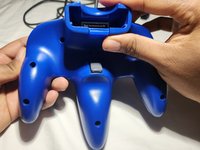
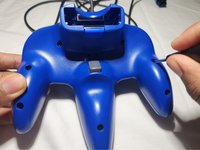
    • Use a Phillips #0 screwdriver to remove the seven 10 mm screws from the body.

    • Remove the two 6 mm Phillips #0 screws from the expansion slot.

    • Separate the back cover from the front and set it aside.

  2. Nintendo 64 Controller D-Pad Replacement: 2 단계, 이미지 2개 중 1개 Nintendo 64 Controller D-Pad Replacement: 2 단계, 이미지 2개 중 2개
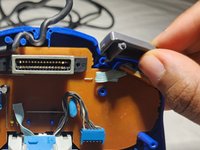
    • Remove the left and right shoulder triggers by sliding them straight up.

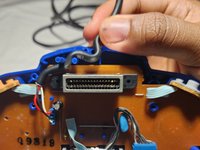
    • Gently unhook the cable that is looped around two cable clamps by nudging it up and out.

  3. Nintendo 64 Controller D-Pad Replacement: 3 단계, 이미지 3개 중 1개 Nintendo 64 Controller D-Pad Replacement: 3 단계, 이미지 3개 중 2개 Nintendo 64 Controller D-Pad Replacement: 3 단계, 이미지 3개 중 3개
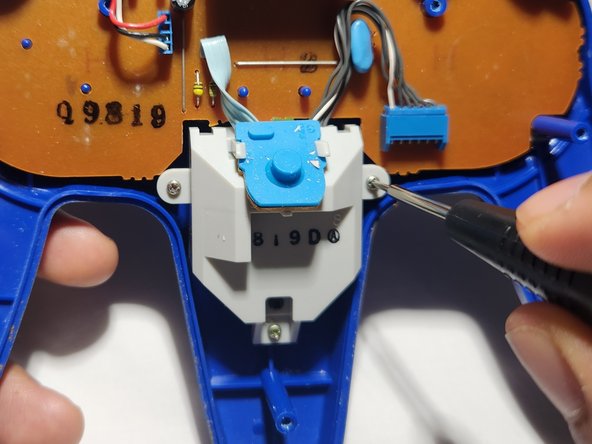
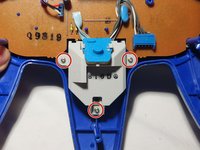
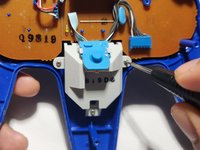
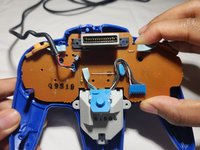
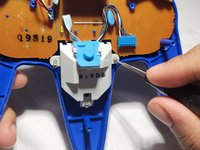
    • Use a Phillips #0 screwdriver to remove the three silver 6 mm screws holding the joystick assembly in place.

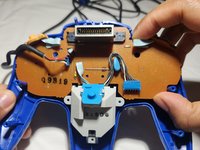
    • Gently lift the motherboard and joystick assembly out of the controller.

    • In order to avoid damage to the board, lift it by the edges.

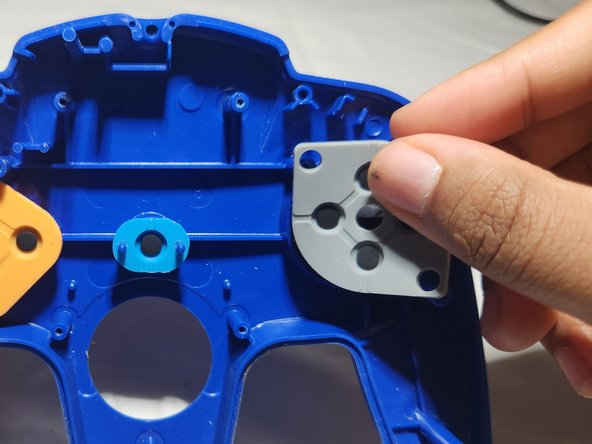
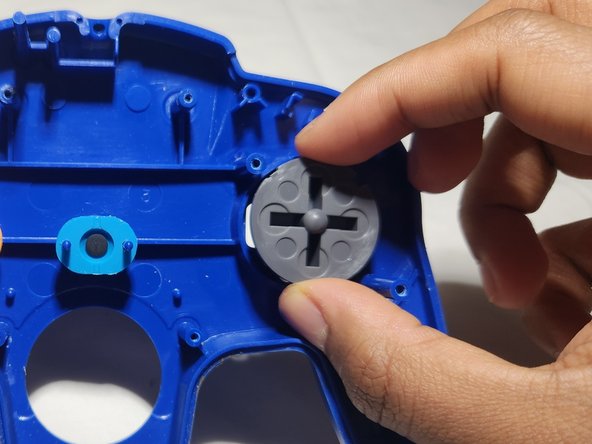
  4. Nintendo 64 Controller D-Pad Replacement: 4 단계, 이미지 3개 중 1개 Nintendo 64 Controller D-Pad Replacement: 4 단계, 이미지 3개 중 2개 Nintendo 64 Controller D-Pad Replacement: 4 단계, 이미지 3개 중 3개
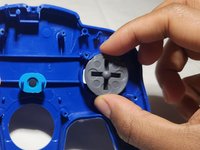
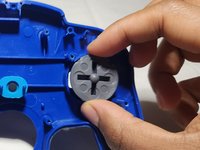
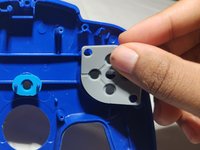
    • Slide the rubber pad off that covers the back of the D-pad.

    • Remove the broken D-pad from its socket.

  5. Nintendo 64 Controller D-Pad Replacement: 5 단계, 이미지 3개 중 1개 Nintendo 64 Controller D-Pad Replacement: 5 단계, 이미지 3개 중 2개 Nintendo 64 Controller D-Pad Replacement: 5 단계, 이미지 3개 중 3개
    • Insert the replacement D-pad into the socket.

    • Stretch the rubber backing onto the plastic pieces and slide it down over the D-pad.

    • Carefully reinsert the circuit board into the controller housing.

    • Insert the joystick into its opening.

  6. Nintendo 64 Controller D-Pad Replacement: 6 단계, 이미지 3개 중 1개 Nintendo 64 Controller D-Pad Replacement: 6 단계, 이미지 3개 중 2개 Nintendo 64 Controller D-Pad Replacement: 6 단계, 이미지 3개 중 3개
    • Carefully secure the cord around the cable clamps.

    • Be sure to apply enough pressure so it sits below or flush to the edge to avoid problems putting the front and back case together.

    • Re-insert the shoulder triggers into place.

    • The L trigger will go on the right and the R trigger on the left.

    • Use a Phillips #0 screwdriver to secure the screws to the joystick assembly.

  7. Nintendo 64 Controller D-Pad Replacement: 7 단계, 이미지 2개 중 1개 Nintendo 64 Controller D-Pad Replacement: 7 단계, 이미지 2개 중 2개
    • Snap the back cover into place.

    • Use a Phillips #0 screwdriver to replace the screws on the back cover.

결론

Happy gaming!

다른 한 분이 해당 안내서를 완성하였습니다.

작성자

1다른 기여자 명과 함께

Jamie Durman

회원 가입일: 07/01/23

169 평판

안내서 1개를 작성함

0가이드 댓글

댓글 쓰기

조회 통계:

지난 24시간: 2

지난 7일: 11

지난 30일: 40

전체 시간: 946