주요 콘텐츠로 건너뛰기

Nobis NB07 Battery Replacement

필요한 것

  1. Nobis NB07 Battery Replacement, Opening the case: 1 단계, 이미지 1개 중 1개
    • Look towards the topside of the tablet, where the power button is located.

    • Insert a plastic opening tool in the crack between the two parts of the case.

    • Move it gently back and forth to open the case.

  2. Nobis NB07 Battery Replacement: 2 단계, 이미지 3개 중 1개 Nobis NB07 Battery Replacement: 2 단계, 이미지 3개 중 2개 Nobis NB07 Battery Replacement: 2 단계, 이미지 3개 중 3개
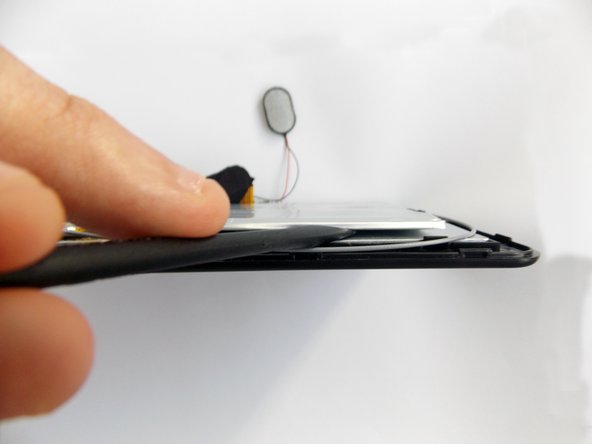
    • With the plastic opening tool in the opening between the two sides of the case, slide the tool along the tablet's border to separate the two sides completely.

    • Be careful when you separate the two halves. Open the case from the opposite side of the camera, there is a cable connecting both halves of the case.

  3. Nobis NB07 Battery Replacement, Replacing the battery: 3 단계, 이미지 3개 중 1개 Nobis NB07 Battery Replacement, Replacing the battery: 3 단계, 이미지 3개 중 2개 Nobis NB07 Battery Replacement, Replacing the battery: 3 단계, 이미지 3개 중 3개
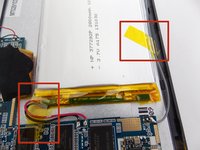
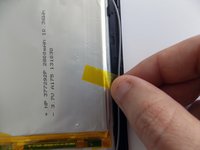
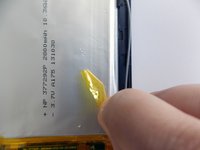
    • Remove the tape holding the battery in place.

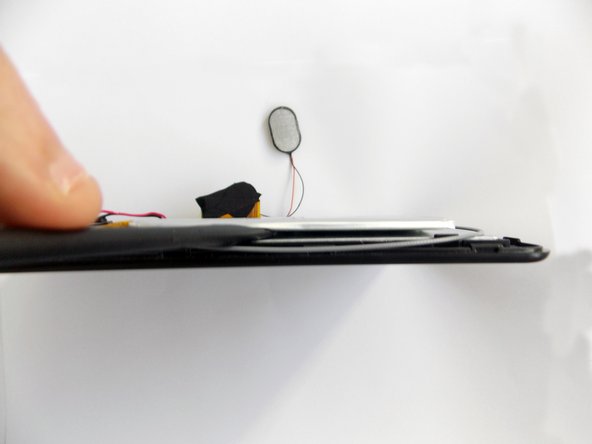
  4. Nobis NB07 Battery Replacement: 4 단계, 이미지 3개 중 1개 Nobis NB07 Battery Replacement: 4 단계, 이미지 3개 중 2개 Nobis NB07 Battery Replacement: 4 단계, 이미지 3개 중 3개
    • Insert the flat end of the spudger tool in the crack beneath the battery.

    • Move the spudger tool carefully side to side to remove the glue that is holding the battery in place.

    • This is a soft battery, so a little bending is expected.

  5. Nobis NB07 Battery Replacement: 5 단계, 이미지 1개 중 1개
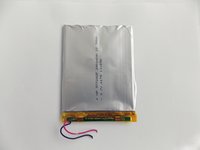
    • After the battery is unglued, locate the cables that connect it to the motherboard.

    • Annotate where each color goes to make the reassembly easier.

  6. Nobis NB07 Battery Replacement: 6 단계, 이미지 2개 중 1개 Nobis NB07 Battery Replacement: 6 단계, 이미지 2개 중 2개
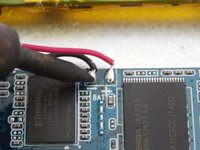
    • Desolder the cables with a soldering iron and use a desoldering braid to remove the solder.

    • Review the Ifixit soldering guide if you need help soldering.

    • You can now remove the battery.

결론

To reassemble your device, follow these instructions in reverse order.

다른 3명이 해당 안내서를 완성하였습니다.

작성자

3다른 기여자 명과 함께

Daniel Gomero

회원 가입일: 01/21/15

966 평판

안내서 5개를 작성함

USF Tampa, Team 5-5, Brown Winter 2015 USF Tampa, Team 5-5, Brown Winter 2015 회원

USFT-BROWN-W15S5G5

3 회원들

안내서 10개를 작성함

1가이드 댓글

where do you find that battery? tried searching by the numbers on it and nothing

Scott Tuttle - 답글

댓글 쓰기

조회 통계:

지난 24시간: 1

지난 7일: 2

지난 30일: 8

전체 시간: 3,419