주요 콘텐츠로 건너뛰기

PowerLead Puto PLD003 Lens Replacement

필요한 것

  1. PowerLead Puto PLD003 Lens Replacement, Side Panel: 1 단계, 이미지 1개 중 1개
    • Slide the battery eject button open to release the battery door.

  2. PowerLead Puto PLD003 Lens Replacement: 2 단계, 이미지 1개 중 1개
    • With the battery door open, carefully remove all four 5 mm Phillips #1 screws.

  3. PowerLead Puto PLD003 Lens Replacement: 3 단계, 이미지 1개 중 1개
    • Rotate the camera so that the underside is facing up.

    • Remove the four 5 mm Phillips #1 screws.

  4. PowerLead Puto PLD003 Lens Replacement: 4 단계, 이미지 1개 중 1개
    • Place the camera on a flat surface, with its underside facing you.

    • Gently pull up on the side panel to remove it from the camera.

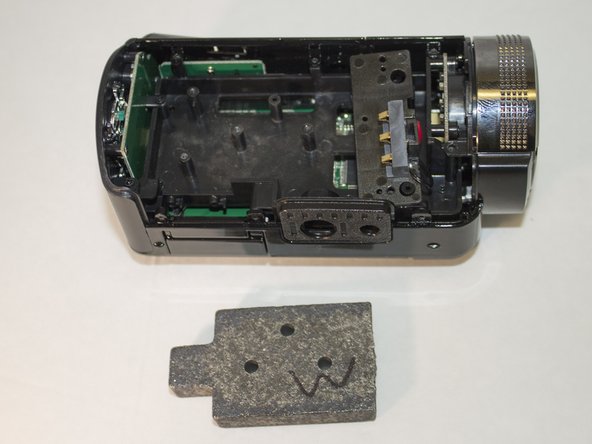
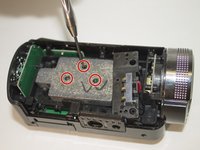
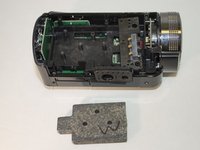
  5. PowerLead Puto PLD003 Lens Replacement, Lens: 5 단계, 이미지 2개 중 1개 PowerLead Puto PLD003 Lens Replacement, Lens: 5 단계, 이미지 2개 중 2개
    • Remove the three 4 mm Phillips #1 screws holding the weight.

    • Remove the weight.

  6. PowerLead Puto PLD003 Lens Replacement: 6 단계, 이미지 1개 중 1개
    • Remove the two 4 mm Phillips #1 screws holding the back panel in place.

  7. PowerLead Puto PLD003 Lens Replacement: 7 단계, 이미지 1개 중 1개
    • Apply pressure to the back panel (away from the camera) to remove.

  8. PowerLead Puto PLD003 Lens Replacement: 8 단계, 이미지 1개 중 1개
    • Set aside back panel for now.

    • Remove the final 4 mm Phillips #1 screw holding the screen in place. It is very small and hard to see.

  9. PowerLead Puto PLD003 Lens Replacement: 9 단계, 이미지 1개 중 1개
    • Carefully apply pressure, away from the camera, to the screen to detach it from the body.

    • The white cable should still be connected to the body.

    • OPTIONAL: Remove the screen to make accessing the lens easier

  10. PowerLead Puto PLD003 Lens Replacement: 10 단계, 이미지 1개 중 1개
    • Unscrew the two 4 mm Phillips #1 screws holding onto the lens casing

    • There are also two 4 mm Phillips #1 screws on the other side holding onto the lens casing, remove them as well.

  11. PowerLead Puto PLD003 Lens Replacement: 11 단계, 이미지 1개 중 1개
    • Pull forward on the lens casing to remove it. The cord connecting the light to the motherboard should still be attached.

  12. PowerLead Puto PLD003 Lens Replacement: 12 단계, 이미지 1개 중 1개
    • Unscrew the three 4 mm Phillips #1 screws holding the plastic lens holder.

  13. PowerLead Puto PLD003 Lens Replacement: 13 단계, 이미지 1개 중 1개
    • Remove the plastic lens holder.

  14. PowerLead Puto PLD003 Lens Replacement: 14 단계, 이미지 1개 중 1개
    • Push the lens out of the plastic casing from the back.

결론

To reassemble your device, follow these instructions in reverse order.

작성자

3다른 기여자 명과 함께

Justin Tew

회원 가입일: 03/31/16

767 평판

안내서 7개를 작성함

0가이드 댓글

댓글 쓰기

조회 통계:

지난 24시간: 0

지난 7일: 0

지난 30일: 7

전체 시간: 261