주요 콘텐츠로 건너뛰기
수리 커뮤니티 가입 - 계정 만들기

RCA RCT6773W22 Battery Replacement

필요한 것

  1. RCA RCT6773W22 Battery Replacement, Battery: 1 단계, 이미지 2개 중 1개 RCA RCT6773W22 Battery Replacement, Battery: 1 단계, 이미지 2개 중 2개
    • Remove the two 5mm screws from the bottom of the device using a Phillips #000 screwdriver.

  2. RCA RCT6773W22 Battery Replacement: 2 단계, 이미지 3개 중 1개 RCA RCT6773W22 Battery Replacement: 2 단계, 이미지 3개 중 2개 RCA RCT6773W22 Battery Replacement: 2 단계, 이미지 3개 중 3개
    • Place the plastic opening tool between the case and the screen.

    • Slide the tool clockwise around the case until all the clips are removed.

    • Do not completely separate the case from the screen because there is a wire connecting the motherboard to the speaker.

  3. RCA RCT6773W22 Battery Replacement: 3 단계, 이미지 3개 중 1개 RCA RCT6773W22 Battery Replacement: 3 단계, 이미지 3개 중 2개 RCA RCT6773W22 Battery Replacement: 3 단계, 이미지 3개 중 3개
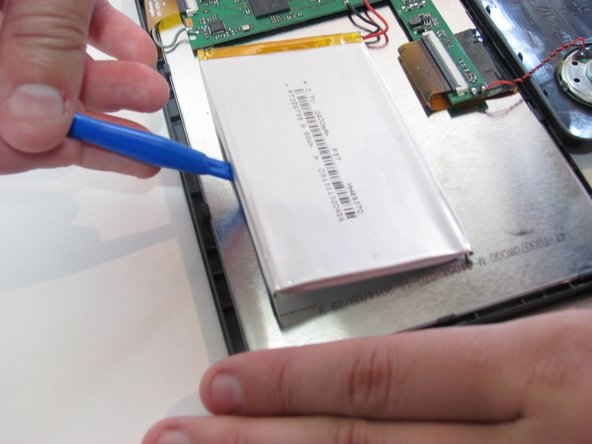
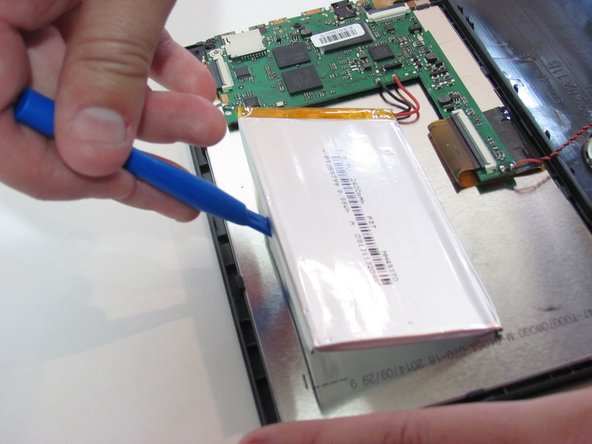
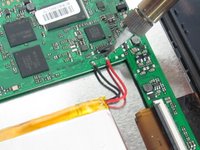
    • Desolder the two wires that connect the battery to the motherboard.

    • Learn more about soldering with this soldering technique guide.

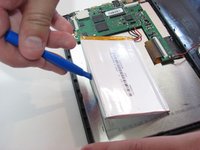
    • Using the blue plastic opening tool, lift the battery away from the device.

결론

To reassemble your device, follow these instructions in reverse order.

다른 2명이 해당 안내서를 완성하였습니다.

작성자

3다른 기여자 명과 함께

Kelsea Weber

회원 가입일: 11/12/15

21,269 평판

안내서 32개를 작성함

1가이드 댓글

Umm, which battery do you need for it? Seems that’s a part that is kind of important.

Cathy Hajo - 답글 공유

댓글 쓰기

조회 통계:

지난 24시간: 0

지난 7일: 16

지난 30일: 69

전체 시간: 4,278