주요 콘텐츠로 건너뛰기
수리 커뮤니티 가입 - 계정 만들기

Samsung Galaxy Note 3 Battery Replacement

조회수: 1.8만

통계 보기:

지난 24시간
3
지난 7일:
27
지난 30일:
130
전체 시간:
18,102
댓글: 5

1 comment on steps, 4 guide comments.

Go to guide comments
완료함: 48

48명이 이 안내서를 "완료"로 표시했습니다. 다음은 귀하의 차례입니까?

즐겨찾기: 12

12명이 이 가이드를 즐겨찾기 (및 구독) 했습니다. 다음은 귀하의 차례입니까?

소요 시간: 1 - 2 분
난이도: 쉬움
Samsung Galaxy Note 3 Battery Replacement

Follow the steps in order to replace your battery.

If your battery is swollen, take appropriate precautions.

필요한 것

부품

    1. Samsung Galaxy Note 3 Battery Replacement, Remove the rear case: 1 단계, 이미지 1개 중 1개
      • Insert a fingernail or plastic opening tool in the gap between the rear case and the base of the phone.

      댓글 쓰기

    2. Samsung Galaxy Note 3 Battery Replacement, Remove Case from the Base: 2 단계, 이미지 2개 중 1개 Samsung Galaxy Note 3 Battery Replacement, Remove Case from the Base: 2 단계, 이미지 2개 중 2개
      • Slide your fingernail or plastic opening tool along the edge of the rear case.

      • Lift the case gently from the base.

      댓글 쓰기

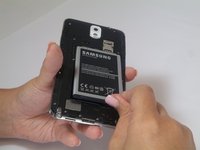
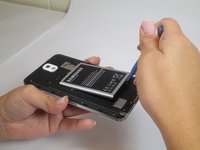
    1. Samsung Galaxy Note 3 Battery Replacement, Battery: 3 단계, 이미지 2개 중 1개 Samsung Galaxy Note 3 Battery Replacement, Battery: 3 단계, 이미지 2개 중 2개
      • Insert a fingernail or plastic opening tool into the small gap between the battery and the phone base.

      • Lift the battery out of its recess.

      댓글 쓰기

결론

To reassemble your device, follow these instructions in reverse order.

취소: 해당 안내서를 완성하지 않았습니다.

다른 48명이 해당 안내서를 완성하였습니다.

작성자

9다른 기여자 명과 함께

Sam Goldheart

회원 가입일: 10/18/12

478,576 평판

안내서 538개를 작성함

4가이드 댓글

Simples...

Peter - 답글 공유

I am a technological genius! ( with your help )

kenharper - 답글 공유

Why need a opening tool lol

ycwei982 - 답글 공유

Mon telephone ne garde pas la charge plus d'une heure même si j'ai changé la batterie mais reste le même problème

Sarah Sarah - 답글 공유

댓글 쓰기

조회 통계:

지난 24시간: 3

지난 7일: 27

지난 30일: 130

전체 시간: 18,102