주요 콘텐츠로 건너뛰기

Samsung Galaxy S5 microSD Card Replacement

필요한 것

  1. Samsung Galaxy S5 microSD Card Replacement, Rear Case: 1 단계, 이미지 3개 중 1개 Samsung Galaxy S5 microSD Card Replacement, Rear Case: 1 단계, 이미지 3개 중 2개 Samsung Galaxy S5 microSD Card Replacement, Rear Case: 1 단계, 이미지 3개 중 3개
    • Insert a fingernail or plastic opening tool into the divot to the left of the rear-facing camera.

    • Gently pry and twist the flexible rear cover off the back of the phone.

  2. Samsung Galaxy S5 microSD Card Replacement, Battery: 2 단계, 이미지 3개 중 1개 Samsung Galaxy S5 microSD Card Replacement, Battery: 2 단계, 이미지 3개 중 2개 Samsung Galaxy S5 microSD Card Replacement, Battery: 2 단계, 이미지 3개 중 3개
    • Insert a fingernail or plastic opening tool into the recess in the bottom right corner of the battery and lift upward.

    • Remove the battery away from the phone.

  3. Samsung Galaxy S5 microSD Card Replacement, microSD Card: 3 단계, 이미지 2개 중 1개 Samsung Galaxy S5 microSD Card Replacement, microSD Card: 3 단계, 이미지 2개 중 2개
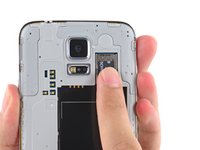
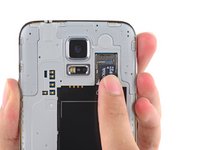
    • Using a fingertip, pull the microSD card straight down out of its slot.

    • Remove the microSD card from the phone.

결론

To reassemble your device, follow these instructions in reverse order.

다른 26명이 해당 안내서를 완성하였습니다.

작성자

2다른 기여자 명과 함께

Walter Galan

706,118 평판

안내서 1,203개를 작성함

1가이드 댓글

My S5 won't read or format a high speed SD card. Any suggestions?

PM Thompson - 답글

댓글 쓰기

조회 통계:

지난 24시간: 1

지난 7일: 7

지난 30일: 26

전체 시간: 16,077