주요 콘텐츠로 건너뛰기

Samsung NX Mini Flash Assembly Replacement

필요한 것

  1. Samsung NX Mini Flash Assembly Replacement, Battery: 1 단계, 이미지 3개 중 1개 Samsung NX Mini Flash Assembly Replacement, Battery: 1 단계, 이미지 3개 중 2개 Samsung NX Mini Flash Assembly Replacement, Battery: 1 단계, 이미지 3개 중 3개
    • Orient the camera so the button panel and LCD are facing you.

    • Use a spudger or fingernail to open the battery compartment on the right side of the camera.

  2. Samsung NX Mini Flash Assembly Replacement: 2 단계, 이미지 2개 중 1개 Samsung NX Mini Flash Assembly Replacement: 2 단계, 이미지 2개 중 2개
    • Push the blue trapdoor to the left to release the battery, and remove the battery.

    • There is no battery shown in this photo.

  3. Samsung NX Mini Flash Assembly Replacement, Front Case: 3 단계, 이미지 1개 중 1개
    • Use a Phillips #00 screwdriver to remove the 4 mm screw inside the battery compartment.

  4. Samsung NX Mini Flash Assembly Replacement: 4 단계, 이미지 1개 중 1개
    • Remove the 4 mm Phillips #00 screw hiding in the external flash port.

  5. Samsung NX Mini Flash Assembly Replacement: 5 단계, 이미지 1개 중 1개
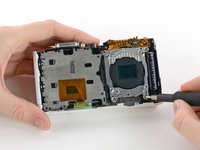
    • Remove the four 5 mm Phillips #00 screws from the lens assembly.

  6. Samsung NX Mini Flash Assembly Replacement: 6 단계, 이미지 1개 중 1개
    이 단계에 사용된 도구:
    Tweezers
    $4.99
    • Remove the metal lens mount by hand or with tweezers.

    • Be careful not to touch the sensor in the center of the lens assembly.

  7. Samsung NX Mini Flash Assembly Replacement: 7 단계, 이미지 1개 중 1개
    • Use tweezers to remove the inner metal ring.

  8. Samsung NX Mini Flash Assembly Replacement: 8 단계, 이미지 1개 중 1개
    • Use a Phillips #00 screwdriver to remove the three 4 mm screws from the bottom of the case.

  9. Samsung NX Mini Flash Assembly Replacement: 9 단계, 이미지 2개 중 1개 Samsung NX Mini Flash Assembly Replacement: 9 단계, 이미지 2개 중 2개
    • Use your hands to slowly pull the front casing away from the camera.

    • The case is attached with multiple clips that may make a cracking noise as you pull it away from the camera.

  10. Samsung NX Mini Flash Assembly Replacement, Sensor: 10 단계, 이미지 3개 중 1개 Samsung NX Mini Flash Assembly Replacement, Sensor: 10 단계, 이미지 3개 중 2개 Samsung NX Mini Flash Assembly Replacement, Sensor: 10 단계, 이미지 3개 중 3개
    이 단계에 사용된 도구:
    Tweezers
    $4.99
    • Gently flip the sensor cover back to expose the screw attaching the sensor cover to the ribbon cable.

    • Use a Phillips #00 screwdriver to remove the 3 mm screw from the sensor cover.

    • Use tweezers to remove the metal contact cover. Be sure to carefully remove the cover so the gold contacts remain in place.

    • The gold lens contacts lying beneath the ribbon cable become loose when the screw and contact cover are removed.

  11. Samsung NX Mini Flash Assembly Replacement: 11 단계, 이미지 2개 중 1개 Samsung NX Mini Flash Assembly Replacement: 11 단계, 이미지 2개 중 2개
    • Remove the four 4 mm Phillips #00 screws holding the sensor mount in place.

  12. Samsung NX Mini Flash Assembly Replacement: 12 단계, 이미지 3개 중 1개 Samsung NX Mini Flash Assembly Replacement: 12 단계, 이미지 3개 중 2개 Samsung NX Mini Flash Assembly Replacement: 12 단계, 이미지 3개 중 3개
    • Remove the four 4 mm Phillips #00 screws securing the battery compartment to the mother board.

    • Remove the battery compartment.

  13. Samsung NX Mini Flash Assembly Replacement: 13 단계, 이미지 2개 중 1개 Samsung NX Mini Flash Assembly Replacement: 13 단계, 이미지 2개 중 2개
    • Use a spudger to disconnect the ribbon cable connecting the image sensor to the motherboard.

  14. Samsung NX Mini Flash Assembly Replacement: 14 단계, 이미지 1개 중 1개
    • Gently remove the sensor mount from the camera case.

  15. Samsung NX Mini Flash Assembly Replacement, Motherboard: 15 단계, 이미지 2개 중 1개 Samsung NX Mini Flash Assembly Replacement, Motherboard: 15 단계, 이미지 2개 중 2개
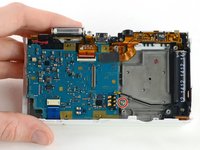
    • Use a Phillips #00 screwdriver to remove the 3 mm screw located below the wifi antenna.

  16. Samsung NX Mini Flash Assembly Replacement: 16 단계, 이미지 2개 중 1개 Samsung NX Mini Flash Assembly Replacement: 16 단계, 이미지 2개 중 2개
    이 단계에 사용된 도구:
    Tweezers
    $4.99
    • Use tweezers to disconnect the wifi antenna from the motherboard.

  17. Samsung NX Mini Flash Assembly Replacement: 17 단계, 이미지 3개 중 1개 Samsung NX Mini Flash Assembly Replacement: 17 단계, 이미지 3개 중 2개 Samsung NX Mini Flash Assembly Replacement: 17 단계, 이미지 3개 중 3개
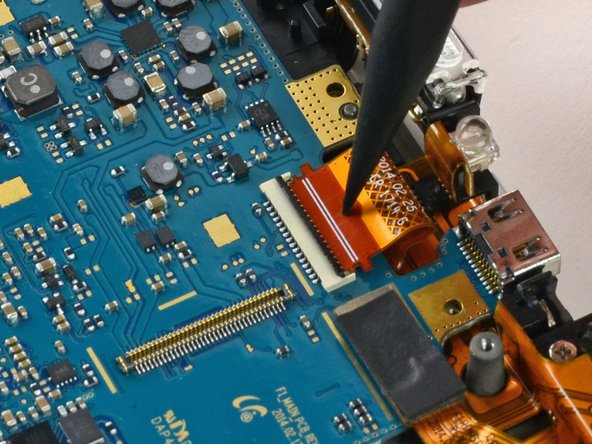
    • Use a spudger to disconnect the LCD ribbon cable by prying it straight up from the motherboard.

  18. Samsung NX Mini Flash Assembly Replacement: 18 단계, 이미지 3개 중 1개 Samsung NX Mini Flash Assembly Replacement: 18 단계, 이미지 3개 중 2개 Samsung NX Mini Flash Assembly Replacement: 18 단계, 이미지 3개 중 3개
    • Use a spudger to unlock the topmost ZIF connector by flipping open the black flap.

  19. Samsung NX Mini Flash Assembly Replacement: 19 단계, 이미지 2개 중 1개 Samsung NX Mini Flash Assembly Replacement: 19 단계, 이미지 2개 중 2개
    • Insert the pointed end of a spudger into the hole in the middle of the ribbon cable.

    • Gently pull the spudger back to slide the ribbon cable out of its connector.

  20. Samsung NX Mini Flash Assembly Replacement: 20 단계, 이미지 3개 중 1개 Samsung NX Mini Flash Assembly Replacement: 20 단계, 이미지 3개 중 2개 Samsung NX Mini Flash Assembly Replacement: 20 단계, 이미지 3개 중 3개
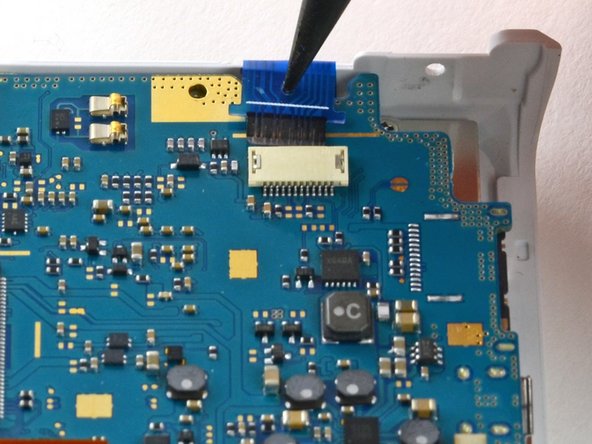
    • Disconnect the blue ribbon cable from the motherboard.

    • Insert the pointed end of a spudger into the hole in the top of the ribbon.

    • Gently pull the ribbon from the connector.

  21. Samsung NX Mini Flash Assembly Replacement: 21 단계, 이미지 1개 중 1개
    • Remove the motherboard from the camera.

  22. Samsung NX Mini Flash Assembly Replacement, Flash Assembly: 22 단계, 이미지 3개 중 1개 Samsung NX Mini Flash Assembly Replacement, Flash Assembly: 22 단계, 이미지 3개 중 2개 Samsung NX Mini Flash Assembly Replacement, Flash Assembly: 22 단계, 이미지 3개 중 3개
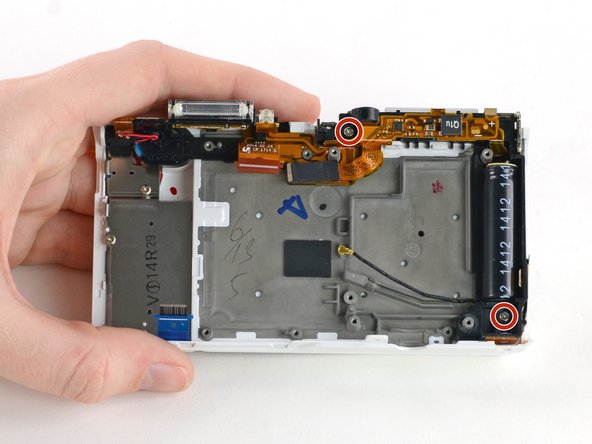
    • Use a Phillips #00 screwdriver to remove the two 5 mm screws holding the flash assembly to the camera case.

  23. Samsung NX Mini Flash Assembly Replacement: 23 단계, 이미지 2개 중 1개 Samsung NX Mini Flash Assembly Replacement: 23 단계, 이미지 2개 중 2개
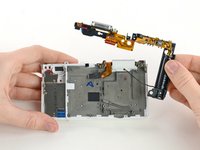
    • Remove the flash assembly by gently pulling it away from the case.

    • You may need to use a spudger to release some of the clips holding the assembly in place.

    • Avoid touching the ends of the capacitor (the large black cylinder on the right). Capacitors that haven't been discharged may cause electric shock. Learn how to discharge a capacitor here.

결론

To reassemble your device, follow these instructions in reverse order.

작성자

2다른 기여자 명과 함께

Kelsea Weber

회원 가입일: 11/12/15

21,027 평판

안내서 32개를 작성함

0가이드 댓글

댓글 쓰기

조회 통계:

지난 24시간: 0

지난 7일: 1

지난 30일: 16

전체 시간: 775