주요 콘텐츠로 건너뛰기

Sanyo VPC S1275 Logic Board Replacement

필요한 것

  1. Sanyo VPC S1275 Logic Board Replacement, Case: 1 단계, 이미지 3개 중 1개 Sanyo VPC S1275 Logic Board Replacement, Case: 1 단계, 이미지 3개 중 2개 Sanyo VPC S1275 Logic Board Replacement, Case: 1 단계, 이미지 3개 중 3개
    • Remove the following six screws using the Phillips #00 screwdriver:

    • Two screws on the left side of the camera.

    • Two screws on the right side of the camera.

    • Two screws on the bottom of the camera.

  2. Sanyo VPC S1275 Logic Board Replacement: 2 단계, 이미지 2개 중 1개 Sanyo VPC S1275 Logic Board Replacement: 2 단계, 이미지 2개 중 2개
    • Open the battery slot on the bottom of the camera by sliding the door to the right.

    • Remove the single 4 mm screw on the bottom right using the Phillips #00 screwdriver.

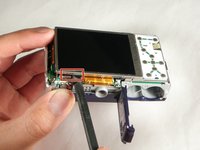
  3. Sanyo VPC S1275 Logic Board Replacement: 3 단계, 이미지 3개 중 1개 Sanyo VPC S1275 Logic Board Replacement: 3 단계, 이미지 3개 중 2개 Sanyo VPC S1275 Logic Board Replacement: 3 단계, 이미지 3개 중 3개
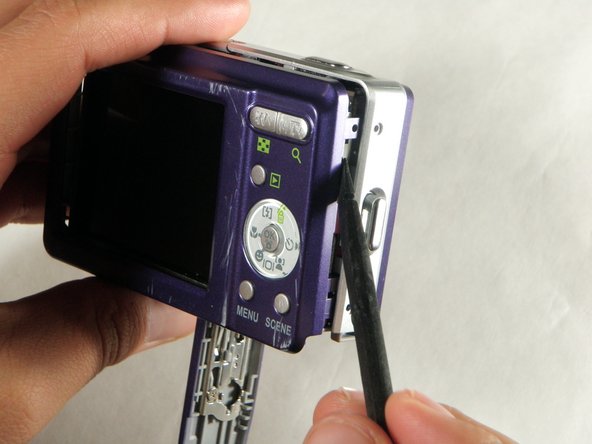
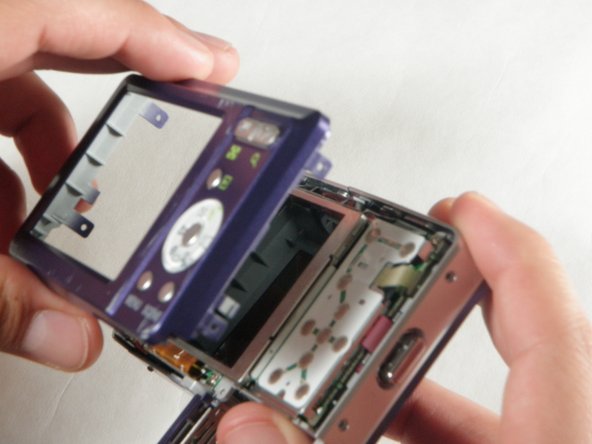
    • Insert a spudger in the seam at the bottom of the camera.

    • Gently separate the rear case from the front of the camera.

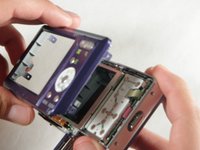
  4. Sanyo VPC S1275 Logic Board Replacement: 4 단계, 이미지 1개 중 1개
    • This step is only needed for the case and logic board replacement

    • Using the Phillips #00 screwdriver, remove the single screw attached to the front casing in the top left corner. The front case should easily separate.

  5. Sanyo VPC S1275 Logic Board Replacement: 5 단계, 이미지 1개 중 1개
    • This step is only needed for the case replacement.

    • Using the Phillips #00 screwdriver, remove the screw on the inside of the battery door.

    • Slide the battery door off of the hinge.

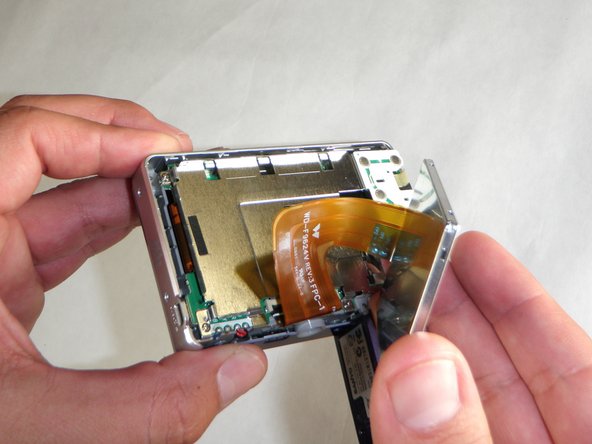
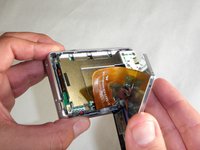
  6. Sanyo VPC S1275 Logic Board Replacement, LCD Screen: 6 단계, 이미지 2개 중 1개 Sanyo VPC S1275 Logic Board Replacement, LCD Screen: 6 단계, 이미지 2개 중 2개
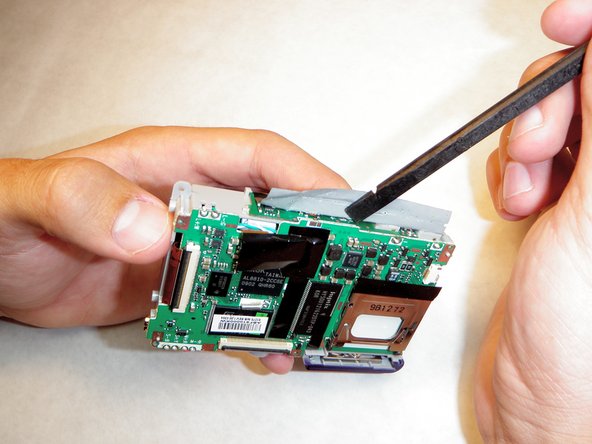
    • Using the spudger, carefully lift up the LCD screen, making sure to keep the ribbon cable intact.

    • Place the LCD screen on a non-abrasive surface.

  7. Sanyo VPC S1275 Logic Board Replacement: 7 단계, 이미지 1개 중 1개
    • Using the spudger lift the black flap up to release the ribbon cable.

    • The LCD screen will now be completely detached from the camera.

  8. Sanyo VPC S1275 Logic Board Replacement, Logic Board: 8 단계, 이미지 1개 중 1개
    • Using the Phillips #00 screwdriver, remove the four screws on the outer edge of the LCD holding plate.

  9. Sanyo VPC S1275 Logic Board Replacement: 9 단계, 이미지 1개 중 1개
    • Be careful when rotating the plate in the next step to prevent the ribbon cable in the top right from ripping.

    • Using your right hand, grab the left side of the LCD holding plate and rotate it to the right.

  10. Sanyo VPC S1275 Logic Board Replacement: 10 단계, 이미지 1개 중 1개
    • Remove the ribbon cable from its slot by gently pulling the LCD holding plate to the right.

  11. Sanyo VPC S1275 Logic Board Replacement: 11 단계, 이미지 2개 중 1개 Sanyo VPC S1275 Logic Board Replacement: 11 단계, 이미지 2개 중 2개
    • Do not touch ANY part of the logic board previously covered by the black film until the capacitor has been completely discharged. This camera has a 330V, 100 µF capacitor which can cause painful electric shock.

    • Using the spudger (or any non-metal prying tool), gently remove the black film.

  12. Sanyo VPC S1275 Logic Board Replacement: 12 단계, 이미지 1개 중 1개
    • Using the capacitor discharge tool carefully touch each end of the capacitor discharge tool to the each terminal of the capacitor.

    • Click the link below for instructions on how to make the capacitor discharge tool: Constructing a Capacitor Discharge Tool

    • NEVER touch both both capacitor terminals with just one of the wires. This will create a potentially dangerous large spark. This will also cause serious damage to the camera.

    • Keep the wires connected to the capacitor terminals for 2 minutes to completely discharge the capacitor.

    • The camera should be completely safe to handle now.

  13. Sanyo VPC S1275 Logic Board Replacement: 13 단계, 이미지 1개 중 1개
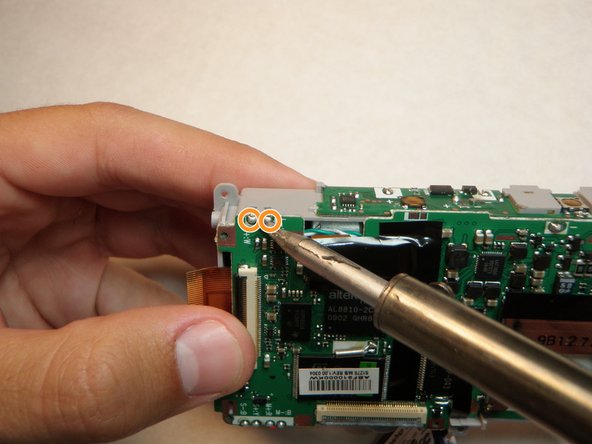
    • Touch the hot tip of the solding iron to the first solder connecting the flash mechanism to the logic board until the solder melts.

    • Repeat this for the next 10 solders.

    • Verify solders have detached logic board.

  14. Sanyo VPC S1275 Logic Board Replacement: 14 단계, 이미지 1개 중 1개
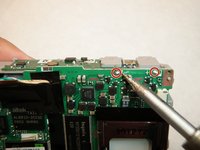
    • Touch the hot soldering iron to the solder in the lower left corner connecting the logic board to the red wire.

    • When the solder has completely melted, gently pull the wire free from the logic board.

    • Repeat for the red, blue, and then black wires.

  15. Sanyo VPC S1275 Logic Board Replacement: 15 단계, 이미지 2개 중 1개 Sanyo VPC S1275 Logic Board Replacement: 15 단계, 이미지 2개 중 2개
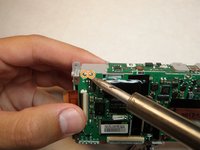
    • Touch the soldering iron tip to the solder in the upper right corner connecting the logic board to the battery lead.

    • Pull the battery lead out of the slot in the logic board. This must be done immeadiately after the solder melts.

    • Repeat for the solder to the left.

    • The logic board will now be completely free from the camera.

  16. Sanyo VPC S1275 Logic Board Replacement: 16 단계, 이미지 1개 중 1개
    • Insert the battery leads into the slots in the new logic board.

    • Solder both leads to the logic board.

결론

To reassemble your device, follow these instructions in reverse order.

작성자

7다른 기여자 명과 함께

Ariana Martinez

회원 가입일: 04/15/10

50 평판

안내서 4개를 작성함

Cal Poly, Team 24-24, Regan Spring 2010 Cal Poly, Team 24-24, Regan Spring 2010 회원

CPSU-REGAN-S10S24G24

4 회원들

안내서 12개를 작성함

0가이드 댓글

댓글 쓰기

조회 통계:

지난 24시간: 1

지난 7일: 4

지난 30일: 19

전체 시간: 4,542