주요 콘텐츠로 건너뛰기

Sony Cyber-shot DSC-S2100 LCD Replacement

필요한 것

  1. Sony Cyber-shot DSC-S2100 LCD Replacement, LCD: 1 단계, 이미지 3개 중 1개 Sony Cyber-shot DSC-S2100 LCD Replacement, LCD: 1 단계, 이미지 3개 중 2개 Sony Cyber-shot DSC-S2100 LCD Replacement, LCD: 1 단계, 이미지 3개 중 3개
    • The broken LCD is immediately visible when the camera is turned on.

    • Remove the batteries and, if so equipped, the memory card.

    • Remove the three Philips screws from the bottom of the camera with a Phillips #00 Screwdriver.

  2. Sony Cyber-shot DSC-S2100 LCD Replacement: 2 단계, 이미지 3개 중 1개 Sony Cyber-shot DSC-S2100 LCD Replacement: 2 단계, 이미지 3개 중 2개 Sony Cyber-shot DSC-S2100 LCD Replacement: 2 단계, 이미지 3개 중 3개
    • Remove the two Philips screws from the right side of the camera.

    • Remove the two Philips screws from the left side of the camera.

    • Split the housing by either using a plastic opening tool, or your finger nails. No excessive force is necessary. For ease of accomplishment, start at the battery compartment.

  3. Sony Cyber-shot DSC-S2100 LCD Replacement: 3 단계, 이미지 3개 중 1개 Sony Cyber-shot DSC-S2100 LCD Replacement: 3 단계, 이미지 3개 중 2개 Sony Cyber-shot DSC-S2100 LCD Replacement: 3 단계, 이미지 3개 중 3개
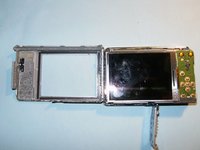
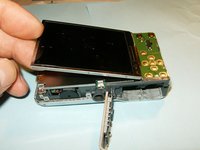
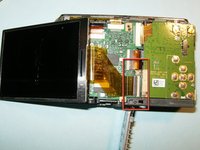
    • Once the rear case has been removed, the LCD and frame are easily identified.

    • Fold the LCD to the right, away from the frame.

    • Do not try to remove the LCD yet since the ribbon cable is still connected.

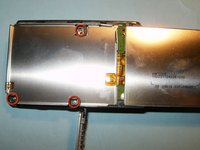
    • Remove the three Philips screws from the LCD frame.

  4. Sony Cyber-shot DSC-S2100 LCD Replacement: 4 단계, 이미지 3개 중 1개 Sony Cyber-shot DSC-S2100 LCD Replacement: 4 단계, 이미지 3개 중 2개 Sony Cyber-shot DSC-S2100 LCD Replacement: 4 단계, 이미지 3개 중 3개
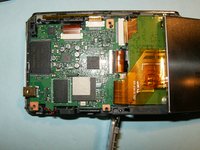
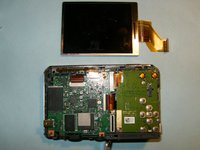
    • When the LCD frame is removed, the ribbon cable becomes clearly visible.

    • Flip the LCD to its left side. Open the clip of the connector by moving the black lock to the right.

    • Remove the LCD

  5. Sony Cyber-shot DSC-S2100 LCD Replacement: 5 단계, 이미지 1개 중 1개
    • Ensure the screen displayed greets you, once you reassembled your camera

결론

To reassemble your device, follow these instructions in reverse order.

다른 4명이 해당 안내서를 완성하였습니다.

작성자

5다른 기여자 명과 함께

oldturkey03

회원 가입일: 09/29/10

837,092 평판

안내서 123개를 작성함

2가이드 댓글

你在哪里?把相机给你帮我挨可以吗

Jeanne - 답글

请问你是在多伦多附近吗?

Jeanne - 답글

댓글 쓰기

조회 통계:

지난 24시간: 2

지난 7일: 8

지난 30일: 35

전체 시간: 3,486