주요 콘텐츠로 건너뛰기

Xbox Series X (Digital Edition) Southbridge Board Replacement

필요한 것

  1. Xbox Series X (Digital Edition) Southbridge Board Replacement, Uncover the back panel screws: 1 단계, 이미지 2개 중 1개 Xbox Series X (Digital Edition) Southbridge Board Replacement, Uncover the back panel screws: 1 단계, 이미지 2개 중 2개
    • Before you begin, completely power down and unplug all cables from your console.

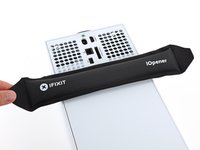
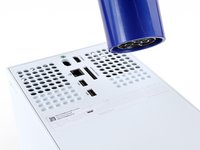
    • Two stickers cover the back panel screws. You can remove the stickers without heating them, though it makes them much easier to remove cleanly.

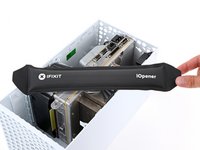
    • Heat an iOpener and lay it on the smaller sticker near the bottom of the back panel for two minutes.

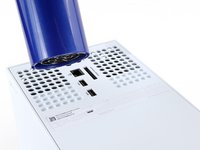
    • Alternatively, you can use a hair dryer to heat the sticker.

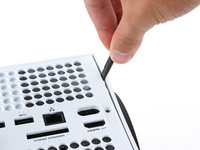
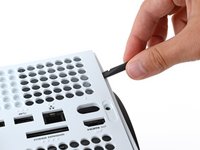
  2. Xbox Series X (Digital Edition) Southbridge Board Replacement: 2 단계, 이미지 3개 중 1개 Xbox Series X (Digital Edition) Southbridge Board Replacement: 2 단계, 이미지 3개 중 2개 Xbox Series X (Digital Edition) Southbridge Board Replacement: 2 단계, 이미지 3개 중 3개
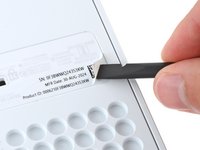
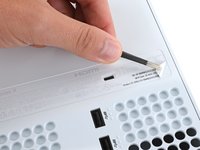
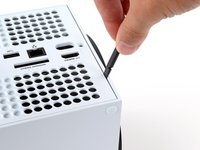
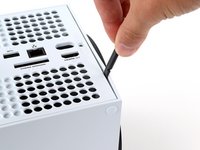
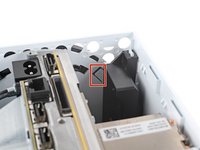
    • Use a pair of angled tweezers to remove the sticker hiding the first screw on the back panel, near the base.

  3. Xbox Series X (Digital Edition) Southbridge Board Replacement: 3 단계, 이미지 3개 중 1개 Xbox Series X (Digital Edition) Southbridge Board Replacement: 3 단계, 이미지 3개 중 2개 Xbox Series X (Digital Edition) Southbridge Board Replacement: 3 단계, 이미지 3개 중 3개
    • Use an iOpener or hair dryer to heat the larger sticker near the center of the back panel.

  4. Xbox Series X (Digital Edition) Southbridge Board Replacement: 4 단계, 이미지 3개 중 1개 Xbox Series X (Digital Edition) Southbridge Board Replacement: 4 단계, 이미지 3개 중 2개 Xbox Series X (Digital Edition) Southbridge Board Replacement: 4 단계, 이미지 3개 중 3개
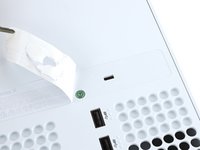
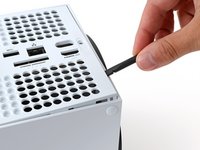
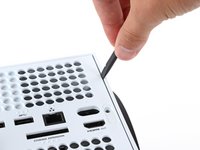
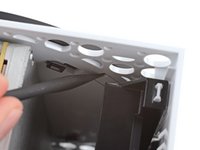
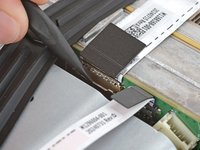
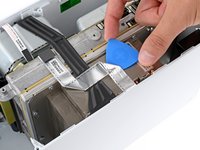
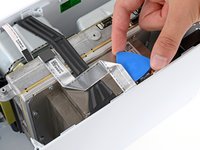
    • Use the flat end of a spudger to scrape up a corner of the larger sticker until you can grip it with a pair of blunt tweezers.

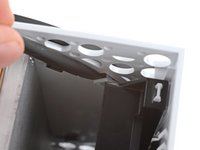
    • Use blunt tweezers to peel back the sticker to reveal the second screw.

    • You only need to peel this sticker to where you can access the hidden screw. You don't need to pull it completely off.

    • Technically, these are tamper-evident stickers, but don't worry—Microsoft can't legally void your warranty, as long as you don't damage anything. Have fun!

  5. Xbox Series X (Digital Edition) Southbridge Board Replacement, Remove the back panel screws: 5 단계, 이미지 2개 중 1개 Xbox Series X (Digital Edition) Southbridge Board Replacement, Remove the back panel screws: 5 단계, 이미지 2개 중 2개
    이 단계에 사용된 도구:
    Magnetic Project Mat
    $16.96
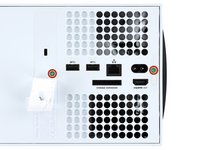
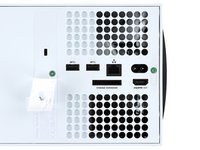
    • Throughout this repair, keep track of each screw and make sure it goes back exactly where it came from to avoid damaging your console.

    • Use a T8 Torx driver to remove the two 7.4 mm‑long screws securing the back panel.

  6. Xbox Series X (Digital Edition) Southbridge Board Replacement, Unclip the back panel: 6 단계, 이미지 3개 중 1개 Xbox Series X (Digital Edition) Southbridge Board Replacement, Unclip the back panel: 6 단계, 이미지 3개 중 2개 Xbox Series X (Digital Edition) Southbridge Board Replacement, Unclip the back panel: 6 단계, 이미지 3개 중 3개
    • Insert the flat end of a spudger into the gap between the back panel and the shell, near the left side of the base.

    • Pry up the back panel to release it from the locking clips.

  7. Xbox Series X (Digital Edition) Southbridge Board Replacement: 7 단계, 이미지 3개 중 1개 Xbox Series X (Digital Edition) Southbridge Board Replacement: 7 단계, 이미지 3개 중 2개 Xbox Series X (Digital Edition) Southbridge Board Replacement: 7 단계, 이미지 3개 중 3개
    • Insert the flat end of a spudger into the gap between the back panel and the shell, near the right side of the base.

    • Pry up the back panel to release it from the locking clips.

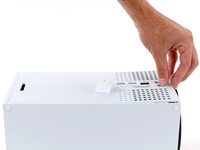
  8. Xbox Series X (Digital Edition) Southbridge Board Replacement, Remove the back panel: 8 단계, 이미지 3개 중 1개 Xbox Series X (Digital Edition) Southbridge Board Replacement, Remove the back panel: 8 단계, 이미지 3개 중 2개 Xbox Series X (Digital Edition) Southbridge Board Replacement, Remove the back panel: 8 단계, 이미지 3개 중 3개
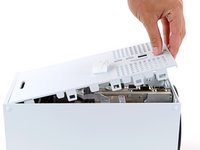
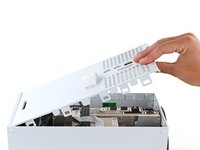
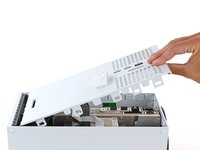
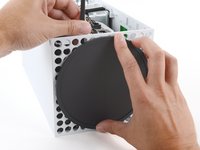
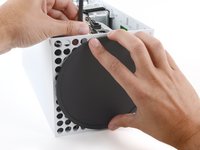
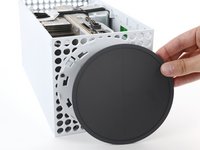
    • Grip the back panel at the opening you just created and pull it up and away from the shell to unclip the long edges.

    • During reassembly, press along the edges of the back panel to snap it into place.

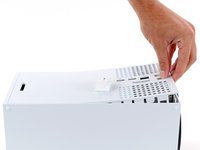
  9. Xbox Series X (Digital Edition) Southbridge Board Replacement: 9 단계, 이미지 3개 중 1개 Xbox Series X (Digital Edition) Southbridge Board Replacement: 9 단계, 이미지 3개 중 2개 Xbox Series X (Digital Edition) Southbridge Board Replacement: 9 단계, 이미지 3개 중 3개
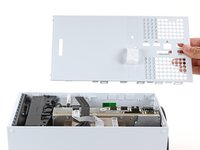
    • The back panel slots into a gap at the top of the shell.

    • Tilt the back panel up and pull it away from the top edge of the shell to release it from the gap.

    • Remove the back panel.

  10. Xbox Series X (Digital Edition) Southbridge Board Replacement, Remove the fan screws: 10 단계, 이미지 2개 중 1개 Xbox Series X (Digital Edition) Southbridge Board Replacement, Remove the fan screws: 10 단계, 이미지 2개 중 2개
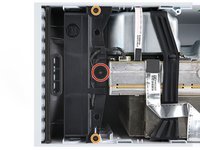
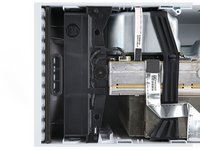
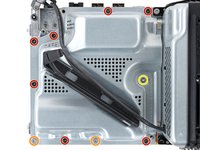
    • Use a T8 Torx driver to remove the three screws securing the fan to the center chassis:

    • One 10.3 mm‑long pancake screw

    • Two 9 mm‑long screws

  11. Xbox Series X (Digital Edition) Southbridge Board Replacement, Disconnect the fan cable: 11 단계, 이미지 3개 중 1개 Xbox Series X (Digital Edition) Southbridge Board Replacement, Disconnect the fan cable: 11 단계, 이미지 3개 중 2개 Xbox Series X (Digital Edition) Southbridge Board Replacement, Disconnect the fan cable: 11 단계, 이미지 3개 중 3개
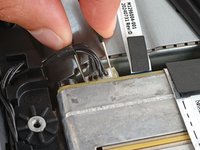
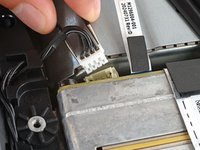
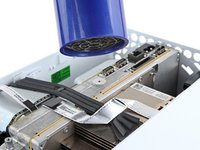
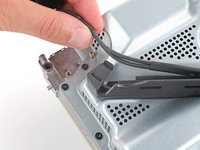
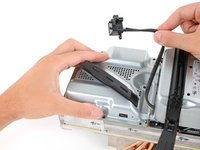
    • Use your fingernails or a pair of angled tweezers to firmly grip the edges of the fan cable connector.

    • Grip your tweezers close the connector to get a better grip.

    • Pull the connector straight out of the socket to disconnect it.

    • If you're having trouble, gently rock the connector side to side to loosen it.

    • Always pull cables by their connectors and not the wires themselves.

    • During reassembly, route the fan cable underneath its small cable guide on the fan housing so it doesn't interfere with the back panel.

  12. Xbox Series X (Digital Edition) Southbridge Board Replacement, Remove the fan: 12 단계, 이미지 3개 중 1개 Xbox Series X (Digital Edition) Southbridge Board Replacement, Remove the fan: 12 단계, 이미지 3개 중 2개 Xbox Series X (Digital Edition) Southbridge Board Replacement, Remove the fan: 12 단계, 이미지 3개 중 3개
    이 단계에 사용된 도구:
    Dust Blower
    $18.99
    • Slide the fan out of its slot to remove it.

    • During reassembly:

    • Before installing the fan, make sure it's clean! Use a dust blower or compressed air to blow off any dust or debris, and wipe the fan clean with a clean cloth.

    • Use a finger to keep the fan blades steady—it makes them easier to clean.

    • Note that the fan can only be installed one way—make sure Master Chief is facing you.

  13. Xbox Series X (Digital Edition) Southbridge Board Replacement, Unlatch the base: 13 단계, 이미지 3개 중 1개 Xbox Series X (Digital Edition) Southbridge Board Replacement, Unlatch the base: 13 단계, 이미지 3개 중 2개 Xbox Series X (Digital Edition) Southbridge Board Replacement, Unlatch the base: 13 단계, 이미지 3개 중 3개
    • Use the flat end of a spudger to pry up the locking tab holding the base to the shell.

    • Keep the locking tab held open for the next step.

  14. Xbox Series X (Digital Edition) Southbridge Board Replacement, Twist and remove the base: 14 단계, 이미지 3개 중 1개 Xbox Series X (Digital Edition) Southbridge Board Replacement, Twist and remove the base: 14 단계, 이미지 3개 중 2개 Xbox Series X (Digital Edition) Southbridge Board Replacement, Twist and remove the base: 14 단계, 이미지 3개 중 3개
    • With the locking tab held open, grip the base and rotate it counterclockwise to unlock it from the shell.

    • Remove the base.

    • During reassembly, put the base tabs into their holes on the shell and twist clockwise until the base snaps into the interior locking tab.

    • When locked in place, the Hello from Seattle line will be parallel with the device's sides.

  15. Xbox Series X (Digital Edition) Southbridge Board Replacement, Disconnect the USB port cable: 15 단계, 이미지 3개 중 1개 Xbox Series X (Digital Edition) Southbridge Board Replacement, Disconnect the USB port cable: 15 단계, 이미지 3개 중 2개 Xbox Series X (Digital Edition) Southbridge Board Replacement, Disconnect the USB port cable: 15 단계, 이미지 3개 중 3개
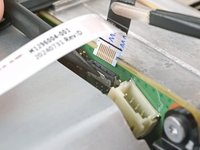
    • The ribbon cables and their connectors are extremely fragile, so always open locking tabs gently and pull cables slowly.

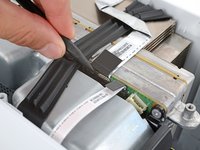
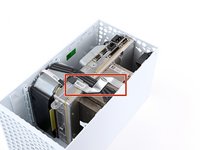
    • Use a spudger to flip open the metal locking tab on the USB port ribbon cable.

    • During reassembly, gently snap the metal locking tab back into place once the cable has been inserted.

  16. Xbox Series X (Digital Edition) Southbridge Board Replacement, Heat the USB port cable: 16 단계, 이미지 3개 중 1개 Xbox Series X (Digital Edition) Southbridge Board Replacement, Heat the USB port cable: 16 단계, 이미지 3개 중 2개 Xbox Series X (Digital Edition) Southbridge Board Replacement, Heat the USB port cable: 16 단계, 이미지 3개 중 3개
    • The USB port cable is secured to the chassis with two pieces of mild adhesive.

    • Use an iOpener or a hair dryer to heat the USB port cable.

  17. Xbox Series X (Digital Edition) Southbridge Board Replacement, Detach the USB port cable: 17 단계, 이미지 3개 중 1개 Xbox Series X (Digital Edition) Southbridge Board Replacement, Detach the USB port cable: 17 단계, 이미지 3개 중 2개 Xbox Series X (Digital Edition) Southbridge Board Replacement, Detach the USB port cable: 17 단계, 이미지 3개 중 3개
    이 단계에 사용된 도구:
    Tesa 61395 Tape
    $2.99
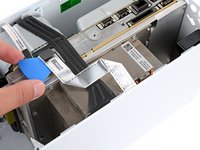
    • Slide an opening pick under the USB port cable to separate the adhesive securing it.

    • During reassembly, use thin double‑sided adhesive to secure the cable. If there's adhesive left and it's still sticky, you can reuse it. If you have a new cable, check it for pre‑installed adhesive and remove any liners.

  18. Xbox Series X (Digital Edition) Southbridge Board Replacement: 18 단계, 이미지 3개 중 1개 Xbox Series X (Digital Edition) Southbridge Board Replacement: 18 단계, 이미지 3개 중 2개 Xbox Series X (Digital Edition) Southbridge Board Replacement: 18 단계, 이미지 3개 중 3개
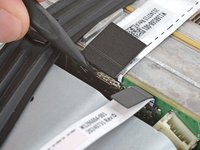
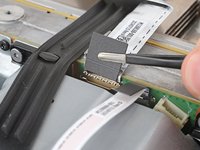
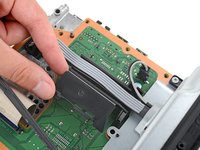
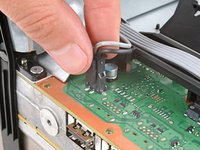
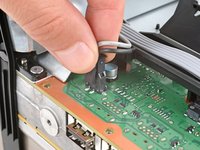
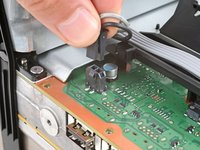
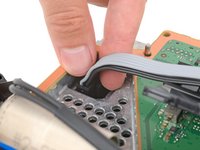
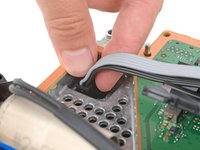
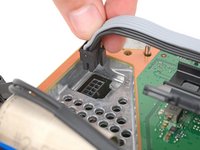
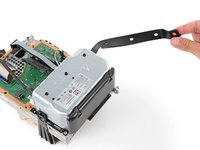
    • Use a pair of tweezers to gently pull up on the black plastic pull tab to disconnect the USB port cable.

    • Pull only on the pull tab, not the cable itself.

    • Move the USB port cable out of the way of the chassis.

  19. Xbox Series X (Digital Edition) Southbridge Board Replacement, Disconnect the power button cable: 19 단계, 이미지 3개 중 1개 Xbox Series X (Digital Edition) Southbridge Board Replacement, Disconnect the power button cable: 19 단계, 이미지 3개 중 2개 Xbox Series X (Digital Edition) Southbridge Board Replacement, Disconnect the power button cable: 19 단계, 이미지 3개 중 3개
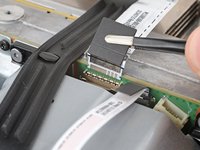
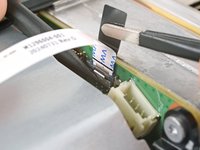
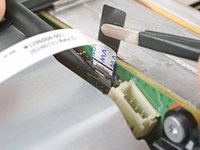
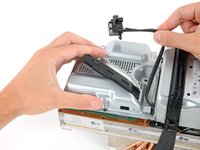
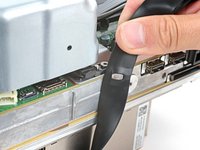
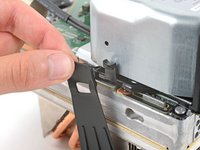
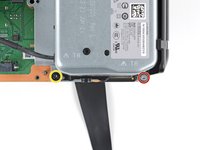
    • Use the pointed end of a spudger to depress the metal tab on the side of the power button cable's board connector.

    • With the metal tab depressed, use a pair of tweezers to pull up on the pull tab to disconnect the power button cable from the center chassis.

    • Pull only on the pull tab, not the cable itself.

    • Don't pull on the cable without depressing the metal tab, otherwise you risk damaging either the cable or the connector.

    • During reassembly, the cable should lightly "snap" into place when inserted.

  20. Xbox Series X (Digital Edition) Southbridge Board Replacement, Remove the chassis screws: 20 단계, 이미지 2개 중 1개 Xbox Series X (Digital Edition) Southbridge Board Replacement, Remove the chassis screws: 20 단계, 이미지 2개 중 2개
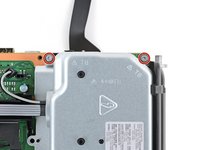
    • Use a T8 Torx driver to remove the three 7.4 mm‑long green screws securing the center chassis assembly to the shell.

  21. Xbox Series X (Digital Edition) Southbridge Board Replacement, Remove the chassis: 21 단계, 이미지 3개 중 1개 Xbox Series X (Digital Edition) Southbridge Board Replacement, Remove the chassis: 21 단계, 이미지 3개 중 2개 Xbox Series X (Digital Edition) Southbridge Board Replacement, Remove the chassis: 21 단계, 이미지 3개 중 3개
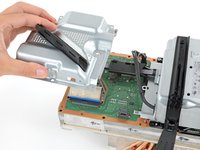
    • The center chassis assembly is aligned to the bottom of the shell with guide pegs. These pegs will need to slide out of their slots to allow the chassis to be lifted out.

    • Grip the chassis and pull it towards the top of the shell, uncoupling the guide pegs from the shell.

    • Use two hands to lift out the chassis to remove it from the shell.

    • During reassembly:

    • Make sure neither of the ribbon cables get pinched as you lower the center chassis into the shell.

    • Use the alignment pegs and cutouts to properly orient the chassis in the shell:

    • Two pegs on the chassis with cutouts on the bottom of the shell.

    • Three pegs in the shell with cutouts on the chassis.

  22. Xbox Series X (Digital Edition) Southbridge Board Replacement: 22 단계, 이미지 2개 중 1개 Xbox Series X (Digital Edition) Southbridge Board Replacement: 22 단계, 이미지 2개 중 2개
    이 단계에 사용된 도구:
    Dust Blower
    $5.99
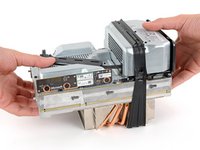
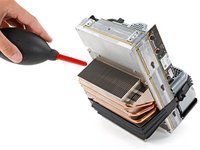
    • Gently place the chassis heatsink-side down on a clean work surface.

    • During reassembly, this is a good point to clean the heatsink fins of any dust, dirt, or debris that may have built up over time. Use a dust blower or compressed air to clear out the fins.

  23. Xbox Series X (Digital Edition) Southbridge Board Replacement, Remove the antenna board screws: 23 단계, 이미지 2개 중 1개 Xbox Series X (Digital Edition) Southbridge Board Replacement, Remove the antenna board screws: 23 단계, 이미지 2개 중 2개
    • Use a T8 Torx driver to remove the three 9.6 mm‑long screws securing the antenna board to the center chassis.

  24. Xbox Series X (Digital Edition) Southbridge Board Replacement, Remove the accessory antenna board: 24 단계, 이미지 3개 중 1개 Xbox Series X (Digital Edition) Southbridge Board Replacement, Remove the accessory antenna board: 24 단계, 이미지 3개 중 2개 Xbox Series X (Digital Edition) Southbridge Board Replacement, Remove the accessory antenna board: 24 단계, 이미지 3개 중 3개
    • Grip the top right corner of the antenna board and pull it directly away from the center chassis to disconnect it.

    • During reassembly, align the board's connector with the port on the center chassis and press to reconnect.

  25. Xbox Series X (Digital Edition) Southbridge Board Replacement, Remove the power cable port: 25 단계, 이미지 2개 중 1개 Xbox Series X (Digital Edition) Southbridge Board Replacement, Remove the power cable port: 25 단계, 이미지 2개 중 2개
    • Use a T8 Torx driver to remove the three screws securing the power cable port to the chassis:

    • Two 13.1 mm‑long screws

    • One 35 mm‑long screw

  26. Xbox Series X (Digital Edition) Southbridge Board Replacement: 26 단계, 이미지 2개 중 1개 Xbox Series X (Digital Edition) Southbridge Board Replacement: 26 단계, 이미지 2개 중 2개
    • Lift the power connector out of its recess in the chassis.

  27. Xbox Series X (Digital Edition) Southbridge Board Replacement, De-route the power cables: 27 단계, 이미지 2개 중 1개 Xbox Series X (Digital Edition) Southbridge Board Replacement, De-route the power cables: 27 단계, 이미지 2개 중 2개
    • Unlatch and open the lid on the power cable's plastic guide.

  28. Xbox Series X (Digital Edition) Southbridge Board Replacement: 28 단계, 이미지 2개 중 1개 Xbox Series X (Digital Edition) Southbridge Board Replacement: 28 단계, 이미지 2개 중 2개
    • Lift the power cable out from underneath the extra section of the cable guide.

  29. Xbox Series X (Digital Edition) Southbridge Board Replacement, Remove the board shield: 29 단계, 이미지 2개 중 1개 Xbox Series X (Digital Edition) Southbridge Board Replacement, Remove the board shield: 29 단계, 이미지 2개 중 2개
    • Use a T8 Torx driver to remove the ten screws securing the board shield:

    • Seven 8.7 mm‑long screws

    • Two 35 mm‑long screws

    • These screws are very tight and may take significant force to loosen.

    • One 13 mm‑long screw

  30. Xbox Series X (Digital Edition) Southbridge Board Replacement: 30 단계, 이미지 3개 중 1개 Xbox Series X (Digital Edition) Southbridge Board Replacement: 30 단계, 이미지 3개 중 2개 Xbox Series X (Digital Edition) Southbridge Board Replacement: 30 단계, 이미지 3개 중 3개
    • Hold the power supply cable out of the way and lift the board shield straight up to remove it.

  31. Xbox Series X (Digital Edition) Southbridge Board Replacement, Disconnect the power supply cables: 31 단계, 이미지 3개 중 1개 Xbox Series X (Digital Edition) Southbridge Board Replacement, Disconnect the power supply cables: 31 단계, 이미지 3개 중 2개 Xbox Series X (Digital Edition) Southbridge Board Replacement, Disconnect the power supply cables: 31 단계, 이미지 3개 중 3개
    • Open the lid on the power supply's plastic cable guide.

  32. Xbox Series X (Digital Edition) Southbridge Board Replacement: 32 단계, 이미지 3개 중 1개 Xbox Series X (Digital Edition) Southbridge Board Replacement: 32 단계, 이미지 3개 중 2개 Xbox Series X (Digital Edition) Southbridge Board Replacement: 32 단계, 이미지 3개 중 3개
    • Always pull cables by their connectors and not the wires themselves.

    • Use your fingers to pinch the power supply's two‑pin power connector, so the locking tab opens outward.

    • With the locking tab open, lift the connector straight up and out of its socket.

  33. Xbox Series X (Digital Edition) Southbridge Board Replacement: 33 단계, 이미지 3개 중 1개 Xbox Series X (Digital Edition) Southbridge Board Replacement: 33 단계, 이미지 3개 중 2개 Xbox Series X (Digital Edition) Southbridge Board Replacement: 33 단계, 이미지 3개 중 3개
    • Repeat the previous step to disconnect the power supply's 10‑pin connector.

  34. Xbox Series X (Digital Edition) Southbridge Board Replacement, Unlatch the chassis strap: 34 단계, 이미지 3개 중 1개 Xbox Series X (Digital Edition) Southbridge Board Replacement, Unlatch the chassis strap: 34 단계, 이미지 3개 중 2개 Xbox Series X (Digital Edition) Southbridge Board Replacement, Unlatch the chassis strap: 34 단계, 이미지 3개 중 3개
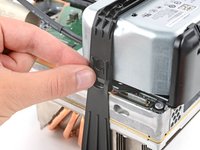
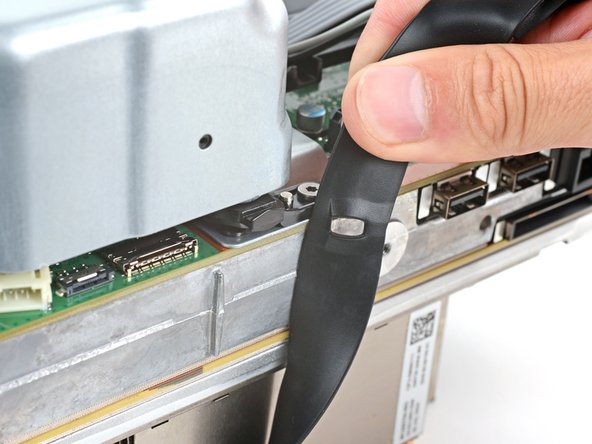
    • Pull the end of the rubber strap down and away from the chassis to unlatch it.

  35. Xbox Series X (Digital Edition) Southbridge Board Replacement: 35 단계, 이미지 3개 중 1개 Xbox Series X (Digital Edition) Southbridge Board Replacement: 35 단계, 이미지 3개 중 2개 Xbox Series X (Digital Edition) Southbridge Board Replacement: 35 단계, 이미지 3개 중 3개
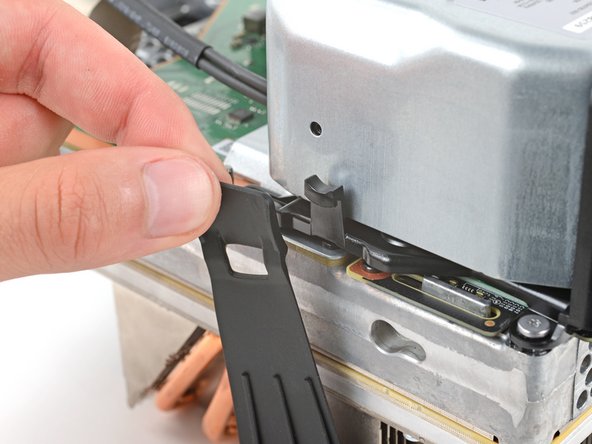
    • Pull the chassis strap off its three alignment posts and unlatch it from the sides of the power supply.

    • You can leave the strap under the chassis or remove it.

    • During reassembly, make sure the nubs in the middle of the strap go unto their cutouts on the heat sink fins.

  36. Xbox Series X (Digital Edition) Southbridge Board Replacement, Remove the power supply screws: 36 단계, 이미지 2개 중 1개 Xbox Series X (Digital Edition) Southbridge Board Replacement, Remove the power supply screws: 36 단계, 이미지 2개 중 2개
    • Use a T8 Torx driver to remove the four screws securing the corners of the power supply:

    • Three 35 mm‑long silver screws

    • One 8.7 mm‑long black screw

  37. Xbox Series X (Digital Edition) Southbridge Board Replacement, Remove the power supply: 37 단계, 이미지 2개 중 1개 Xbox Series X (Digital Edition) Southbridge Board Replacement, Remove the power supply: 37 단계, 이미지 2개 중 2개
    • Lift the power supply straight up and remove it.

  38. Xbox Series X (Digital Edition) Southbridge Board Replacement, Remove the Wi‑Fi board: 38 단계, 이미지 2개 중 1개 Xbox Series X (Digital Edition) Southbridge Board Replacement, Remove the Wi‑Fi board: 38 단계, 이미지 2개 중 2개
    • Use a T8 Torx driver to remove the three 8.7 mm‑long screws securing the Wi-Fi antenna board.

  39. Xbox Series X (Digital Edition) Southbridge Board Replacement: 39 단계, 이미지 3개 중 1개 Xbox Series X (Digital Edition) Southbridge Board Replacement: 39 단계, 이미지 3개 중 2개 Xbox Series X (Digital Edition) Southbridge Board Replacement: 39 단계, 이미지 3개 중 3개
    • Don't pull up on the antenna board until it's completely disconnected.

    • Grip the antenna board and pull it directly away from the center chassis to disconnect it.

    • Remove the antenna board.

    • During reassembly, align the board's connector with the port on the center chassis and press to reconnect.

  40. Xbox Series X (Digital Edition) Southbridge Board Replacement, Disconnect the interconnect cable: 40 단계, 이미지 3개 중 1개 Xbox Series X (Digital Edition) Southbridge Board Replacement, Disconnect the interconnect cable: 40 단계, 이미지 3개 중 2개 Xbox Series X (Digital Edition) Southbridge Board Replacement, Disconnect the interconnect cable: 40 단계, 이미지 3개 중 3개
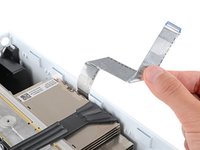
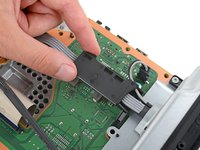
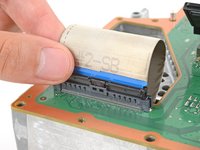
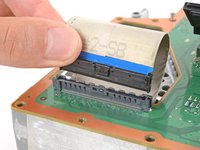
    • Use your fingers to pinch the locking tab in the center of the interconnect cable connector.

    • While pinching the tab, insert the flat end of a spudger between the top of the socket and the connector's tab.

    • Twist the spudger to lift the connector out of its socket until the clip in the center disengages.

  41. Xbox Series X (Digital Edition) Southbridge Board Replacement: 41 단계, 이미지 2개 중 1개 Xbox Series X (Digital Edition) Southbridge Board Replacement: 41 단계, 이미지 2개 중 2개
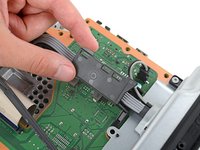
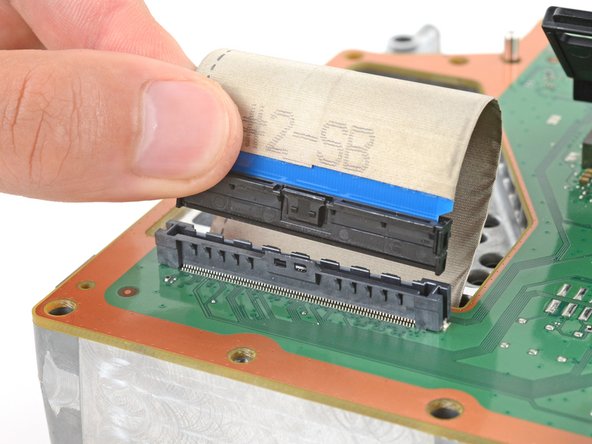
    • Use your fingers to pull the connector straight up and out of its socket.

    • During reassembly, insert the interconnect cable connector into its socket and press down on both edges until the connector snaps into place.

  42. Xbox Series X (Digital Edition) Southbridge Board Replacement, Remove the center chassis: 42 단계, 이미지 3개 중 1개 Xbox Series X (Digital Edition) Southbridge Board Replacement, Remove the center chassis: 42 단계, 이미지 3개 중 2개 Xbox Series X (Digital Edition) Southbridge Board Replacement, Remove the center chassis: 42 단계, 이미지 3개 중 3개
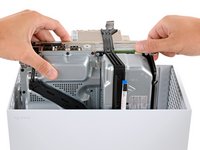
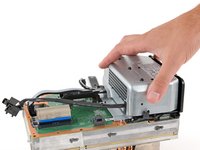
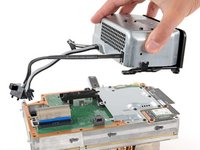
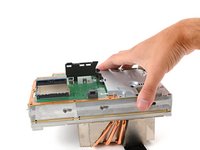
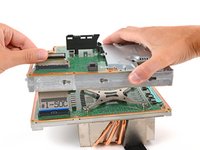
    • Lift the center chassis off the motherboard and heatsink assembly, routing the interconnect cable through its cutout.

  43. Xbox Series X (Digital Edition) Southbridge Board Replacement, Remove the southbridge board shield: 43 단계, 이미지 2개 중 1개 Xbox Series X (Digital Edition) Southbridge Board Replacement, Remove the southbridge board shield: 43 단계, 이미지 2개 중 2개
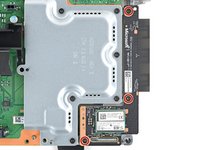
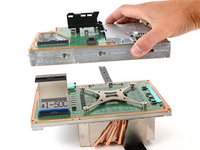
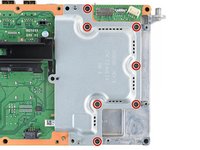
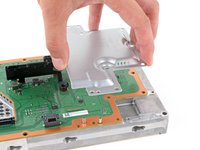
    • Use a T8 Torx driver to remove the seven 8.7 mm‑long screws securing the southbridge board shield.

  44. Xbox Series X (Digital Edition) Southbridge Board Replacement: 44 단계, 이미지 2개 중 1개 Xbox Series X (Digital Edition) Southbridge Board Replacement: 44 단계, 이미지 2개 중 2개
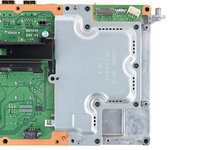
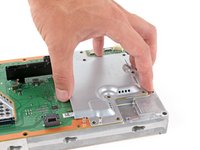
    • Remove the board shield.

  45. Xbox Series X (Digital Edition) Southbridge Board Replacement, Remove the cable guide: 45 단계, 이미지 3개 중 1개 Xbox Series X (Digital Edition) Southbridge Board Replacement, Remove the cable guide: 45 단계, 이미지 3개 중 2개 Xbox Series X (Digital Edition) Southbridge Board Replacement, Remove the cable guide: 45 단계, 이미지 3개 중 3개
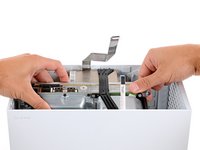
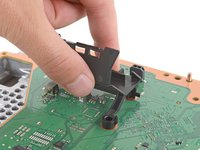
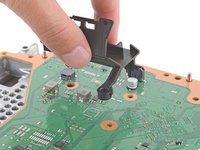
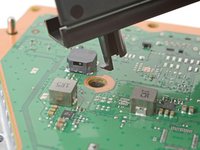
    • Lift up to remove the power supply cable guide from the southbridge board.

    • During reassembly, insert the post with a tab into its screw hole first before aligning the rest of the cable guide.

  46. Xbox Series X (Digital Edition) Southbridge Board Replacement, Remove the southbridge board: 46 단계, 이미지 3개 중 1개 Xbox Series X (Digital Edition) Southbridge Board Replacement, Remove the southbridge board: 46 단계, 이미지 3개 중 2개 Xbox Series X (Digital Edition) Southbridge Board Replacement, Remove the southbridge board: 46 단계, 이미지 3개 중 3개
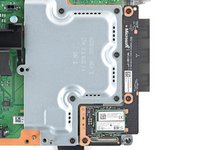
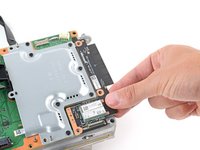
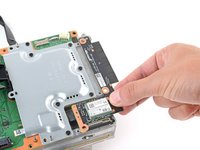
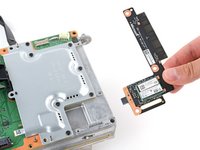
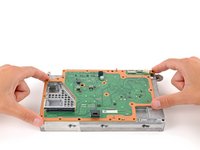
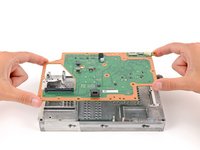
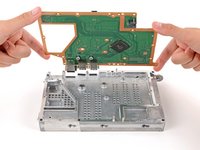
    • Remove the southbridge board from the center chassis.

결론

To reassemble your device, follow these instructions in reverse order.

Take your e-waste to an R2 or e-Stewards certified recycler.

Repair didn’t go as planned? Try some basic troubleshooting, or ask our Answers community for help.

Spencer Day

회원 가입일: 09/14/22

149,317 평판

안내서 995개를 작성함

iFixit iFixit 회원

Staff

123 회원들

안내서 23,608개를 작성함

0가이드 댓글

댓글 쓰기

조회 통계:

지난 24시간: 2

지난 7일: 16

지난 30일: 44

전체 시간: 352