주요 콘텐츠로 건너뛰기

ZTE Quest n817 Power/Volume Button Replacement

필요한 것

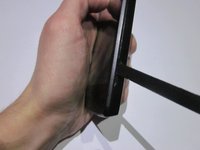
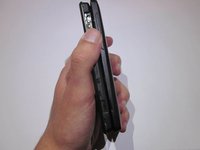
  1. ZTE Quest n817 Power/Volume Button Replacement, Battery: 1 단계, 이미지 3개 중 1개 ZTE Quest n817 Power/Volume Button Replacement, Battery: 1 단계, 이미지 3개 중 2개 ZTE Quest n817 Power/Volume Button Replacement, Battery: 1 단계, 이미지 3개 중 3개
    • Ensure that the phone is turned off before starting.

    • Orient the device so that the inset on the right side of the device is facing you.

    • Insert the spudger into the inset and carefully remove the back panel.

  2. ZTE Quest n817 Power/Volume Button Replacement: 2 단계, 이미지 2개 중 1개 ZTE Quest n817 Power/Volume Button Replacement: 2 단계, 이미지 2개 중 2개
    • Use the ribbon to remove the exposed battery.

  3. ZTE Quest n817 Power/Volume Button Replacement, Motherboard: 3 단계, 이미지 1개 중 1개
    • Use the JIS #000 screwdriver to remove the six 3.0mm screws placed in the back of the ZTE Quest.

  4. ZTE Quest n817 Power/Volume Button Replacement: 4 단계, 이미지 1개 중 1개
    • Carefully pry open the back panel with the plastic opening tool.

  5. ZTE Quest n817 Power/Volume Button Replacement: 5 단계, 이미지 1개 중 1개
    이 단계에 사용된 도구:
    Tweezers
    $4.99
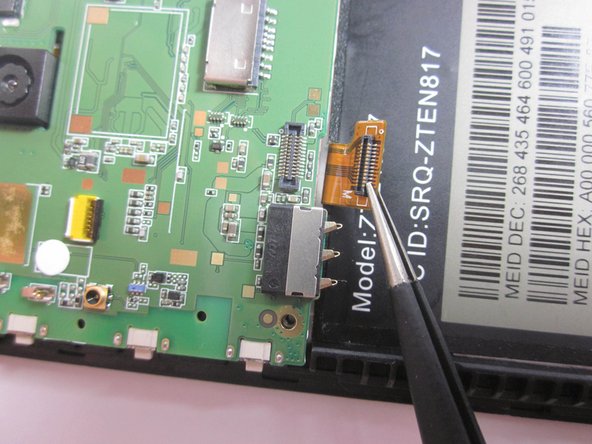
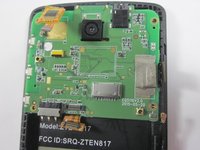
    • Use a pair of tweezers to gently disconnect the ribbon cable connector from its socket.

  6. ZTE Quest n817 Power/Volume Button Replacement: 6 단계, 이미지 1개 중 1개
    • Pull back the tape encasing the brown ribbon cable connector.

    • Remove the ribbon cable from its socket.

  7. ZTE Quest n817 Power/Volume Button Replacement: 7 단계, 이미지 1개 중 1개
    • Unplug the flat-top connector by using a pair of tweezers to pry up each side before removing the connector from its socket.

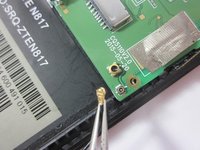
  8. ZTE Quest n817 Power/Volume Button Replacement: 8 단계, 이미지 2개 중 1개 ZTE Quest n817 Power/Volume Button Replacement: 8 단계, 이미지 2개 중 2개
    • Disconnect the coaxial connector in the bottom right corner of the motherboard.

  9. ZTE Quest n817 Power/Volume Button Replacement, Power/Volume Button: 9 단계, 이미지 1개 중 1개
    • Each of these buttons can be removed using micro-soldering techniques around either side of the button.

    • Instructions for how to do so can be found at iFixit's How to Solder and Desolder Connections guide.

결론

To reassemble your device, follow these instructions in reverse order.

다른 한 분이 해당 안내서를 완성하였습니다.

작성자

1다른 기여자 명과 함께

Eric Loureiro

회원 가입일: 10/26/18

606 평판

안내서 5개를 작성함

UMass Dartmouth, Team S3-G6, Peak Fall 2018 UMass Dartmouth, Team S3-G6, Peak Fall 2018 회원

UMASSD-PEAK-F18S3G6

3 회원들

안내서 10개를 작성함

0가이드 댓글

댓글 쓰기

조회 통계:

지난 24시간: 0

지난 7일: 2

지난 30일: 9

전체 시간: 386