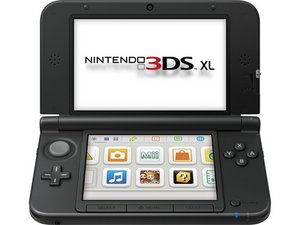
How do I replace the Black Midframe on the 3ds XL?
I bought a new Black Midframe (the inside black casing) and I want to know how to install it. Please help!
좋은 질문입니까?
점수
1

평판: 13
 1
1
 1
1
I bought a new Black Midframe (the inside black casing) and I want to know how to install it. Please help!
좋은 질문입니까?

평판: 79
2
 1
1
This is a pretty difficult replacement, since it involves opening up both halves of the system.
This is a video on how to fix a cracked hinge by replacing the midframe: https://www.youtube.com/watch?v=dVn_m_OI...
I'd give it a quick watch before deciding whether or not to replace it.
Assuming that you are a beginner to this sort of thing, the risks to damaging your system are pretty high.
(I did this to fix a cracked hinge, and regret not being more careful, as my circle pad no longer works. But now I have an excuse to buy a New 3ds, so I suppose it's not all bad.)
Most steps to the process are in this guide: Nintendo 3DS XL Touchscreen Replacement
However, in order to re-attach the top screen, you will have to remove its outer shell, as shown in this guide:
Nintendo 3DS XL Upper LCD Display Replacement
From there, just follow the first video, taking care to not damage the wires. These can be slid through a slit in the casing by the hinge.
The main things to watch out for are
- Don't strip any screws. If the screw isn't coming out, try a different screwdriver. Magnetic screwdrivers are pretty helpful here.
- Do not break any of the grey flaps on the motherboard. From what I can tell, these can only be fixed by replacing the entire motherboard, which is one of the more-expensive parts.

안내서
난이도:
매우 어려움
—
45 minutes - 2 hours

안내서
난이도:
조정
—
1 - 3 hours
이 답변이 도움이 되었나요?
지난 24시간: 0
지난 7일: 9
지난 30일: 23
전체 시간: 1,321
