
주요 콘텐츠로 건너뛰기
수리 커뮤니티 가입 - 계정 만들기

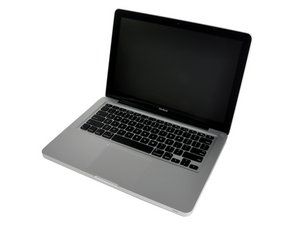
13" 알루미늄 unibody, 2.0 또는 2.4 GHz Core 2 Duo 프로세서.

How many chips do I need?

I have a late 2008 13" Unibody Aluminum Macbook with 2GB of memory installed (2x1GB). If I want to upgrade to a total of 4GB, do I need to buy 2x2GB chips or can I just buy one 4GB chip? I'm sorry if this is a silly question, but I'm pretty new to all this. Thanks in advance.

답변되었습니다! 답변 보기 저도 같은 문제가 있습니다

좋은 질문입니까?

점수 1
댓글 1개

I purchased two 4GB RAM chips and just installed them today. So happy I did. Now when I view the "Activity Monitor" I see that I have plenty of RAM doing the activities I normally do. Thanks again.

댓글 달기

답변 1개

선택된 해법

Originally, this model was only unofficially capable of stably supporting 6 GB of RAM (one of your current chips and a 4GB chip) , but as confirmed by OWC, it is capable of supporting 8 GB of RAM (I'd get two new 4GB chips) if updated to Boot ROM Version MB51.007D.B03 and running MacOS X 10.6 "Snow Leopard" or higher

If this answer is acceptable please remember to return and mark it accepted.

이 답변이 도움이 되었나요?

점수 1

댓글 4개:

Thank you. I have Yosemite running on it now. What is Boot ROM Version... Sorry, I'm a novice. Also, why did Apple say they only Support up to four gigs when the comp can handle eight?

Apple has a page explaining the Boot ROM (or EFI firmware) versions here: http://support.apple.com/en-us/HT201518

Apparently they released this update to fix a noise problem, but it also allowed the model to handle more RAM - Apple just didn't want to publicize it.

Also, be careful what you buy (see this discussion: https://discussions.apple.com/thread/461...). I have one of these MacBooks too - there are no silly questions.

Thanks so much. I appreciate this. So, if I did not do this particular update, I would still be ok to run 4GB of RAM it sounds like. I know I could go up to 8, but I'm happy going from 2 to 4 for now. Especially since we don't do that much on it. But it would be nice to have a little bit faster speed when utlizing multiple tasks on it.

The best performance boost you can get your machine for your money is to run MAX RAM (Top tier RAM not Cheap lower quality). Since you've pushed the OS to the MAX do yourself a favor and do the EFI update (It may have already been done as part of Yosemite) and as long as you're opening the box put in 2x4GB chips.

댓글 달기

답변을 추가하세요

staceycee 영원히 감사할 것입니다.
조회 통계:

지난 24시간: 2

지난 7일: 10

지난 30일: 19

전체 시간: 207