
주요 콘텐츠로 건너뛰기
수리 커뮤니티 가입 - 계정 만들기

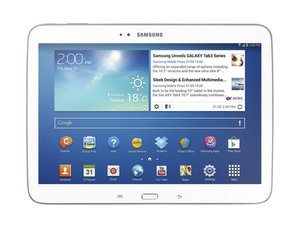
The third generation of Galaxy Tab including a 7.0, 8.0 and 10.1 inch display versions, as well as the Galaxy Tab 3 Lite 7.0. Released in July 2013.

Remove items from history

I lent my Galaxy Tab 3 Lite 7" and when it was returned there was information on it that I would like to delete permanently. When I activate Google and touch a keypad key, suggestions of places that have been accessed pop up. I would like to get rid of all pop-up suggestions without having to Factory Reset the device.

Any help out there for this problem?

답변되었습니다! 답변 보기 저도 같은 문제가 있습니다

좋은 질문입니까?

점수 3
댓글 달기

답변 2개

선택된 해법

Hi,

Here is a link which shows how to remove your search history.

http://www.howtogeek.com/197348/how-to-c...

이 답변이 도움이 되었나요?

점수 3

댓글 2개:

Have tried that and still get a message "couldn't remove item from history" any other suggestions

Hi,

What browser are you using? Maybe try this suggestion.

http://www.technipages.com/galaxy-nexus-...

댓글 달기

problem solved by using Chrome

이 답변이 도움이 되었나요?

점수 2
댓글 달기

답변을 추가하세요

Ev Reade 영원히 감사할 것입니다.
조회 통계:

지난 24시간: 1

지난 7일: 5

지난 30일: 12

전체 시간: 13,959
