
주요 콘텐츠로 건너뛰기
수리 커뮤니티 가입 - 계정 만들기

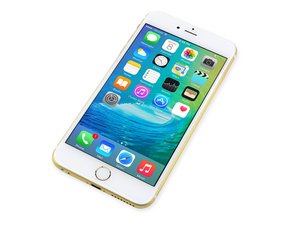
2015년 9월 25일 출시. Model A1687/A1634. 수리는 이전 모델과 유사하며 스크류 드라이버 및 비집는 도구가 필요합니다. GSM 또는 CDMA / 6, 64, 또는 128GB / 은색, 금색, 스페이스 그레이 및 로즈 골드로 제공하였습니다.

Screen is black after replacement and..

So , we tried to replace the iphone screen because its very cracked. At first it turned on but looked glitchy but the touch screen didnt want to register. After that it just wouldn't turn on. We checked everything and nothing was damaged. Put the old screen back on but no dice, still nothing. I have it plugged into the computer and ive tried hard rests and dfu. Itunes recognizes the device and i'm doing a reset/ restore but it still won't turn on. Was it broken somehow while trying to switch screens? how come it worked and then suddenly worse off without doing anything?

답변되었습니다! 답변 보기 저도 같은 문제가 있습니다

좋은 질문입니까?

점수 0
댓글 1개

Did you unplug or plug in the screen while the battery was connected?

댓글 달기

답변 1개

선택된 해법

As Ben suggested, not disconnecting the battery first can cause the backlight circuit to fail. Seeing as how both your original and replacement screen do not work, the problems seems to be on the logic board.

Do what you normally would to "turn on" your phone. The check your display with a flashlight. If you can see a very dim image on your screen, then it is the backlight circuit. This will require a micro-soldering repair.

이 답변이 도움이 되었나요?

점수 3

댓글 2개:

can i do the micro soldering on my own? how? thank you

also there is no dim image when i turn it on its just black, no display, nothing what should i do?

댓글 달기

답변을 추가하세요

iloveanimebye 영원히 감사할 것입니다.
조회 통계:

지난 24시간: 0

지난 7일: 0

지난 30일: 2

전체 시간: 157
