
주요 콘텐츠로 건너뛰기
수리 커뮤니티 가입 - 계정 만들기

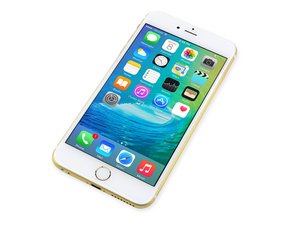
2015년 9월 25일 출시. Model A1687/A1634. 수리는 이전 모델과 유사하며 스크류 드라이버 및 비집는 도구가 필요합니다. GSM 또는 CDMA / 6, 64, 또는 128GB / 은색, 금색, 스페이스 그레이 및 로즈 골드로 제공하였습니다.

Right side of backlight dim

Just replaced my screen with the screen from here and it worked perfectly until I put my phone in my case and then removed it again. As soon as I put bending pressure on the top right to pull it out of the case, the right side of the screen loses backlight. I open the phone again and it works again until I slightly bend the top right corner like I'm removing it from a case. I can tap & bang all areas of the phone and its perfect. So long as I don't take it out of the case, its fine. I redid the install to make sure all plugs are in perfectly and they are. Checked cables for rips and ensured I didn't open the screen more than 90 degrees. What could it be? I'm about to trade the phone in so it's not a show stopper... Just curious.

답변되었습니다! 답변 보기 저도 같은 문제가 있습니다

좋은 질문입니까?

점수 0
댓글 달기

답변 1개

선택된 해법

It's possible that the replacement screen is defective. I would try to re-install the original, cracked screen to see if that exhibits the same symptoms. That will help you understand if the problem is with the screen or on the logic board. If it is the screen, contact iFixit support.

Did you disconnect the battery before removing and installing the replacement screen? The iPhone 6S seems particularly sensitive to backlight failures when the battery is left connected. If this is the case (and the original screen confirms a logic board issue), then the only solution is to have it repaired by a micro-solderer.

이 답변이 도움이 되었나요?

점수 1
댓글 달기

답변을 추가하세요

Christopher Phipps 영원히 감사할 것입니다.
조회 통계:

지난 24시간: 0

지난 7일: 0

지난 30일: 1

전체 시간: 408
