
주요 콘텐츠로 건너뛰기

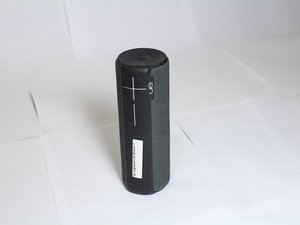
The Logitech UE Boom 2 is a waterproof, portable Bluetooth speaker known for its 360 degree sound. The Boom 2 comes in a multitude of vibrant colors and patterns.

Factory Reset won't work...

This is quoted from another post:

Factory rest [for UE Boom 2]

Note that doing this many times in a row may harm your speaker, so refrain from doing this more than once or twice.

What does this mean exactly? I have tried resetting my UE Boom 2 and now the Bluetooth Sync light won't stop flashing when I try to turn it on. And it won't display on any devices either. Is this speaker toast? Thanks.

이 질문에 답하기 저도 같은 문제가 있습니다

좋은 질문입니까?

점수 5

댓글 1개:

I have exactly the same problem: I believe it is an incompatibility with the latest iOS update. My devices running the latest iOS software won’t connect. However my old iPad running an older version connects fine. I guess we’ll have to wait until Logitech provides us with an update :(

댓글 달기

답변 3개

Im not really familiar with this device but I would recommend going to the manufacturers website or calling them, here is a link to their faqs.. and phone number.

https://support.ultimateears.com/en/boom...

이 답변이 도움이 되었나요?

점수 0

댓글 1개:

Have u found a solution, I'm having the same problem with mine and I really can't find out how to fix it

댓글 달기

I think it is the latest iOS. Old iPad connect. iPhone 7 running 11.3.1 doesn’t connect. Arghhhg

이 답변이 도움이 되었나요?

점수 0
댓글 달기

Step-by-step instructions

  1. Turn on the speaker: If the speaker is off, press the power button to turn it on.
  2. Press and hold the buttons: Press and hold both the power button (the circle button on top) and the "volume down" button at the same time.
  3. Wait for the sound: Continue holding the buttons for at least 5 seconds until you hear a second sound indicating the reset is complete.
  4. Release the buttons: The speaker will turn off automatically.
  5. Restart and pair: Turn the speaker back on. It will now be in pairing mode, ready to connect to a device as if it were new.

You can also watch this video to learn how

이 답변이 도움이 되었나요?

점수 0
댓글 달기

답변을 추가하세요

emerich kaspar 영원히 감사할 것입니다.
조회 통계:

지난 24시간: 0

지난 7일: 6

지난 30일: 21

전체 시간: 24,749

